A look for shops: draws Osysharp.Site.Looks and Osysharp.Shop.Looks. Its own design of all seven parts of a store (the frame and the pages) and of the hero, the product row and the shelves; the other block types fall back to the shop kit's plain designs, in this look's theme. Its own block: “How a piece gets here”.
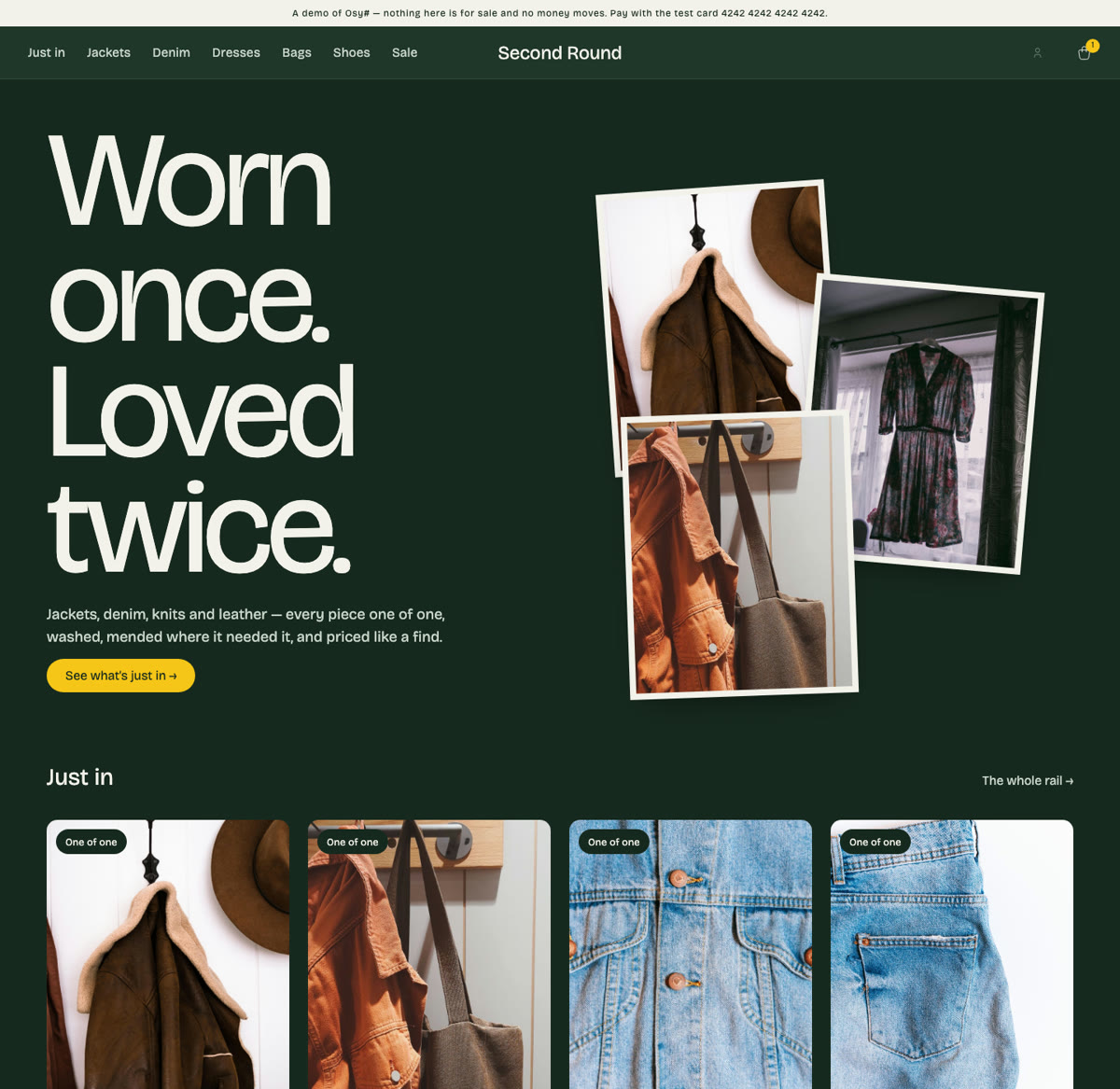
A look for a shop — "the rail". A deep bottle-green ground like a shop's painted wall, off-white type in Bricolage Grotesque set big and tight, photographs left warm, and one accent — the yellow of a price tag — kept for the price and the one thing to press. The front page is the line with finds pinned to the wall beside it, the rail of what just came in, and how a piece gets here.
Install it in a store beside other looks, and the people who run the store pick it per version of the site at the page desk (/staff/pages): drafted, previewed as a whole site, switched on a date. Orders, stock, customers and everything staff arranged stay put — the Rail redraws the same words and photographs in its own design.
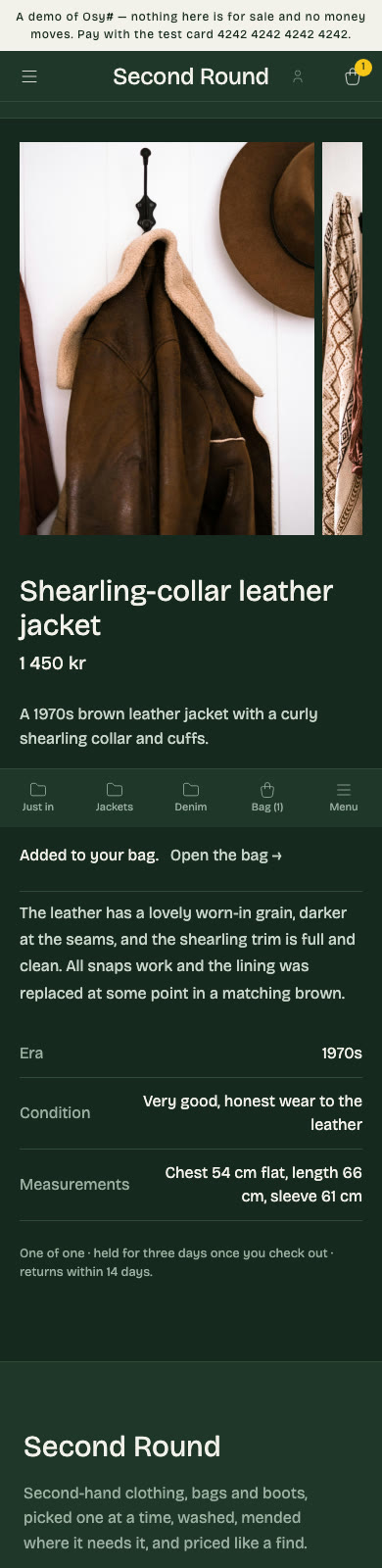
- The frame: the kit's StorefrontShell — the rails across the top, the bag sliding in from the side; the menu (
SiteMenu("menu", …)), the strip across the top (Region("announcement")) and the footer's words (Region("footer")), each staff's to arrange, under the names every look uses — so what staff arranged comes along whichever look the store wears. - The pages: the front page (a region of blocks), a listing, the grid, a piece's page, and a "not here".
- Its designs of the block types: the hero (the line, its photographs pinned at an angle beside the latest find — or the words alone when there is no photograph), the product row, the shelves as rounded photographs. A type it has no design of is drawn in the shop kit's plain design.
- Its own block: How a piece gets here — three steps on the painted wall, each staff's to reword — drawn only while a version wears the Rail; the desk lists it before a switch to another look.
- Its theme and fonts: the palette, type scale, radii and motion, served only while the store wears the Rail (
:root[data-look="rail"]); Bricolage Grotesque, registered in this kit'sosyrin.lockand shipped with the store that installs it. - Whatever the visitor's system is set to: every colour the shop kit and its add-ons paint with is the look's own — raised panels and wells (
Elevated,Sunken) and the four statuses included — so a visitor in dark mode sees the look as it was designed, not the platform's dark menus inside it.osy kit tokens --applists nothing left at the floor. - The store's name in the wordmark and the footer's sign-off is the shop's own (
ShopSettings.Name, set at the desk).
It draws the general site contract (Osysharp.Site.Looks) and the shop's (Osysharp.Shop.Looks), with exactly their parameters — the compiler checks each design like a class against an interface. It carries no data and no logic and needs no egress and no secret: it reads what a store's page reads, as the visitor. Its default front page names the Second Round catalogue's pieces and photographs (/_osy/files/public/products/…); staff replace them at the desk.
- Worn by the Second Round thrift store, whose tests walk the shop in every look at a phone's width and a wide screen's (
osy test --pixels). osy docs ui-looks— looks, contracts, and switching a version's look.osy docs ui-building-a-look— building a look of your own, from an empty kit.
Get it
Add the kit to your app’s manifest:
osy
app MyApp {
  use Osysharp.Shop.Looks.Rail@0;
}
Then run osy lock: it downloads the release, verifies it by its content address and pins that version in osyrin.lock. osy kits Osysharp.Shop.Looks.Rail shows what the kit is for, from inside your app.
Reference: osy docs ui-looks.