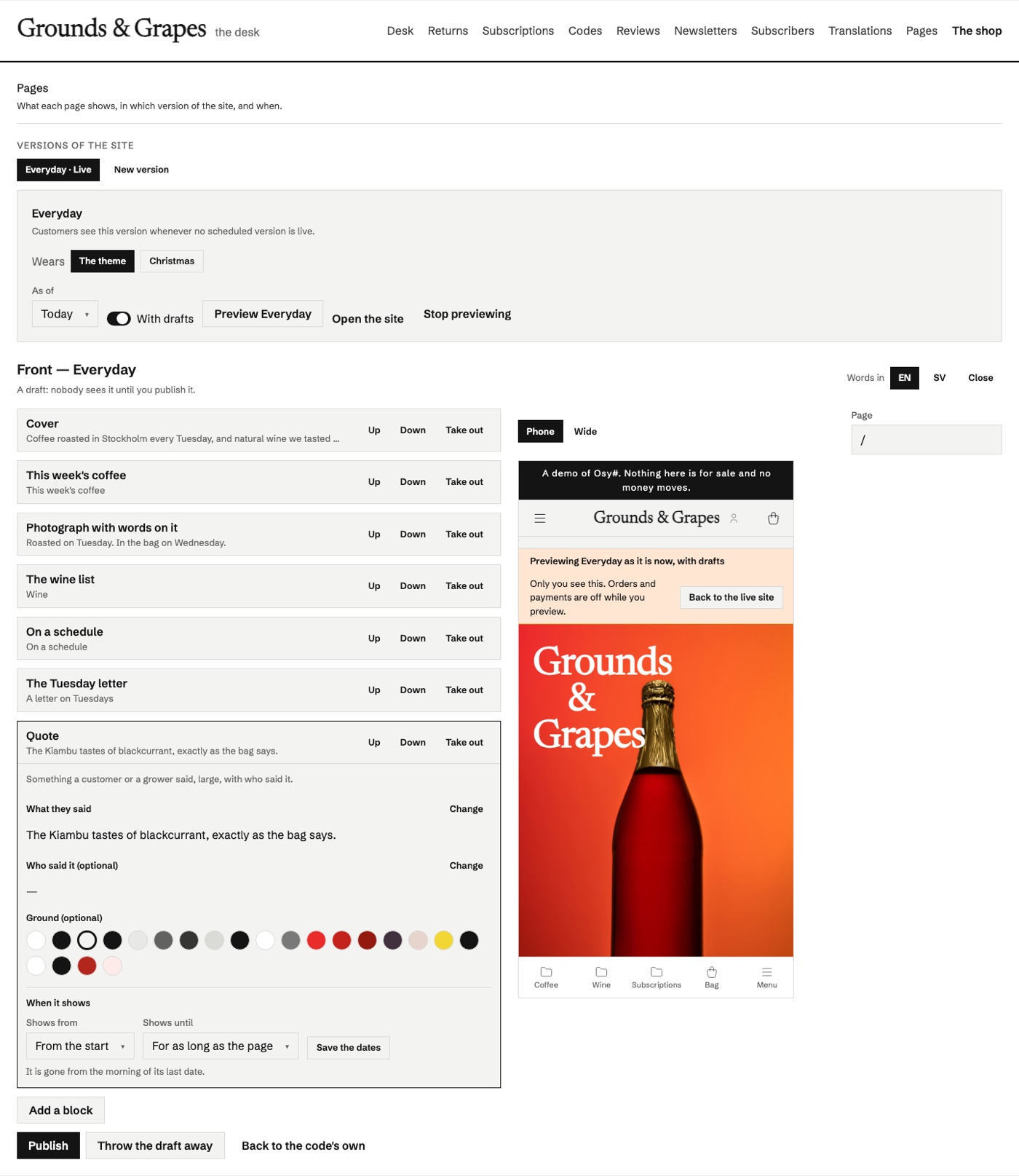
The desk where the people who run a site arrange its pages. The app's code declares blocks ([Block] component …) and regions (Region("front", allow: [...]) { … }) with Osysharp.Blocks; this kit is where staff add, move, fill in and take out blocks in those regions — beside the live page at phone and desk width — keep their changes as a draft, and publish. No deploy, and nothing a customer sees changes until they press Publish.
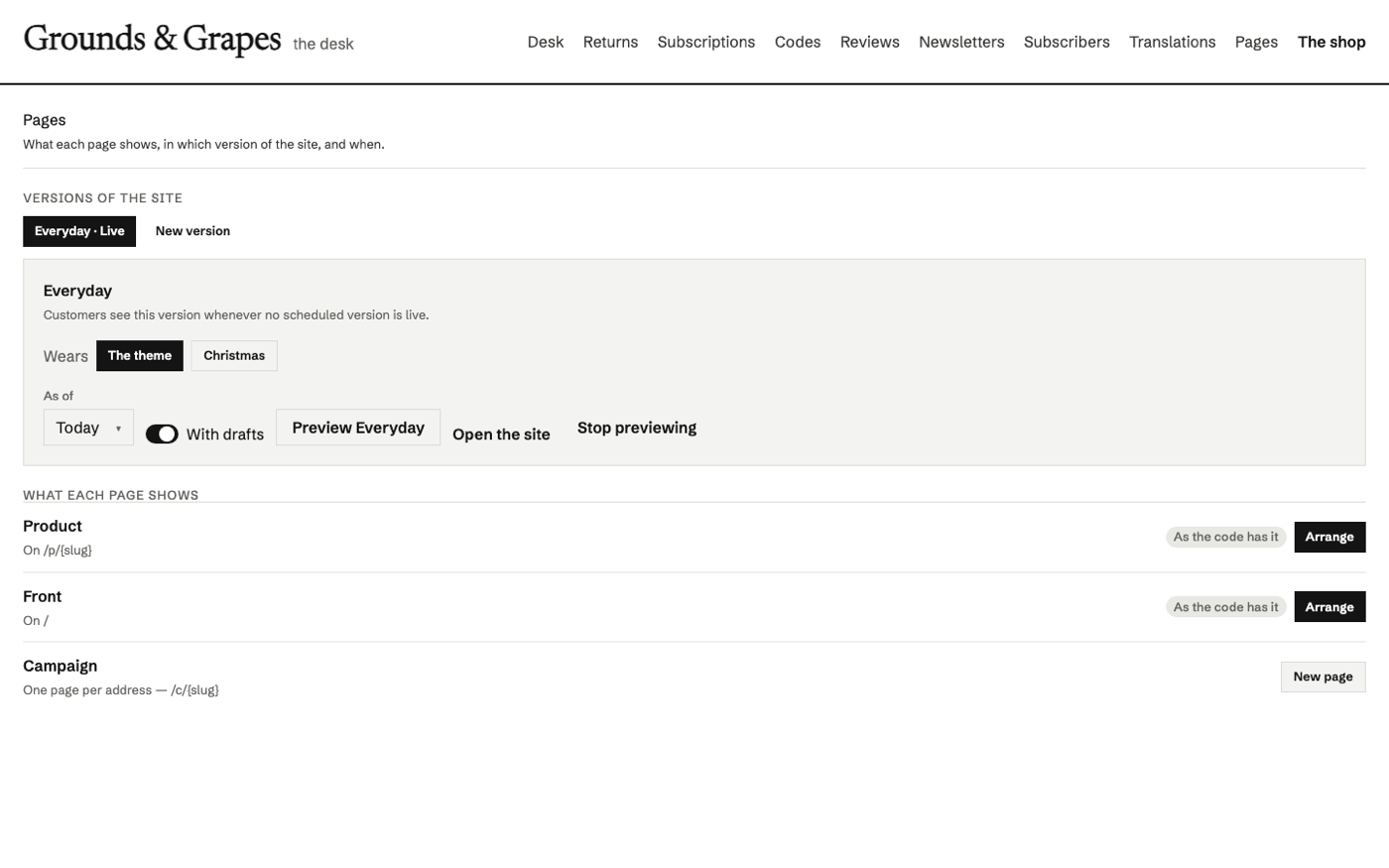
- Every region the code declares, with the page it is on and whether it is still as the code has it, arranged, or has a draft waiting. A region with a key (
Region("campaign", key: slug, …)) is one page per address: New page makes/c/christmas-giftsby naming it. - "Add a block" shows each block drawn small in the site's own look, with its name and what it is for.
- Mails too — a mail's region (the words an order confirmation greets with, a photograph beside them) is arranged here, in the same versions, with the MAIL itself beside its blocks: at a phone's width, in a wide reading pane, and as its plain text, as the mail renderer writes it for a real order. A block the mail must keep Stays.
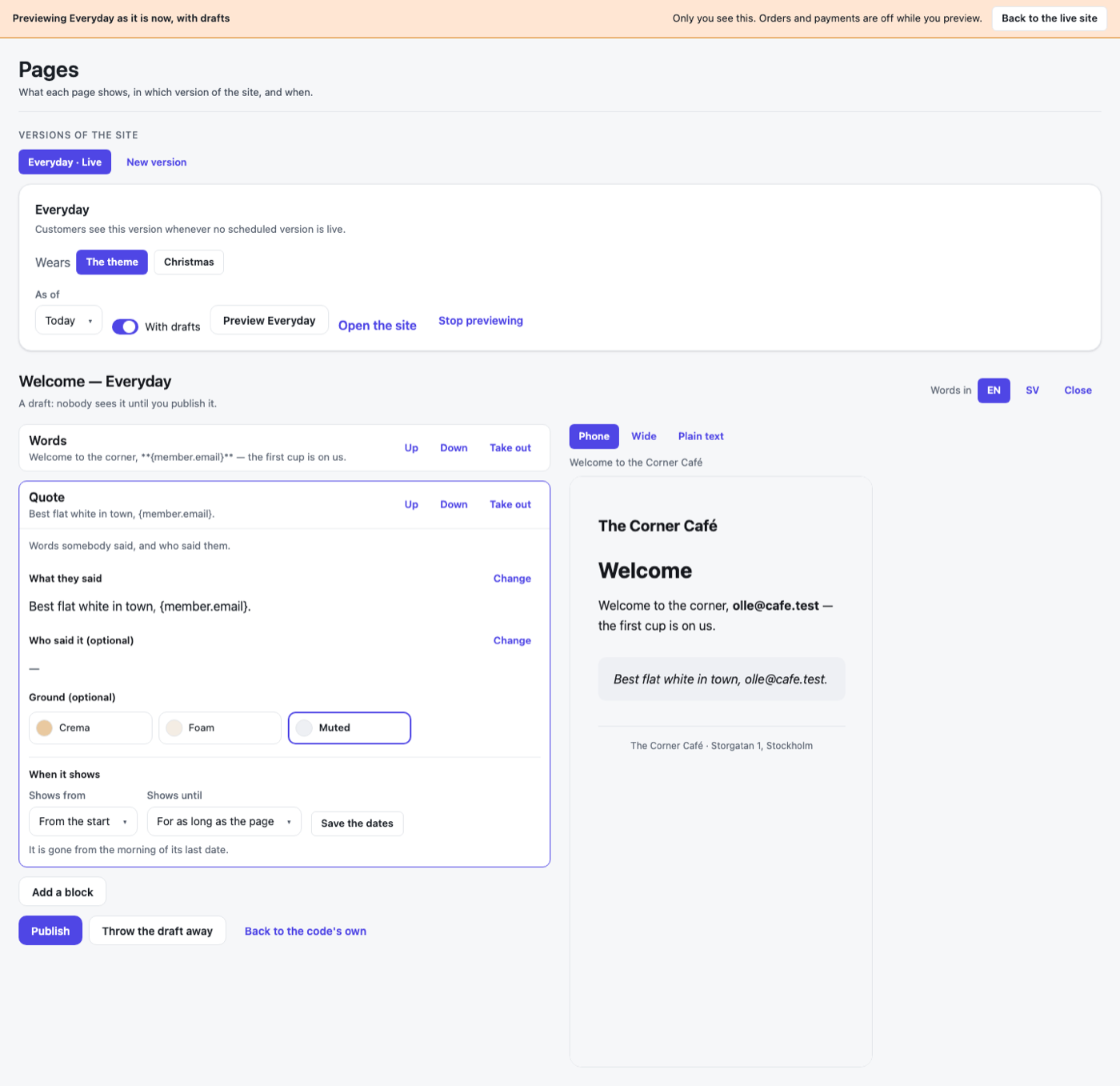
- Fields chosen by the block's parameter types — words, Markdown (in the Markdown editor), numbers in their range, a switch, a choice, the theme's own colours by name — only its grounds for a block's background — the app's pictures or an upload, a page of the app or a web address, a row to pick. Words are written per language: switch the desk to Swedish and a Swedish reader gets Swedish words.
- The site's frame — the menu (
SiteMenu(…)in the layout) edited as a LIST: words, where it goes, hide, move in under the entry above, reorder, dates, per language; an outside address marked, ajavascript:one refused. The strip across the top and the footer are regions in the layout, listed under Around every page (ui-site-frame). - Looks — in an app that installs several (
ui-looks), each version wears one: Look on its card, and before a switch, What will not come along — each block the new look has no design for — with Switch and Keep. The regions and the "Add a block" list are the version's look's, each block drawn small in that look. - Dated blocks — a banner from the 1st to the 21st, gone from the morning of its last date.
- Versions of the site — Everyday, and copies of it (Christmas) with their own arrangements, live on a schedule (two cannot overlap) or now, each wearing a variant of the theme the code declares (
Modes.Of(light: …, christmas: …)). - A preview of the whole site as a version will look on a date, with or without drafts, for this staff member in this browser only — with a banner, and orders refused while it lasts (
SitePreviewing()). - Flags what the code changed: a block whose parameters changed is Changed in code; one removed is No longer in the app, and is not shown to customers.
Use it
osy
// app.osy
use Osysharp.Blocks;
use Osysharp.Pages@0;
osy
// the desk, on a page only staff reach
[Route("/staff/pages")]
[Authorize(IsStaff)]
component StaffPages() { render { PagesDesk(); } }

// the layout every public page uses: the live version's look, and the preview banner
[Layout]
component Site() { render { Stack(gap: 0) { SiteLook(); Outlet; } } }

// who may arrange — Osysharp.Blocks' one question, answered with the app's own roles
policy ArrangesPages => IsStaff;
Customers read only what is live — the tables' own rule — so a draft, a version scheduled for later and a block past its dates are never shown to them, whatever reads the tables.
Source
model/ui/Desk.osy— the desk:PagesDesk, the region editor, the preview, the field editors.model/ui/Menu.osy— the menu's list editor (PagesMenuEditor).model/ui/SiteLook.osy—SiteLook(): the live version's theme variant, and the preview banner.model/Pictures.osy— uploads for a picture field.model/Words.osy— the Markdown editor's scratch copy of a field's words while they are written.locales/sv.osy— Swedish.tests/— a café whose front page and campaign pages staff arrange: the functions (pages.test.osy) and the desk on screen (pages-ui.test.osy,osy test --pixels).
The shop's blocks (a hero, a product row, the shelves, a picture with words, a quote, the newsletter, a banner) are in Osysharp.Shop (model/ui/Blocks.osy); the Grounds & Grapes demo store arranges its front page, its product pages and its campaign pages with them. How blocks are declared is osy docs ui-blocks.
Get it
Add the kit to your app’s manifest:
osy
app MyApp {
  use Osysharp.Pages@0;
}
Then run osy lock: it downloads the release, verifies it by its content address and pins that version in osyrin.lock. osy kits Osysharp.Pages shows what the kit is for, from inside your app.
Reference: osy docs ui-pages-kit.