The general site contract for looks — the block TYPES any consumer-facing site has, as a shape and nothing more: what a hero, a quote or the footer's words hold, never how they look.
Looks come in three layers, and this kit is the bottom one:
text
  a LOOK                 Osysharp.Shop.Looks.Drop, .Rail …        how it all looks: the frame, the pages, the theme
                         (one kit each)                           and fonts, a design of each type, blocks of its own
        draws ↓ both
  a CATEGORY contract    Osysharp.Shop.Looks (inside the shop)    what a SHOP has: a row of products, the shelves,
                         a café's, a salon's … beside it          the store's frame, front page, listing, piece's page
        on top of ↓
  the SITE contract      Osysharp.Site.Looks — this kit            what ANY site has: a hero, a quote, a sign-up,
                                                                  a banner, the strip across the top, the footer
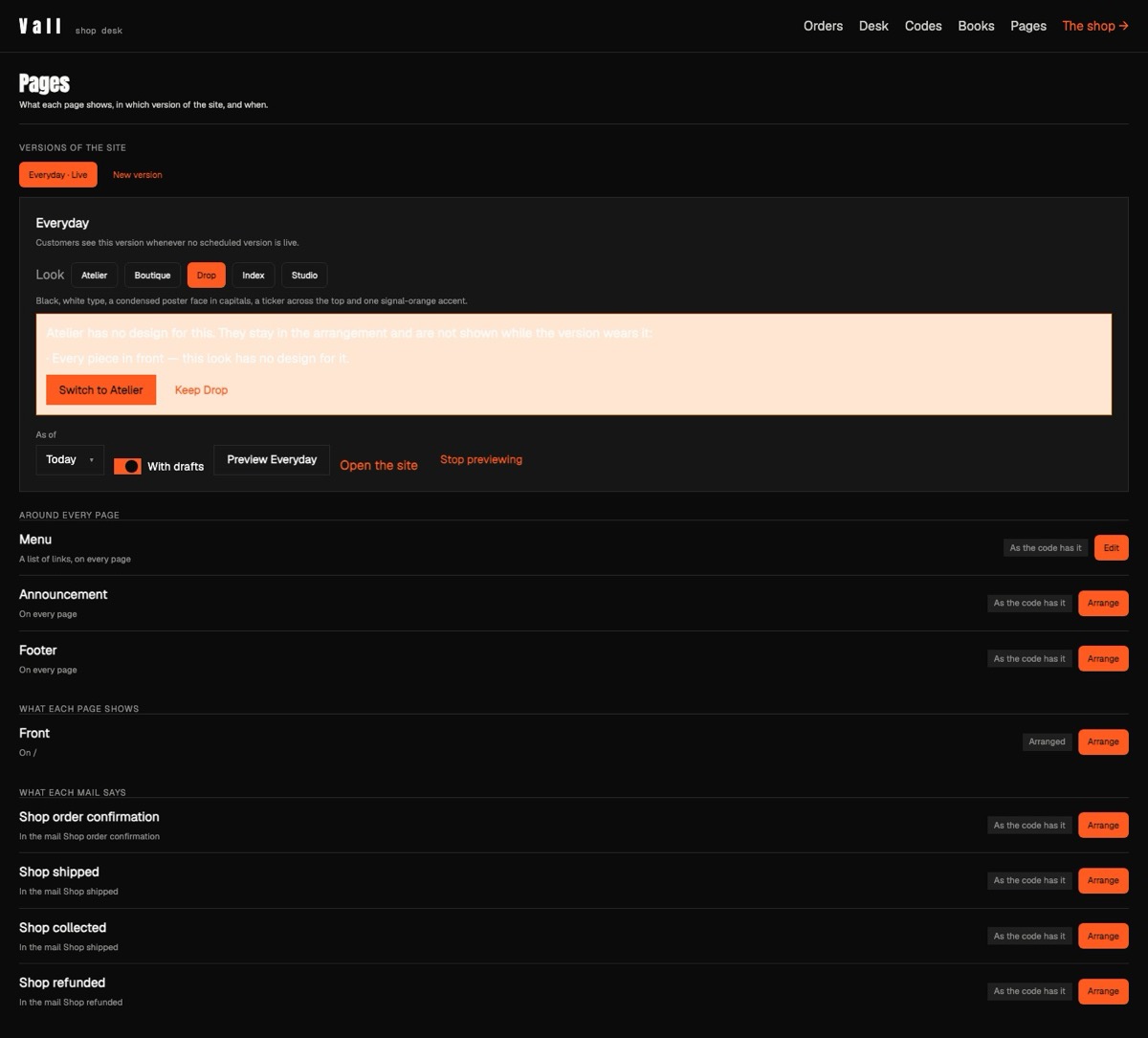
A contract is an abstract component — parameters, no body. A look kit (look Atelier { … } in its own namespace) designs each type with exactly the contract's parameters, checked like a class against an interface. Staff pick a look per version of the site at the page desk (/staff/pages); what they arranged is stored as the TYPE and its values, so switching the look redraws the same words and photographs in the new design. Orders, stock, customers and the arrangements stay put; the frame, the pages, every block's design, the theme and the fonts move.
The types (each an abstract component with [Block]; its parameters are the fields staff fill in):
| type | what staff fill in |
|---|---|
Hero | a headline, words under it, a photograph and a second one, a button and where it goes, a ground |
PictureWithWords | a photograph, a heading, words, which side the photograph is on, a ground |
Quote | what they said, who said it, a ground |
SignUp | the newsletter's heading, words and button |
Banner | a strip of words across the page, a link, a ground |
PhotoGallery | a heading and up to four photographs |
Announcement | the strip across the top of every page |
FooterWords, FooterLink, OpeningHours, Address, FooterSignUp | the footer |
The category contract on top of it carries what this one cannot: the shop's (Osysharp.Shop.Looks, inside Osysharp.Shop) names the shop's data — a product, a shelf — so it lives in the shop kit. A café's or a salon's would sit beside it the same way, on this same site contract, so one design idea can serve a shop, a café and a barber alike. The shop kit's plain design of each type here and of its own two is the default design: what a store without a look draws (Grounds & Grapes, Rust & Chrome), and what a look with no design of its own of a type draws, in that look's theme.
Use it — in a look kit:
osy
namespace MyStore.Looks.Meadow;
using Osysharp.Site.Looks;

look Meadow { Label = "Meadow"; Theme = MeadowTheme; }
component MeadowHero(string title, Markdown words = "", Picture photo = "", Picture second = "", string button = "Shop now",
                     PageLink link = "/", Color ground = Colors.Surface) : Hero { render { … } }
A design takes exactly the contract's parameters, or the compiler refuses it naming the difference. Building a whole look — the manifest, the theme, the seven parts of a store, the fonts, a block of its own, seeing it with osy test --pixels — is osy docs ui-building-a-look; looks, contracts and the desk are osy docs ui-looks. Ten complete designs of a shop: five worn by the Vall fashion store and five by the Second Round thrift store.
Its tests are a florist with two looks of its own: the look the app names, a switch redrawing the same arrangement, what a look leaves behind.
Get it
Add the kit to your app’s manifest:
osy
app MyApp {
  use Osysharp.Site.Looks@0;
}
Then run osy lock: it downloads the release, verifies it by its content address and pins that version in osyrin.lock. osy kits Osysharp.Site.Looks shows what the kit is for, from inside your app.
Reference: osy docs ui-looks.