A look for shops: draws Osysharp.Site.Looks and Osysharp.Shop.Looks. Its own design of all seven parts of a store (the frame and the pages) and of the hero, the footer's words and the product row; the other block types fall back to the shop kit's plain designs, in this look's theme. Its own block: “Every piece”.
A look for a shop — "the drop". Black, white type, Anton set at poster size in capitals, Geist for everything a customer reads and Geist Mono for labels and prices, a ticker across the top, and one accent — signal orange. The catalogue is the front page.
Install it in a store beside other looks, and the people who run the store pick it per version of the site at the page desk (/staff/pages): drafted, previewed as a whole site, switched on a date. Orders, stock, customers and everything staff arranged stay put — Drop redraws the same words and photographs in its own design.
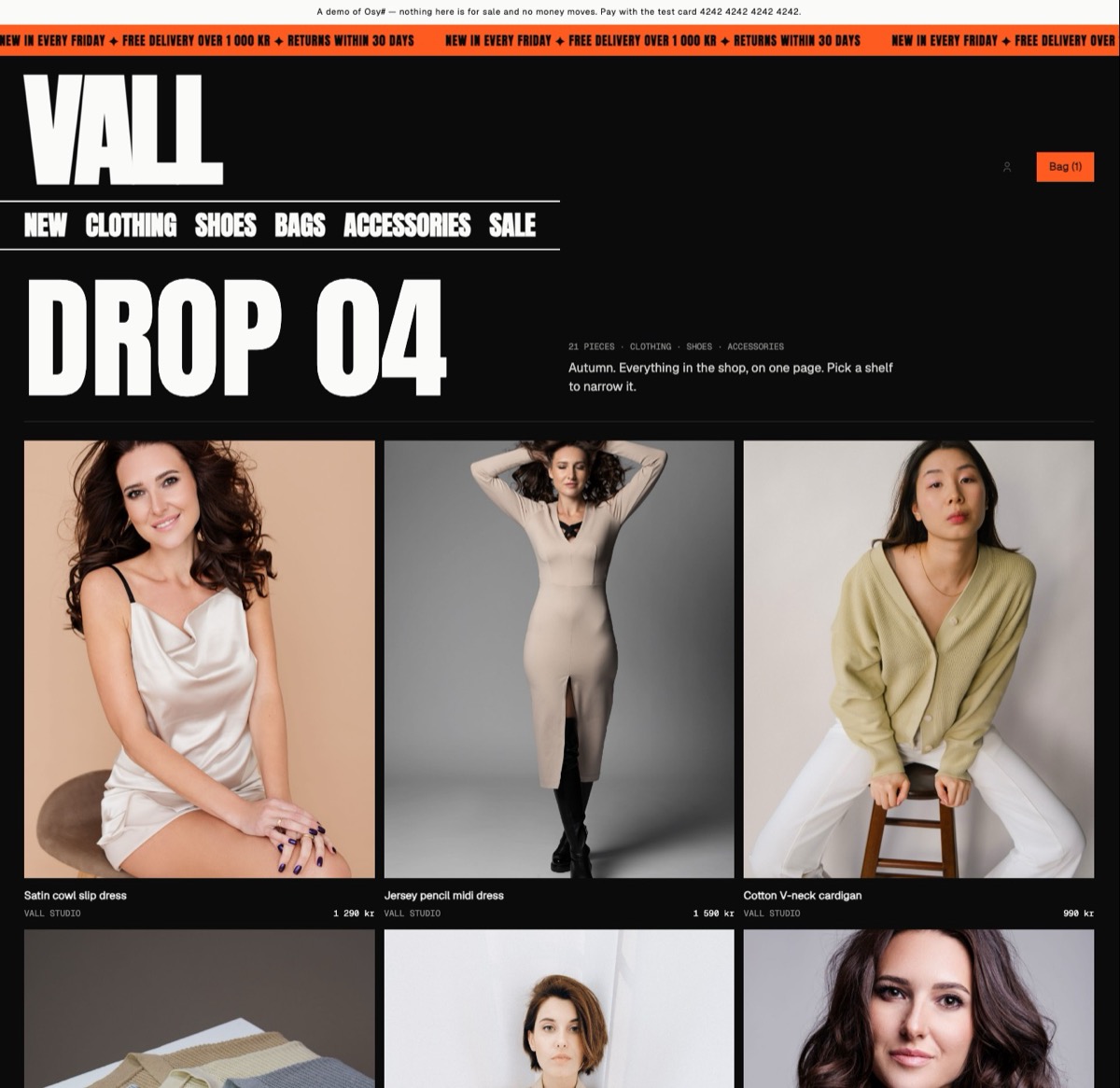
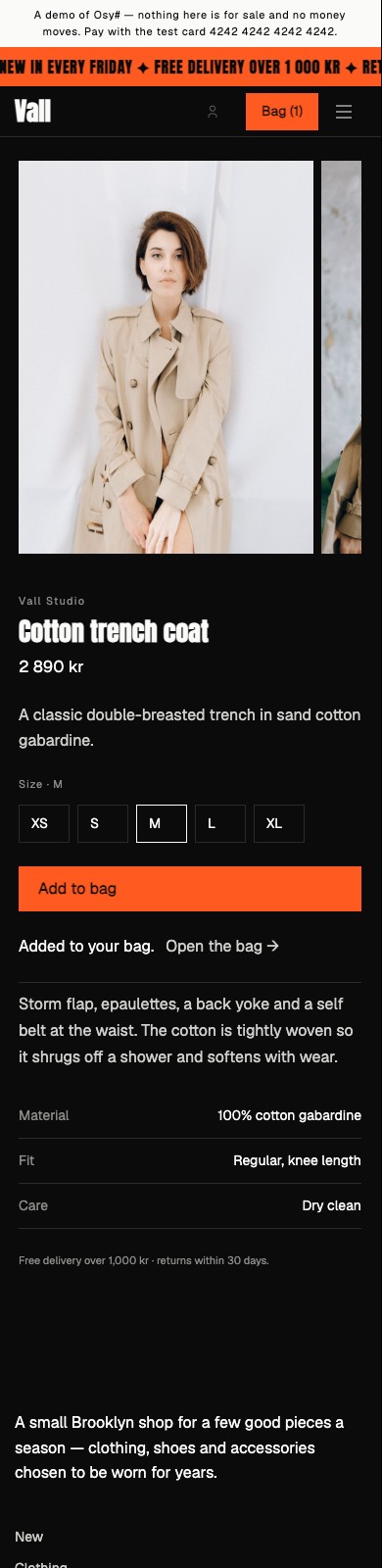
- The frame: the kit's MarqueeShell — a ticker, the name and the shelves at poster size; the menu (
SiteMenu("menu", …)), the strip across the top (Region("announcement")) and the footer's words (Region("footer")), each staff's to arrange, under the names every look uses — so what staff arranged comes along whichever look the store wears. - The pages: the front page (a region of blocks), a listing, the grid, a piece's page, and a "not here".
- Its designs of the block types: the hero (the title and a count of the pieces), the product row, and the footer's words. A type it has no design of is drawn in the shop kit's plain design.
- Its own block: Every piece — the whole catalogue as one grid — drawn only while a version wears Drop; the desk lists it before a switch to another look.
- Its theme and fonts: the palette, type scale, radii and motion, served only while the store wears Drop (
:root[data-look="drop"]); Anton, Geist, Geist Mono, registered in this kit'sosyrin.lockand shipped with the store that installs it. - Whatever the visitor's system is set to: every colour the shop kit and its add-ons paint with is the look's own — raised panels and wells (
Elevated,Sunken) and the four statuses included — so a visitor in dark mode sees the look as it was designed, not the platform's dark menus inside it.osy kit tokens --applists nothing left at the floor. - The store's name in the wordmark and the footer's sign-off is the shop's own (
ShopSettings.Name, set at the desk).
It draws the general site contract (Osysharp.Site.Looks) and the shop's (Osysharp.Shop.Looks), with exactly their parameters — the compiler checks each design like a class against an interface. It carries no data and no logic and needs no egress and no secret: it reads what a store's page reads, as the visitor. Its default front page names the Vall fashion catalogue's photographs (/_osy/files/public/products/…); staff replace them at the desk.
- Worn by the Vall fashion store, whose tests walk the store in every look at a phone's width and a wide screen's (
osy test --pixels). osy docs ui-looks— looks, contracts, and switching a version's look.osy docs ui-building-a-look— building a look of your own, from an empty kit.
Get it
Add the kit to your app’s manifest:
osy
app MyApp {
  use Osysharp.Shop.Looks.Drop@0;
}
Then run osy lock: it downloads the release, verifies it by its content address and pins that version in osyrin.lock. osy kits Osysharp.Shop.Looks.Drop shows what the kit is for, from inside your app.
Reference: osy docs ui-looks.