Why Osy# · Chapter 07 · The editor
The editor sees the program the compiler sees.
The compiler does more than read one file at a time. It resolves the application: every symbol, type and reference, what each function touches, where each body and call executes, which functions are tests. The editor asks that same resolved program. So hover, rename, a diagnostic and a paused debugger are answers from the program the build actually sees.
$ osy init · abridged$ osy init kanban --agent claude
  ✓ CLAUDE.md
  …
  ✓ .vscode/launch.json
  ✓ .vscode/extensions.json
  ✓ app.osy
  …
✓ Project initialized.

$ osy vscode install
// the extension shipped with the CLI, into VS Code
// (or Cursor, VSCodium, Windsurf). Its language
// server is `osy lsp`: the toolchain you build with.
01
The editor asks the resolved program
A name in a source file means whatever the rest of the application says it means. Here is a page in the chat app: its Create action calls CreateChannel, a function declared in another file. The compiler resolves that call when it builds the app, and the editor asks the same resolver, so the answers below are computed from the resolved application, on every build of this page.
  action Create() {
    var name = newName.Trim();
    if (name == "") { return; }
1    var made = CreateChannel(name, "");
    newName = "";
    Navigation.Go("/c/" + made.Id);
  }
One name, declared elsewhere. What the editor can say about it is what the compiler resolved it to.
hover        Channel(string, string) CreateChannel
definition   model/workspace.osy:65
rename       2 places in 2 files: model/pages/shell.osy (1), model/workspace.osy (1)
Hover gives the declaration's signature. Go to definition lands in the file that declares it. Rename lists every place the resolved application refers to it, so the edit is the symbol's, not the word's.
Misspell the call and the editor's diagnostic and the build's diagnostic are the same sentence, because they are the same resolver reading the same program.
editor        model/pages/shell.osy:35:16
              UI: unknown function or member 'CreateChanel'. Did you mean 'CreateChannel'?

$ osy validate
model/pages/shell.osy:30:16  ERROR  RESOLVE_ERROR
              UI: unknown function or member 'CreateChanel'. Did you mean 'CreateChannel'?
  → CreateChannel
✗ 1 error
The first block is the editor's answer, computed when this page was built. The
second is osy validate on a copy of the app with the same misspelling, captured
2026-09-23; its one long line is broken after the code to fit.
The editor is not reconstructing the program from the file under your cursor. It is asking the compiler's resolved application.
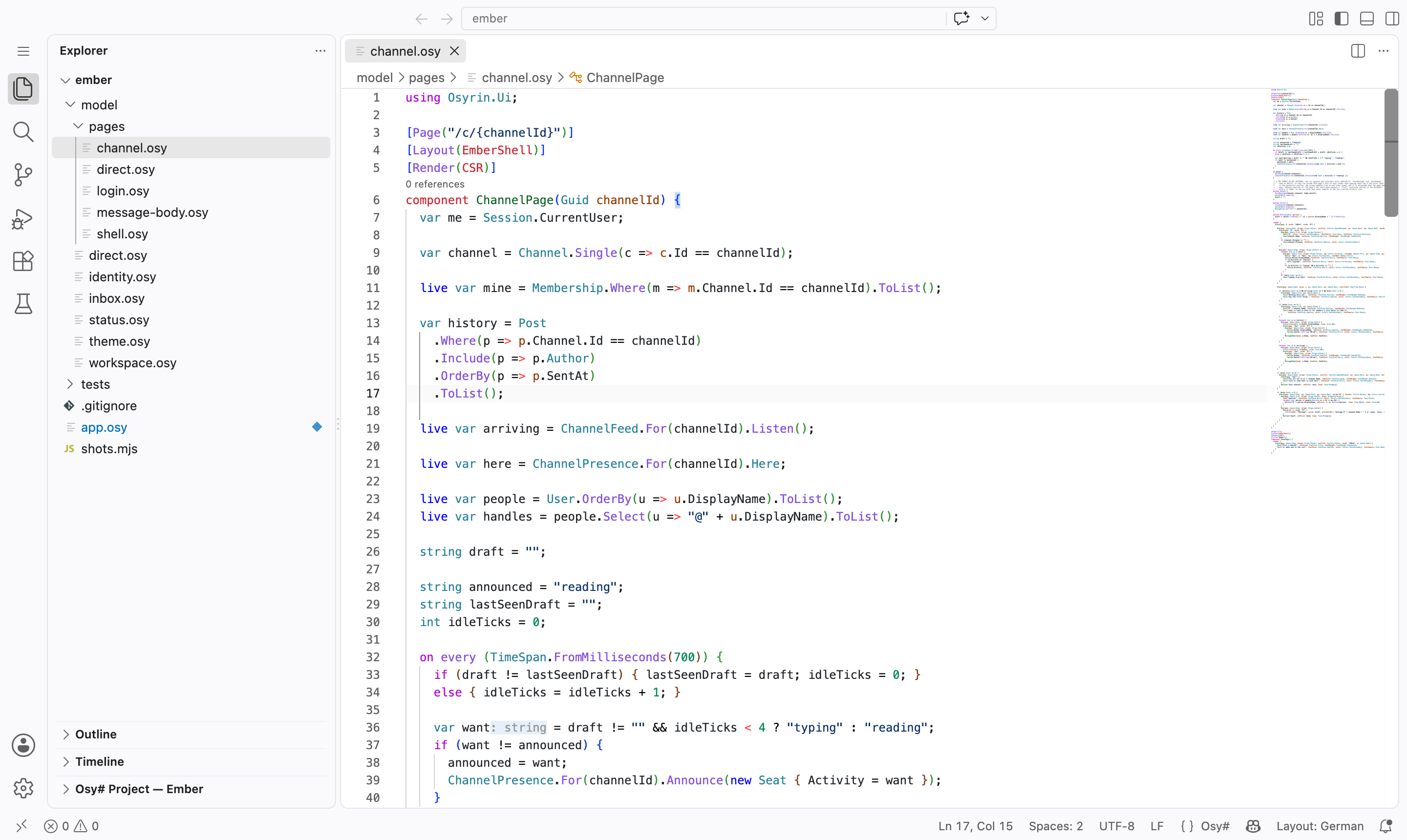
var want: string is a type the compiler inferred, drawn as an inlay hint; 0
references is a count over the whole application.02
Execution location is part of that model
A component can hold code whose operations belong in different places: reading a held key belongs in the browser, writing a row belongs on the server. The compiler resolves where each body and each call executes from what the operations mean, and that decision is part of the resolved program. So the editor can put it on the source.
An ordinary game loop. Nothing in it names a side.
component Game() {
  int score = 0;

  on every (TimeSpan.FromMilliseconds(16)) {
1    if (Keyboard.Down(Space)) { score = score + 1; }
    SaveScore(score);
  }

  render { Box(keys: [Space]) { Text($"{score}"); } }
}
line  16  Keyboard.Down    side=client   body=server   crosses=true
line  17  SaveScore        side=server   body=server   crosses=false
Captured from the real language server. For every call: the side the call runs on, the side of the body it sits in, and whether the two differ.
The compiler put the whole tick body on the server, because it writes a row.
SaveScore therefore runs where it already is. Keyboard.Down reads the
browser's held keys, so it runs in the browser and comes back: that line crosses, sixty times a second.
The source did not annotate either call; the compiler resolved it from what the two operations mean,
and the editor draws that decision on the line where it was made. A crossing costs a round trip and
can fail for every reason a network call can, which is why it belongs in front of the person writing
the loop.
The compiler knows where each line of this program executes, and the editor can show you that fact.
03
From the test tree into the running program
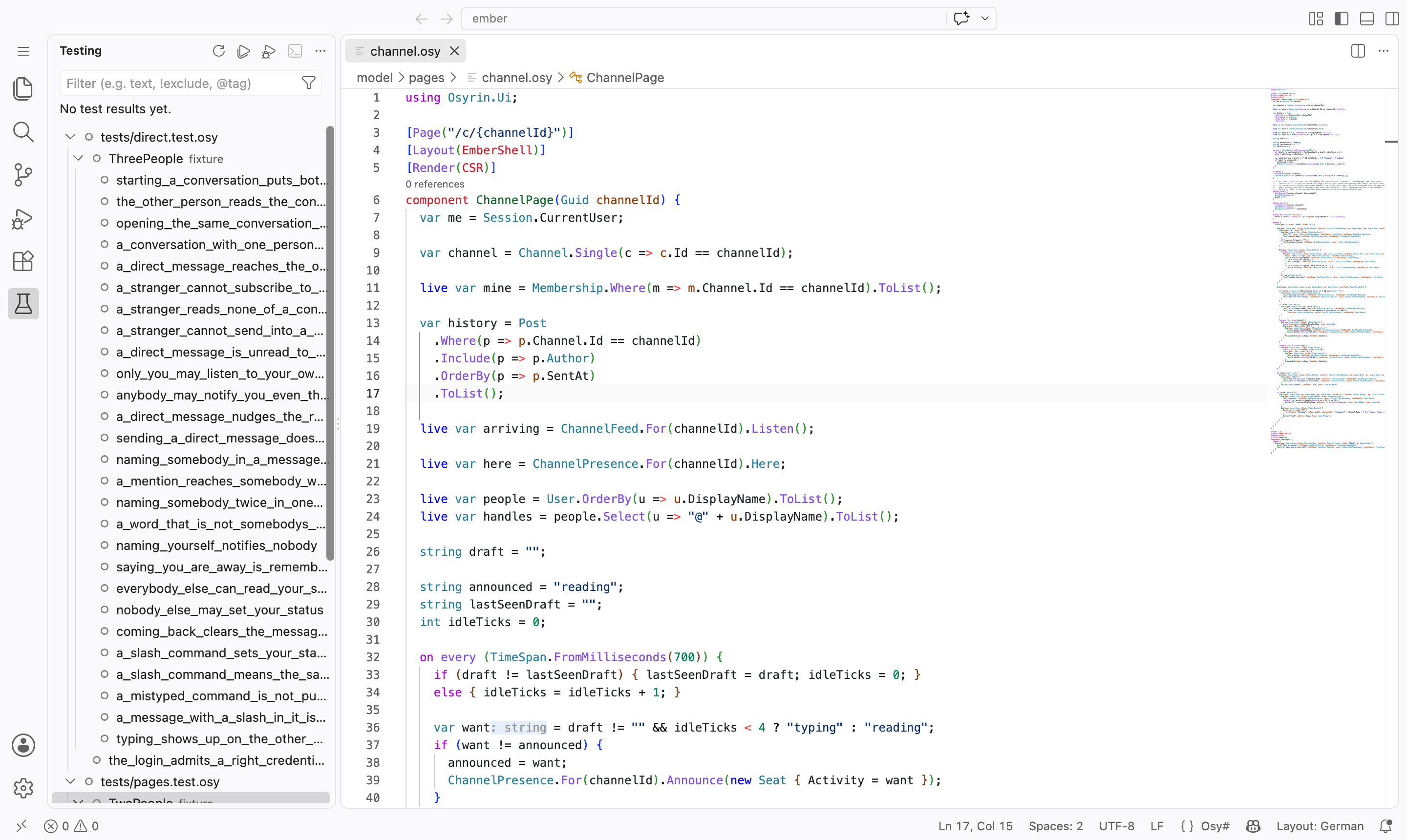
The last chapter's tests are functions in the same program. The discovery pass that knows a [Test] exists gives it a stable place in the editor, under its file and its fixture, with the same id osy test --test takes. Run one from the tree, or debug it, and execution returns to the same source model.
04
Stop inside the program you wrote
A breakpoint is set on an Osy# line. When execution reaches it, the program stops there: the stack is your functions and the call sites that reached them, the locals are your values, and an expression typed into the console is evaluated by the program's own evaluator.
stack
  Discount                        orders.osy:9
  call:Discount                   orders.osy:14
  Place                           orders.osy:14
  call:Place                      a_big_order_gets_its_discount:4
  a_big_order_gets_its_discount   a_big_order_gets_its_discount:4

variables
  total = 200

evaluate  total * 2  →  400  (Decimal)
Captured by driving osy debug-test the way the extension drives it.
Every frame is Osy#: the function, the call that reached it, and the test that started the run.
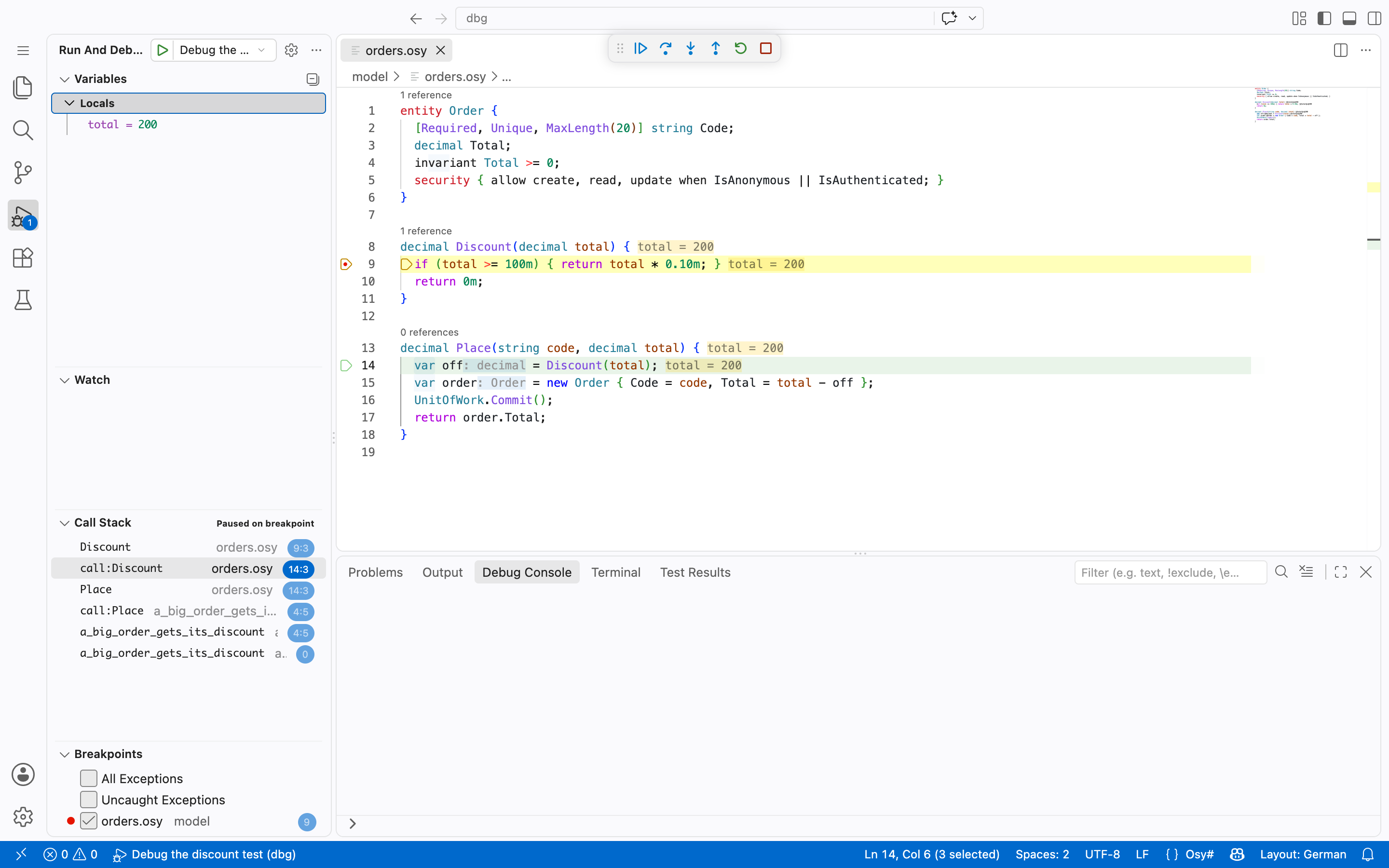
total = 200 in Locals, and the same value drawn beside the lines that have run.A debugged test runs on its own copy of the data with your rules on, exactly as a plain run does. An expression that would write data is accepted only while the app is in Development, and that is decided where the debugger attaches, not by the client asking.
05
A parked workflow is still an execution
Chapters 03 and 04 left a program waiting: a saga leg holding until a child run finishes, a body parked at a durable step. That waiting body is an execution of the program, suspended mid-function with its stack and its values kept, and the debugger can attach to it whenever you like, two minutes or two days later.
osy debug-flows
FulfillmentSaga
parked · started two days ago
a saga leg, holding until its child run returns
attach
by the flow's own id, from the editor's picker or osy debug-attach
what the debugger shows
order.osy:170 · await saga.Run("charge", …)
the line it is waiting on, in your source
the stack: the state's enter body, and the saga inside it
the values: reservation, charge, the trace row it made
an expression, evaluated against that frame
The execution can wait without ceasing to be an execution of the program.
The picture is a diagram of the shape, drawn over chapter 04's saga; the verbs and the position are real. The same handle addresses a run that is executing right now and one that parked two days ago waiting for a person. A flow that crosses into the browser and back is still one program, so its stack is one stack, the server's frames and the browser's stitched together innermost first, and a breakpoint set on an editor line is resolved for both sides, which is why it survives the hand-off. Once you have stepped a parked flow forward, you can step it back to the boundary before, and it re-materialises there: its state is restored, and a step that already committed data is not unwound with it.
What happens when you change it
Change the program. The model follows.
Each of these is a thing you would do on a Tuesday. The verdict is the compiler's, not a convention's.
| You do this | Verdict | Because |
|---|---|---|
| Rename a field the whole app uses | compiles | Rename from the editor. The edit is the symbol's, across every file that refers to it, and the diagnostics that follow are the build's. |
| Move a function to another file | compiles | Nothing to update. The workspace is one resolved program, so definition, references and the diagnostics see across files. |
| Change what a body touches | compiles | Its execution side follows from what it now touches, and the margin in §2 changes with it. |
| Work from the CLI instead of the editor | compiles | The same answers: osy check, osy test, osy debug-test, osy model. The editor is one front end to the resolver, which is why an agent and a person get the same ones. |
| Upgrade the toolchain | compiles | The editor is upgraded with it. The extension launches the osy you installed as its language server, so the editor and the build are one version. |