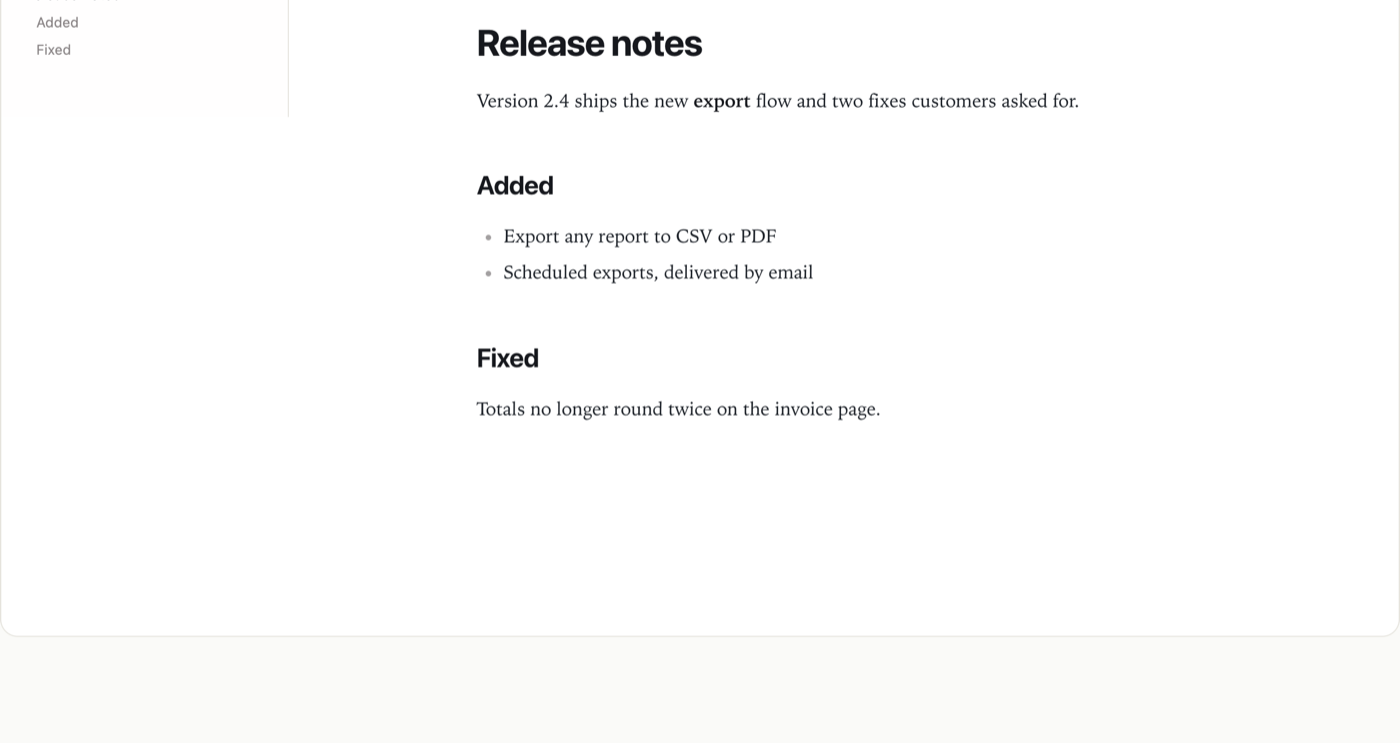
A full editor over a Markdown property: rich and source modes, a document outline, find and replace, tables, maths and diagrams. It saves only the sections that changed.
Use case
Any app where people write long-form text that should stay plain markdown underneath — release notes, a knowledge base, meeting minutes, product descriptions, support articles. Point the editor at a row's Markdown property and the people writing get a real editor, while your data stays portable text that diffs, searches and renders anywhere. Maths and diagrams load only when a document uses them, so a page of prose never pays for them.
Install
osy
// app.osy
app Handbook {
  use Osysharp.MarkdownEditor@1;
  model "model/**/*.osy";
}
console
osy lock # resolves the package and pins its content address in osyrin.lock
Using it
osy
using Osysharp.MarkdownEditor;

entity Article {
  [Required] string Title;
  Markdown Body;
  security { allow read, update when IsAuthenticated; }
}

[Route("/articles/{id}")]
component ArticlePage(Guid id) {
  render {
    MarkdownEditor(ownerType: "Article", ownerId: id, property: "Body", outline: true);
  }
}
The editor reads and writes the property itself, through your app's own security rules — a reader who may not update the row gets a read-only document.
| prop | default | what it does |
|---|---|---|
ownerType · ownerId · property | — | which row's Markdown property the document is |
readOnly | false | show the document without editing |
placeholder | "" | text shown in an empty document |
face | editorial | the reading typeface: editorial, sans or serif |
density | comfortable | comfortable or compact |
outline | false | the heading outline beside the document |
findQuery · replaceWith | — | drive find and replace from your own toolbar |
extraItems | [] | your own entries in the block menu, as MenuEntry { Label, Run } |
It raises saved(updated, created, deleted), dirty(isDirty), findRequested(selection) and matchesChanged(current, total), and takes the commands FindNext, FindPrev, ReplaceOne, ReplaceAll, ClearFind, DeleteBlock and TurnIntoHeading(level).
Build your own on top
Add to it without forking. The Toolbar slot is yours — put your own buttons in it, wired to the editor's commands — and extraItems adds your own actions to the block menu:
osy
MarkdownEditor(ownerType: "Article", ownerId: id, property: "Body",
  extraItems: [ new MenuEntry { Label = "Make it a heading", Run = () => MarkdownEditor.TurnIntoHeading(2) } ]) {
  slot Toolbar { c =>
    Row(gap: 1) {
      Button("Find next", onClick: c.FindNext);
    }
  }
}
Fork it. Fork this repository into your own GitHub account or organisation and rename the package to match — package Acme.Markdown lives at github.com/acme/markdown, because a package's owner is its GitHub owner. The control is a TypeScript shim over Milkdown and CodeMirror, built with the ordinary CLI:
console
npm install
npm run chunks          # rebuild the maths and diagram chunks from node_modules
osy control build .     # regenerate the typed ABI, type-check the shim against it, bundle it, re-pin osyrin.lock
osy publish             # check the package and create the release
markdown.control.check.ts is generated from the declaration so tsc proves the shim uses only the public control ABI — the same one your own controls get. Nothing in this package is privileged, which is what makes it a fair starting point for a control of your own.
To work on your fork next to an app before publishing, list its directory in an osy.workspace file at your repository root; a use of it then resolves to your local copy.
What is in the source
| file | what it is |
|---|---|
markdown.osy | the control MarkdownEditor declaration — the kit's whole public surface |
markdown.ts + siblings | the shim source (Milkdown, CodeMirror 6, the section-identity map) |
markdown.js | the bundled shim, checked in — what a consumer's browser loads |
temml.js / temml.css | the Math and MathCss chunks — 228 KB a document of prose never pays for |
diagrams/ | the Diagrams PACKAGE chunk: mermaid's 28 KB entry plus the engines one diagram actually reaches |
osyrin.lock | the kit's OWN pins — bundle + chunks by content address. |
markdown.control.d.ts / .check.ts | GENERATED by osy control build — the ABI, and the line that holds the shim to it |
Licence
MIT — see LICENSE. The .osy source is yours to read, copy, fork and ship.
The vendored bundle wraps Milkdown, CodeMirror 6, Mermaid and Temml (all MIT), which keep their own terms; LICENSE names them. Versions are pinned in package.json and by content address in osyrin.lock.
Get it
Add the kit to your app’s manifest:
osy
app MyApp {
  use Osysharp.MarkdownEditor@1;
}
Then run osy lock: it downloads the release, verifies it by its content address and pins that version in osyrin.lock. osy kits Osysharp.MarkdownEditor shows what the kit is for, from inside your app.
Source: github.com/osysharp/markdown.
Reference: osy docs ui-markdown-editor-kit.