One conversation with a customer, whichever way they reach you — the chat on your site, the portal, and (with the channel adapters) email and text — kept as one ordered timeline: their messages, your replies, your team's internal notes, an AI's drafts and the things that happened ("assigned to Ada", "marked solved"). Who may see each entry is a rule, not a toggle in a composer: a note never reaches a customer, whatever your app grants and whichever way a row is read.
It is the core a helpdesk, a CRM's service module or a contact centre writes into. It has no tickets, statuses, queues or SLA clocks — those are yours (or the Inbox kit's), reading the timeline and writing their facts with Record.
osy
// app.osy
use Osysharp.Identity@0;
use Osysharp.Conversations@0;
use Osysharp.Workflow;
use Osysharp.Ui;
osy
// model/desk.osy
using Osysharp.Identity;
using Osysharp.Conversations;

[Role] enum AppRole { Authenticator, Agent }

// The kit asks who your staff are — only you know.
policy IsConversationStaff => RoleGrant.Any(g => g.Member == user && g.Role == AppRole.Agent);

// …and what they may do. The kit grants the customer's side; you grant your team's.
partial entity Conversation { security { allow read, create, update when IsConversationStaff; } }
partial entity Message      { security { allow read, create, update when IsConversationStaff; } }
partial entity MessageAttachment { security { allow read, create when IsConversationStaff; } }   // their files
// (and Participant, ConversationEntry, ConversationEvent, MessageText, ContactPoint, Party)

// The customer's chat, signed out or in.
[Route("/chat")] [AllowAnonymous] [Render(CSR)]
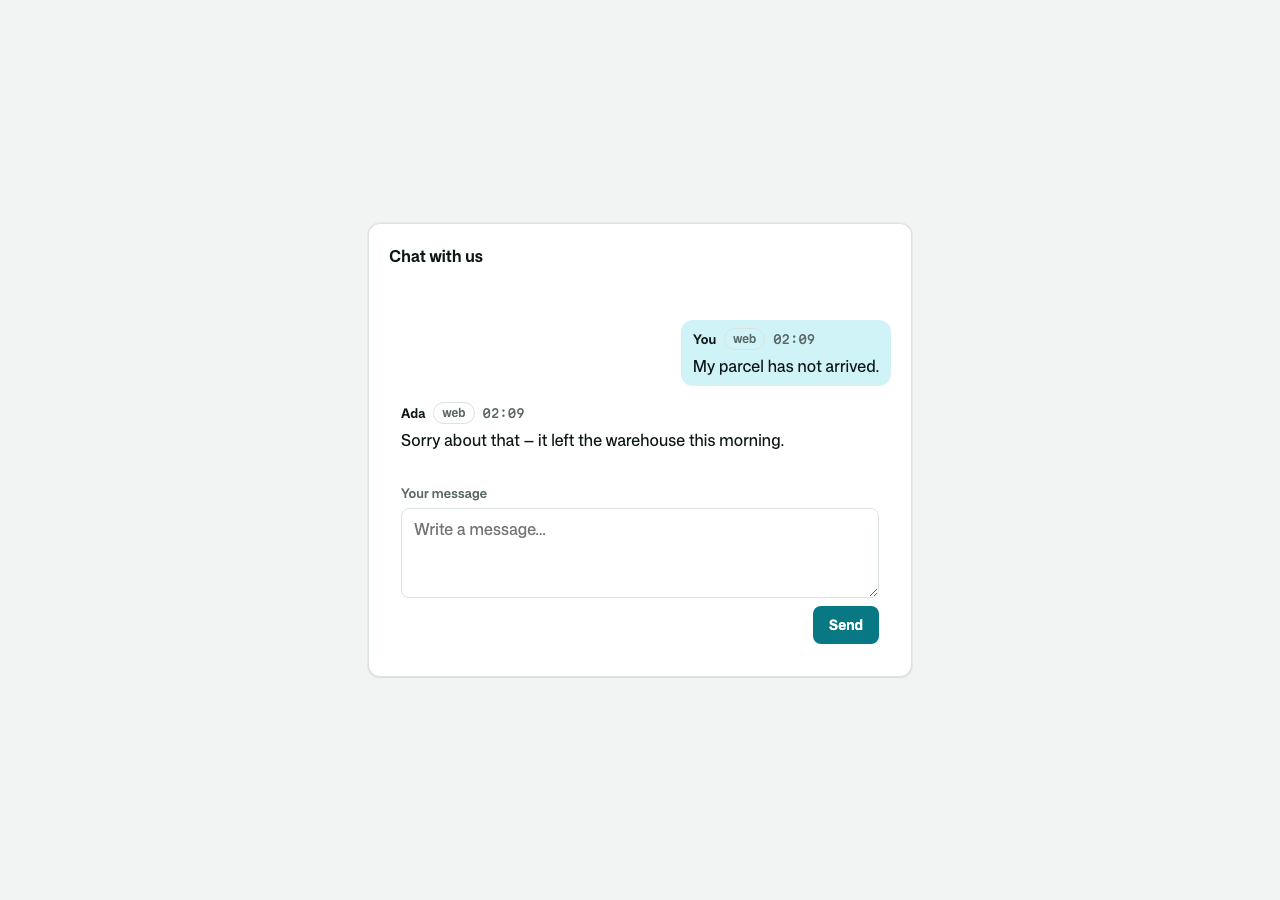
component ChatPage() { render { ConversationWidget(); } }

// A conversation as an agent works it.
[Route("/desk/{id}")] [Authorize(IsConversationStaff)] [Render(CSR)]
component DeskPage(Guid id) {
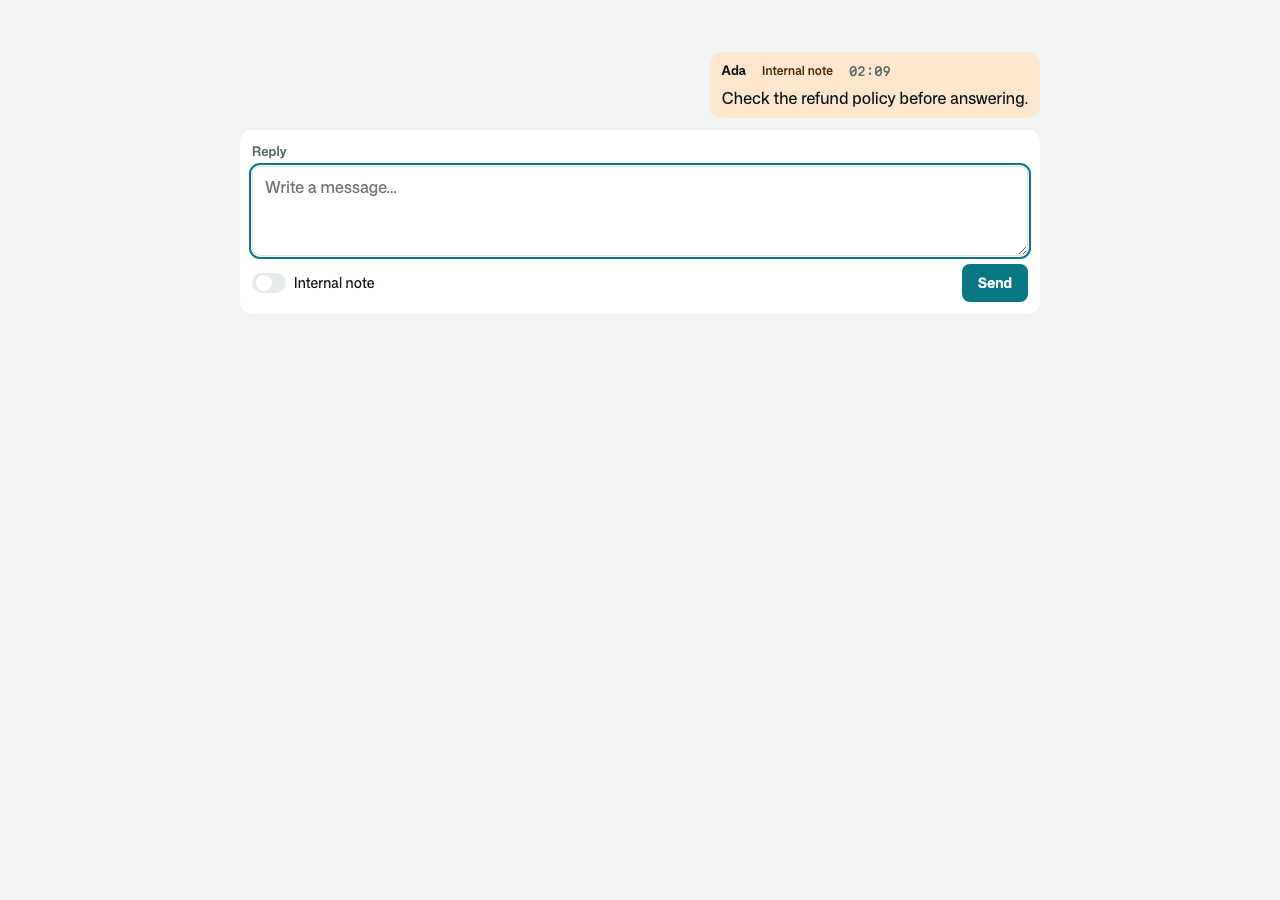
  render { ConversationPresenceChip(id, desk: true); ConversationTranscript(id, desk: true); ConversationComposer(id, desk: true); }
}
| The customer's chat | The desk, with a note |
|---|---|
 |  |
What you get
- One order. Every entry takes the next place on its conversation's timeline (
Sequence), whatever its kind — a reply, a note and an event written together are in the order they happened. - Visibility you cannot get wrong.
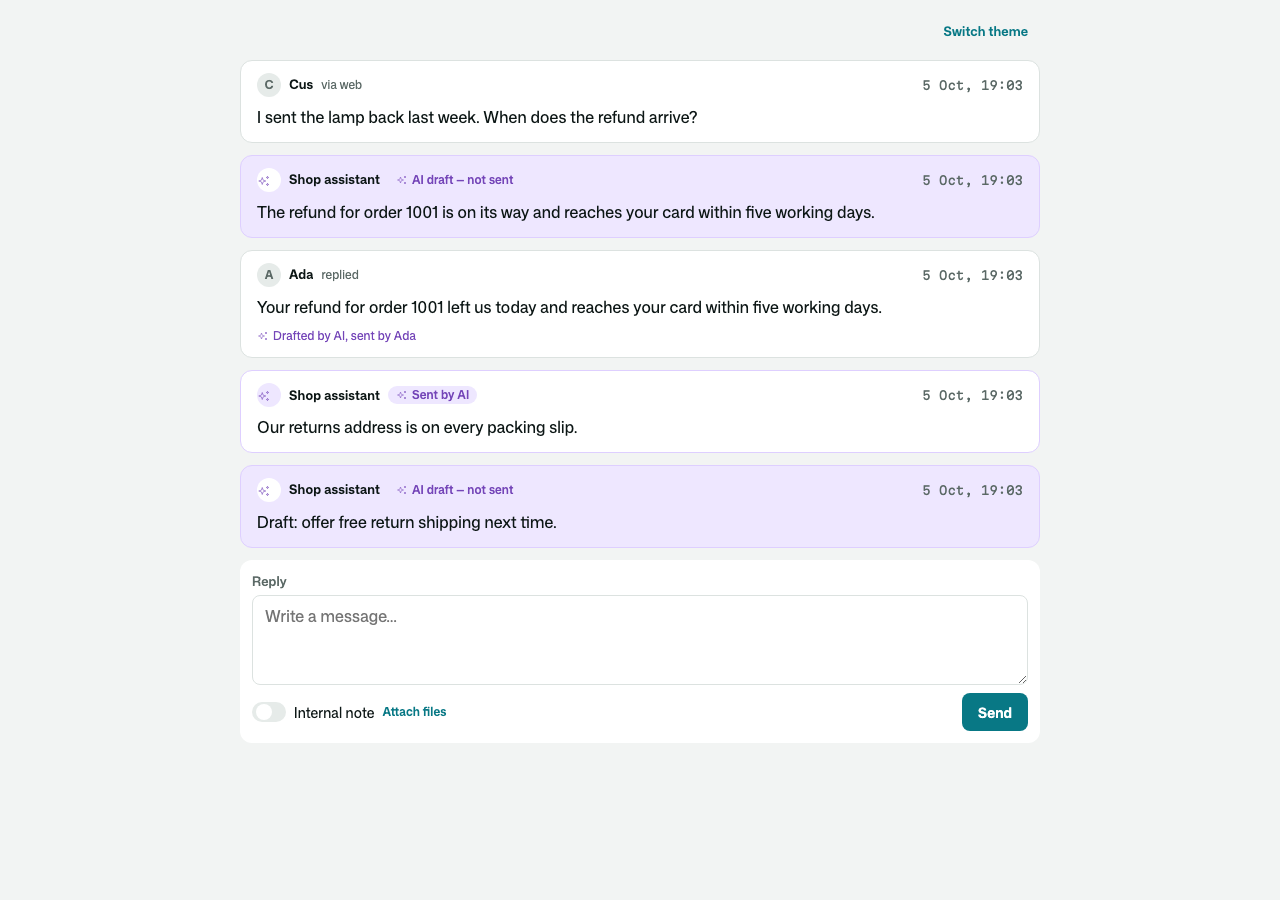
Customer,Internal,AiInternal, fixed when written for everyone. Approving an AI draft posts a new message pointing back at it. - What an AI wrote, in a colour of its own. A draft waiting for a person, a reply an AI sent, and a reply a person sent from its draft each carry the AI's mark, in the kit's
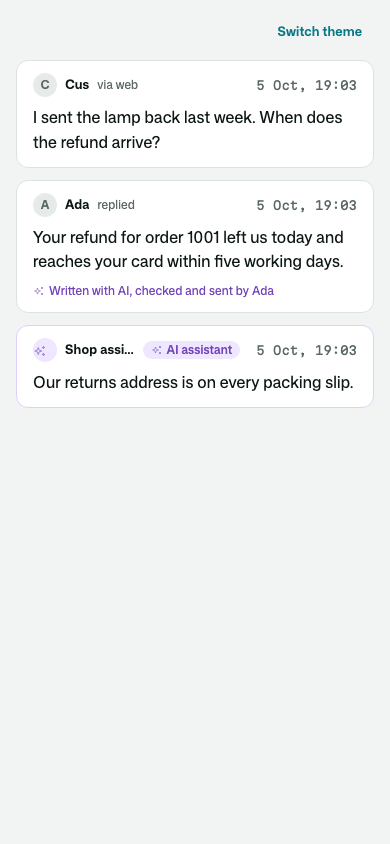
ConversationAitoken, light and dark. The customer is told plainly too: "AI assistant" on a reply it sent, and "Written with AI, checked and sent by Ines" on one a person approved. Your theme re-colours it like any other token. - Parties you shape.
Partyis a base: derive your own (Customer : Party, orParty : Osysharp.Conversations.Party— the same name, by namespace) and make the kit create it (PartyKinds.New). Contact points are claims until a proof flow verifies them; nobody but the sign-in flow links a party to an account. - Live. The transcript updates as entries are written (through the reader's own rules — a note's arrival reaches a customer's page as nothing); typing shows both ways; the desk sees which colleagues have a conversation open.
- Read state.
Unread(c)counts what the caller has not seen, never their own; the transcript marks it read. - Accounts and the portal. A signed-in customer speaks as the party linked to their account (
CallerParty). CallLinkSignedInAccount(account, account.Email, account.EmailVerifiedAt != null)from yourAccountEvents.SignedIn. With a proven address it links the party holding that address PROVEN, or makes the account one of its own. An unproven address links nothing. Your party subtype must grant the sign-in flowallow read, create, update when IsAuthenticator, because grants are never inherited from the base. - Never answer twice.
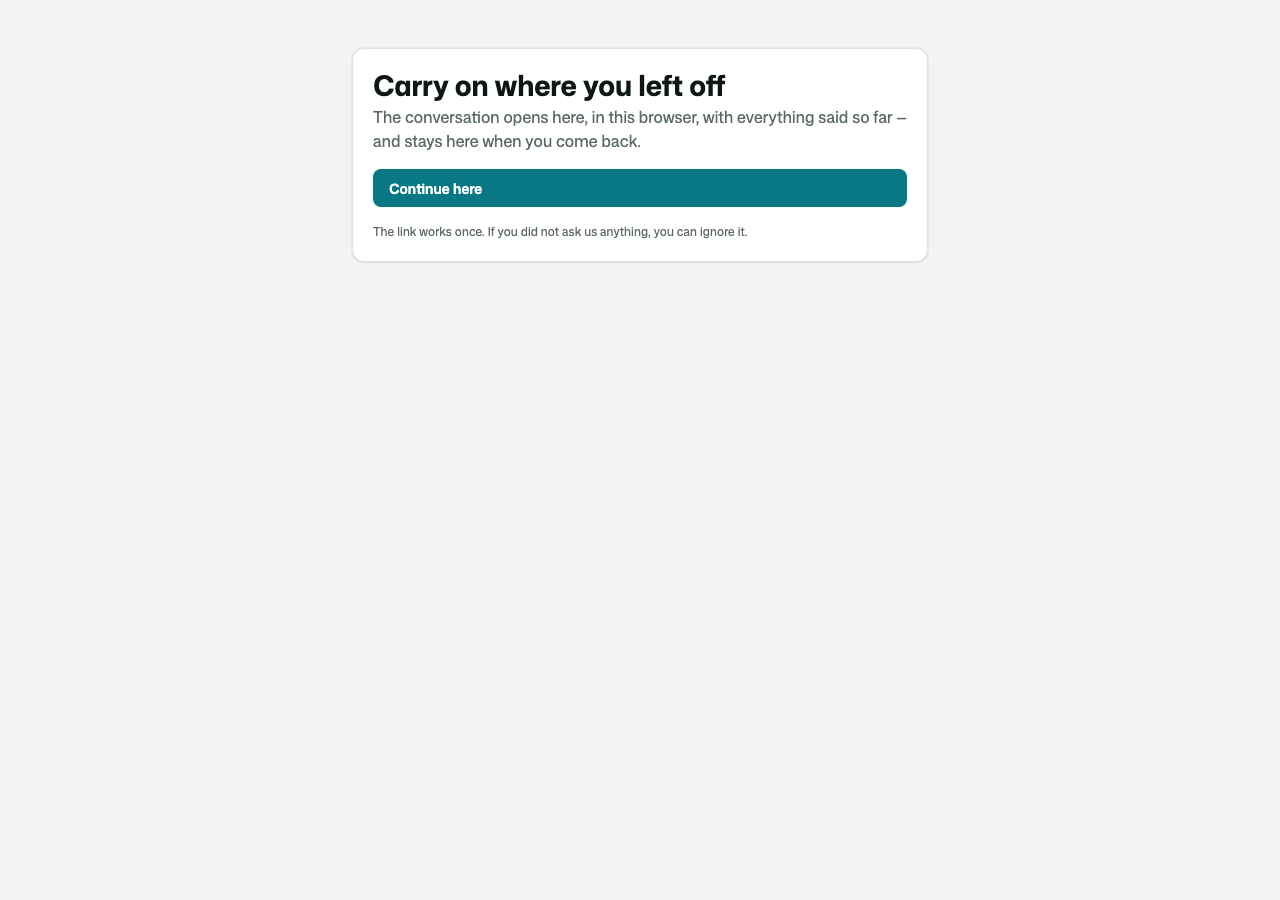
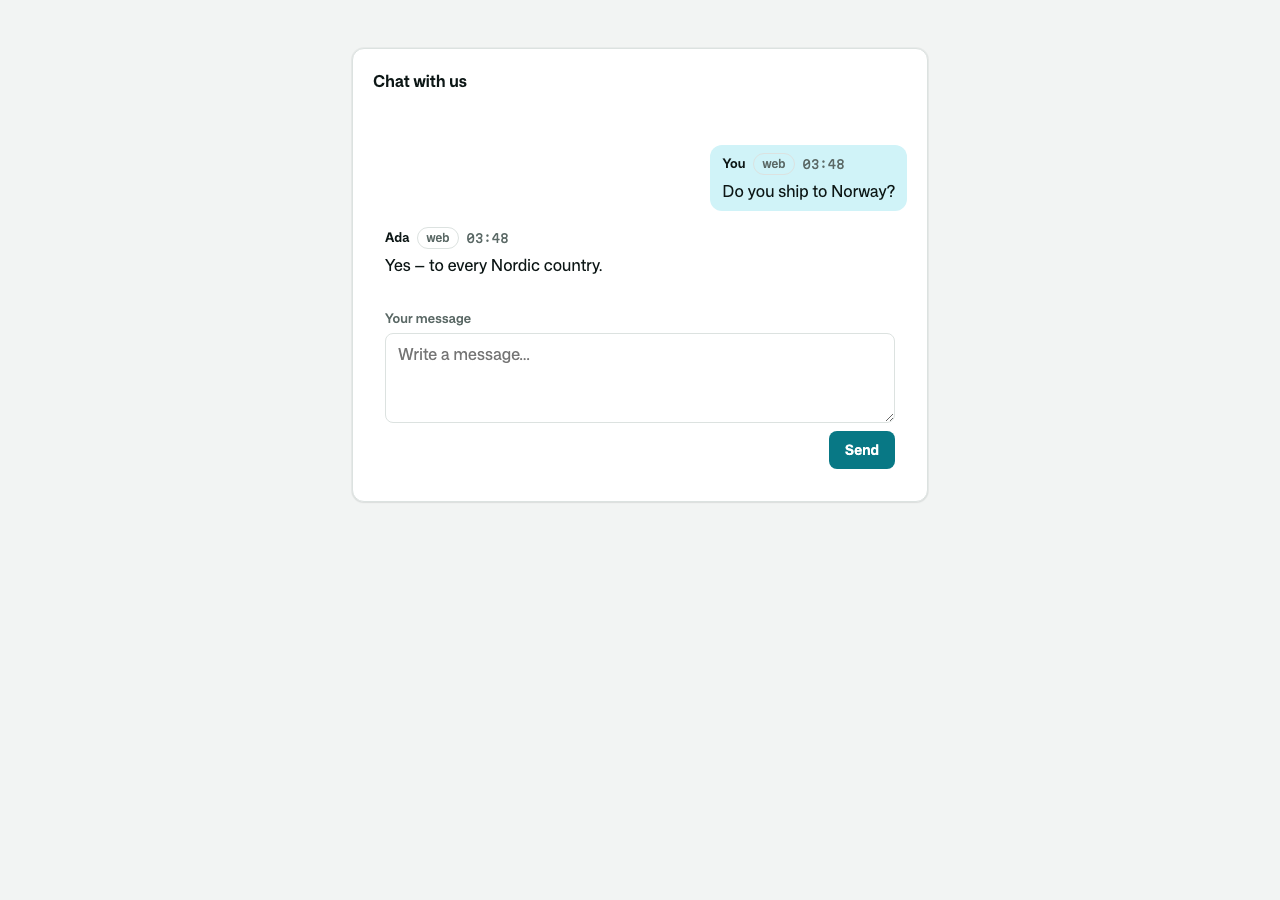
AnsweredSince(c, seen)is a colleague's customer-visible reply written after the place you last had on screen. Ask it before sending, and tell the writer who got there first. - They left the chat? They get the answer by mail. A reply in the chat that nobody has read after ten minutes (
ContinueByAfter) is mailed to the address they left — every unread reply in ONE mail, with a link that continues the conversation in any browser, once. Their answer to the mail lands in the same conversation. - Proven, not claimed. An address typed in the chat is a claim; a code mailed to it and typed back is proof — and a proof makes the visitor the customer the desk already knows (their parties merge). The desk merges duplicates by hand from
PartyCard, and undoes it. Signing in links the party whose address is PROVEN, never a claim. - In their language. A customer's message keeps its original and gains a redacted copy in the desk's language; a reply reaches them in theirs, recorded as what they were sent. Use the app's own model (
Osysharp.Conversations.MachineTranslation) or bring your own translator (IConversationTranslator). Translation never holds up a message: it runs just after the message is stored, a failing translator is tried again, and when it stays down the desk reads the original and is told why. The chat widget's own words are yours to translate. - No card numbers at rest. Every message — any channel, either direction — is scrubbed as it is stored (
[card ••••1234]), and redacted further before anything reaches a model or the search index. - Searchable by meaning (
SearchConversations,SimilarConversations) over those redacted copies — once the app has an embedder. Its tests prove what a search finds, and that an erased customer is in none, with the offline embedder fromOsysharp.Memory.Testing. - Forgotten on request, everywhere.
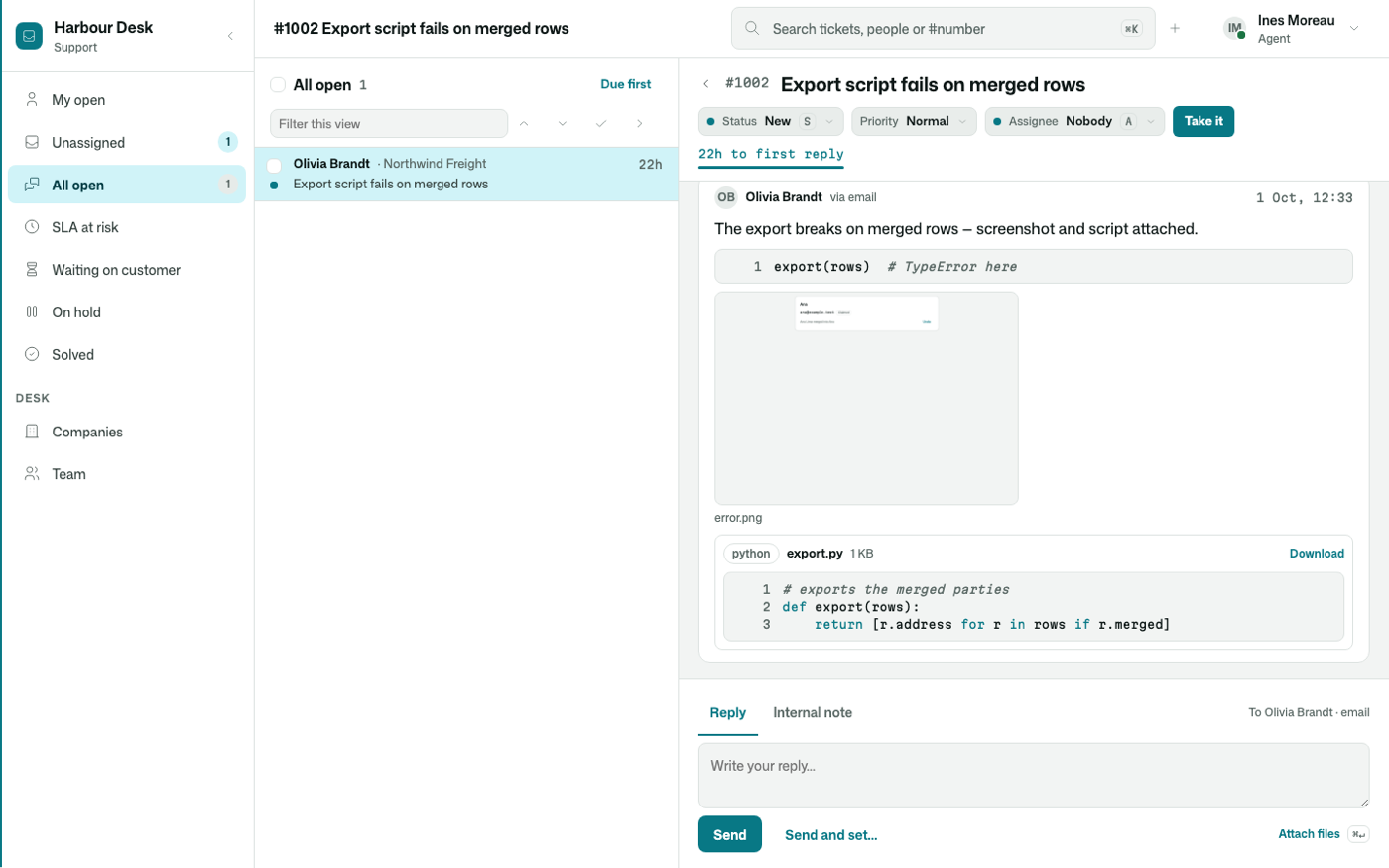
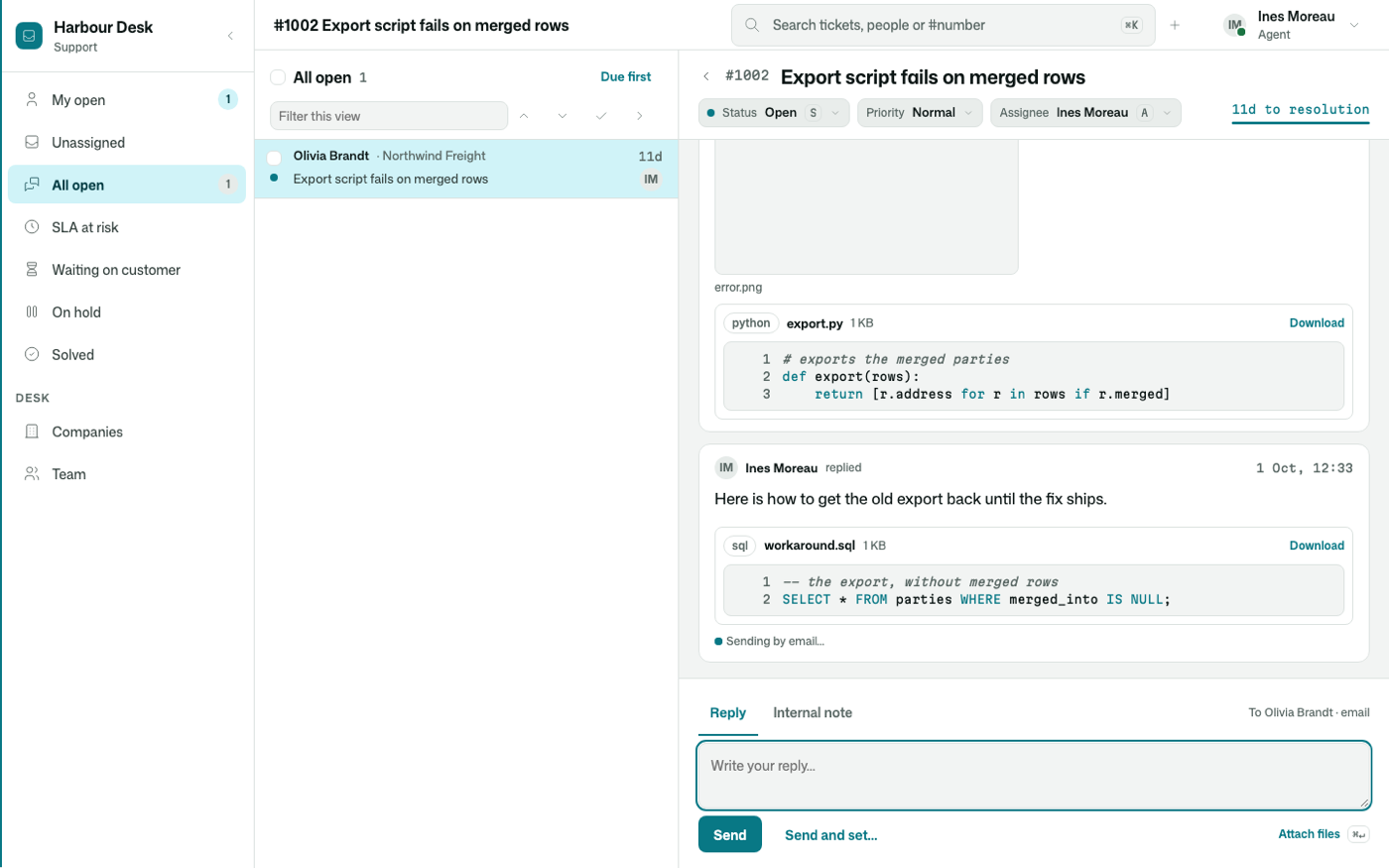
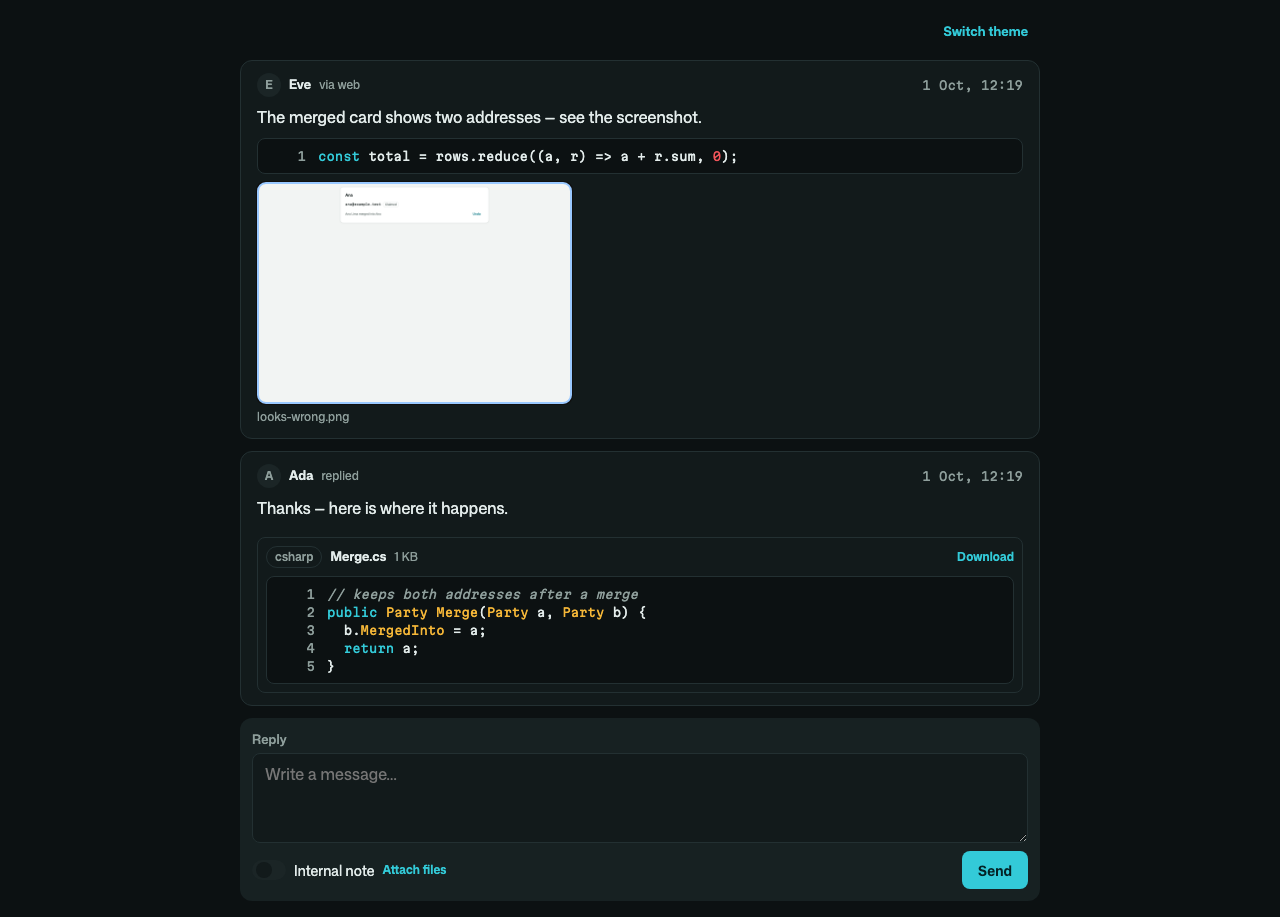
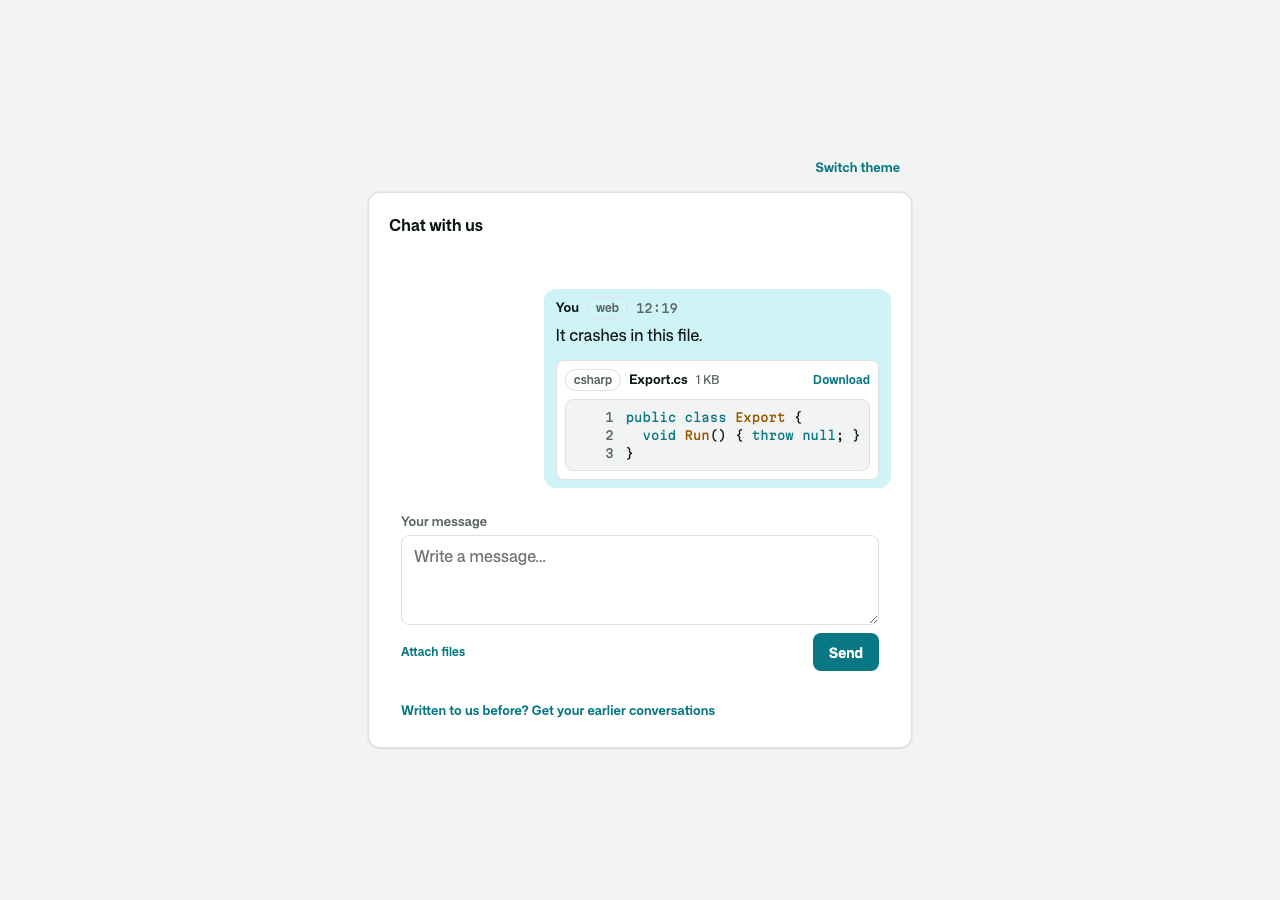
ErasePartyDatareaches every copy — originals, translations, renderings, subjects, contact points, and the mail and text outboxes;KeepForerases old conversations;ExportPartyDataanswers a right-of-access request. - Files on messages. A customer pastes a screenshot into the chat (signed out or in), drops a log on it, or picks files; the desk sends an annotated one back. Each file is readable exactly where its message is — a note's files stay the team's. Pictures show in place and open large; source code is previewed with line numbers and coloured; a ZIP is listed; everything is a download, and HTML/SVG are never rendered. What a file is comes from its bytes, and the size limits (
MaxFileBytes,MaxMessageBytes) are sentences. A pasted ``` snippet is code, and what a mail client quoted under a reply folds behind "Show quoted text". - Copied in, and split off. The desk copies a customer's colleague in by their address (
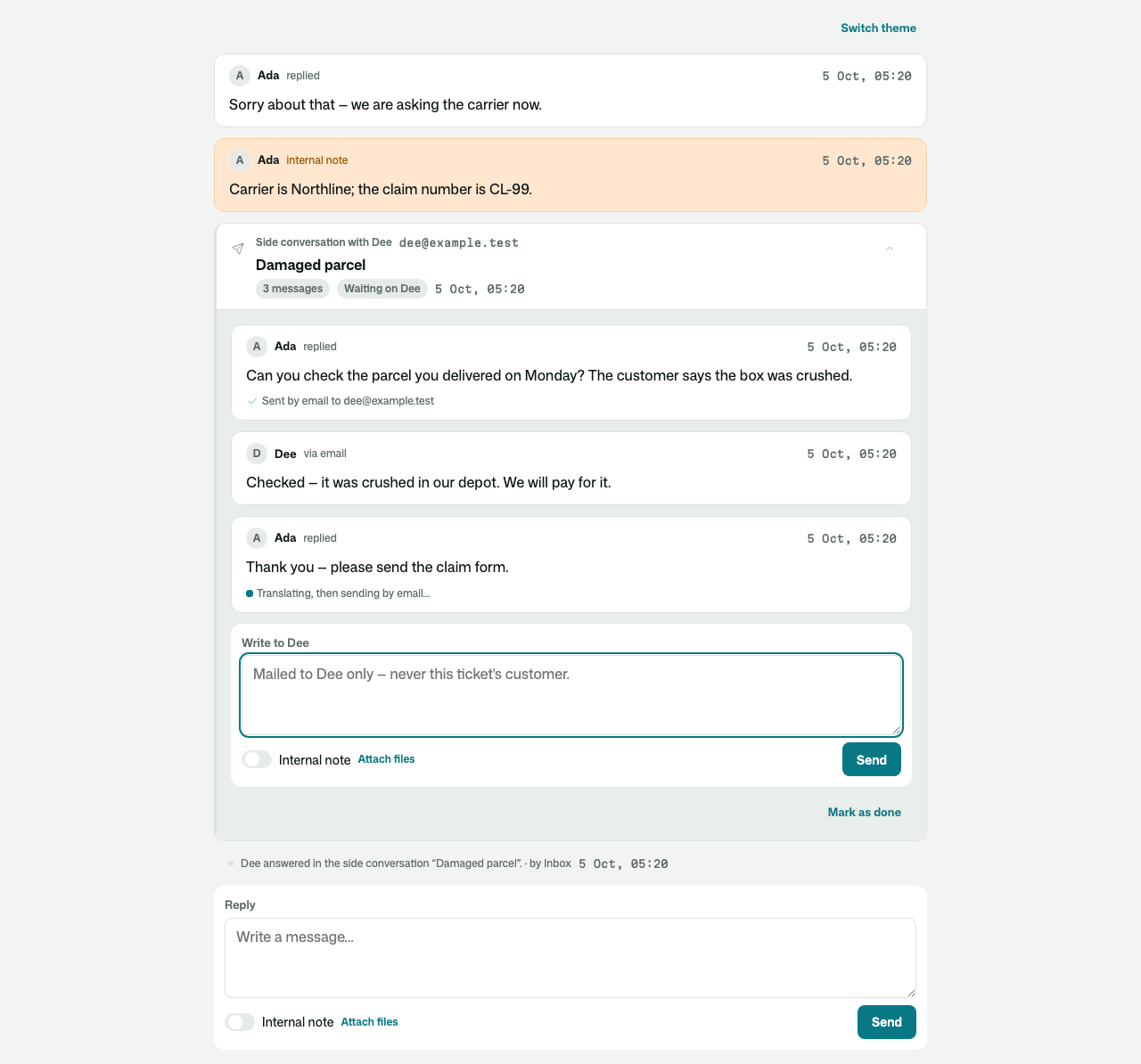
CopyInByAddress) — sent every reply from then on, reading the conversation where the customer does — and takes them off again. A second question asked in one thread is split off into a conversation of its own (SplitOff): the message moves, with its files and its mail thread, its writer the new conversation's customer; a legal hold on the old one still keeps it. The app says who may split (partial entity ConversationSplit { security { … } }). - Side conversations. Ask somebody else without leaving the conversation: mail a supplier or a carrier about it (
StartSideConversation), or open a thread inside the team. It sits on the conversation's timeline as a card that opens into its own thread; their answer by mail lands in it, and the desk is told. The person written to sees only that side conversation — never the conversation it is beside, its customer, or even which one it is — and the customer never sees the side one. A bounce says the mail did not arrive. - Your own kind of party says who reads it — grants are never inherited, so add
allow read when IsAnonymous || IsAuthenticated where IsCustomerParty(Id);toCustomer : Party.
| What an AI wrote, on the desk | …and on the customer's phone |
|---|---|
 |  |
| They left — the answer by mail, a link that works once | …and on their phone, the whole conversation |
|---|---|
 |  |
| A side conversation with the carrier, on the customer's thread |
|---|
 |
| A mailed screenshot and script, on the desk's thread | The agent's reply, with the file they dropped on it |
|---|---|
 |  |
 |  |
Source and tests
The kit is ordinary Osy# in model/, and its tests are its specification. Each security promise (security.test.osy, parties.test.osy, channels.test.osy, continuation.test.osy) is checked to fail when its rule is taken out.
Get it
Add the kit to your app’s manifest:
osy
app MyApp {
  use Osysharp.Conversations@0;
}
Then run osy lock: it downloads the release, verifies it by its content address and pins that version in osyrin.lock. osy kits Osysharp.Conversations shows what the kit is for, from inside your app.
Reference: osy docs ui-conversations-kit.