Support in every language, with the model you already have. Your team reads every customer message in its own language and writes in it; each customer reads the answer in theirs. The translation runs through your app's own model, with your key, router and budget — no translation service to sign up for, and no customer text sent anywhere your app does not already send it.
Use it
osy
app Desk {
  use Osysharp.Conversations@0;
  // Osysharp.Conversations.MachineTranslation is not written: it arrives by itself, because the app uses what it completes (`osy lock` says so)
  model "model/**/*.osy";
}
osy
using Osysharp.Conversations;
using Osysharp.Conversations.MachineTranslation;
using Osysharp.MachineTranslation;

app.Conversations = new ConversationsSetup {
  Translator = new ModelConversationTranslator { Translator = new ModelTranslator { KeySecret = "ModelKey" } },
  CanonicalLanguage = "en",
};
What you get
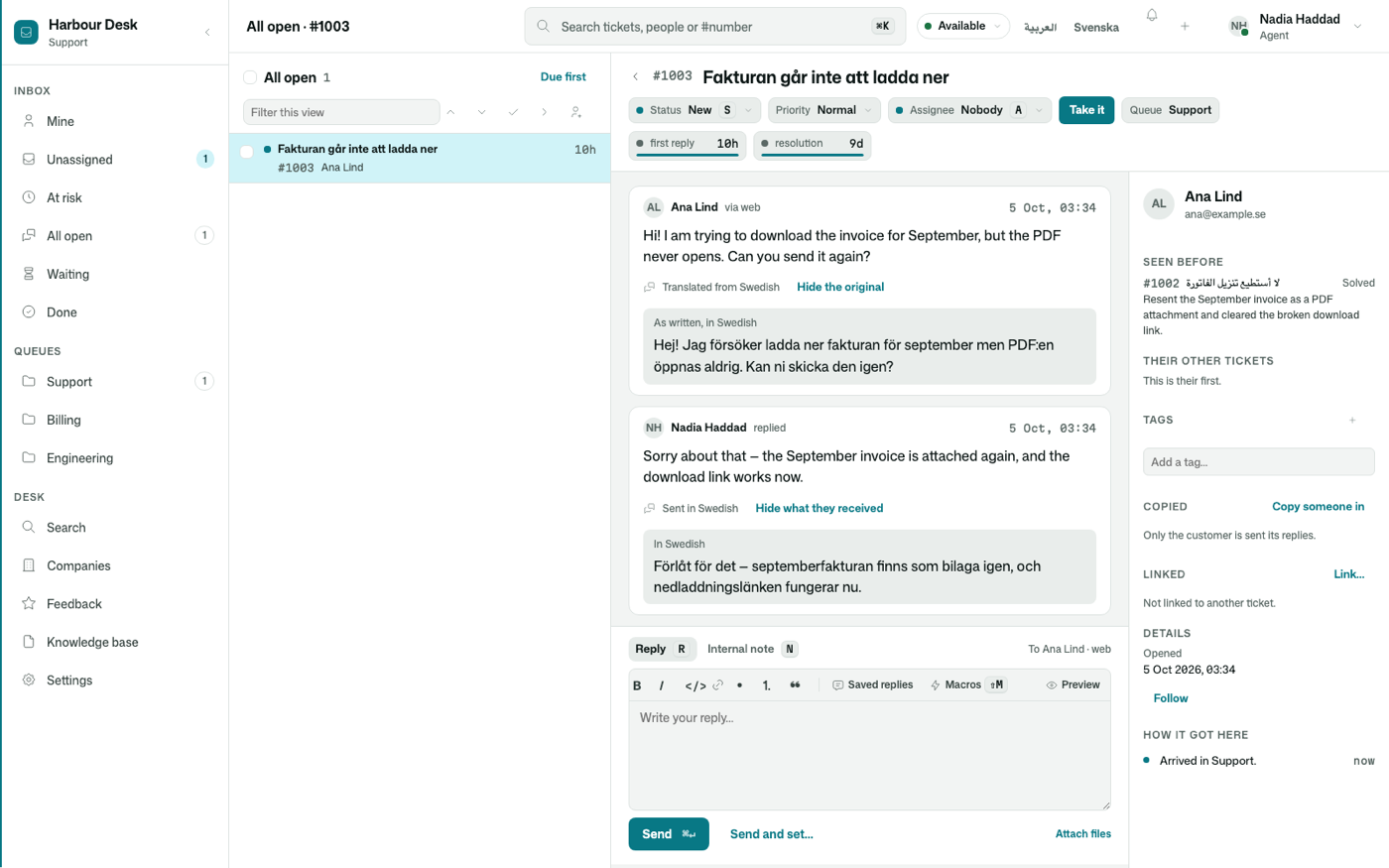
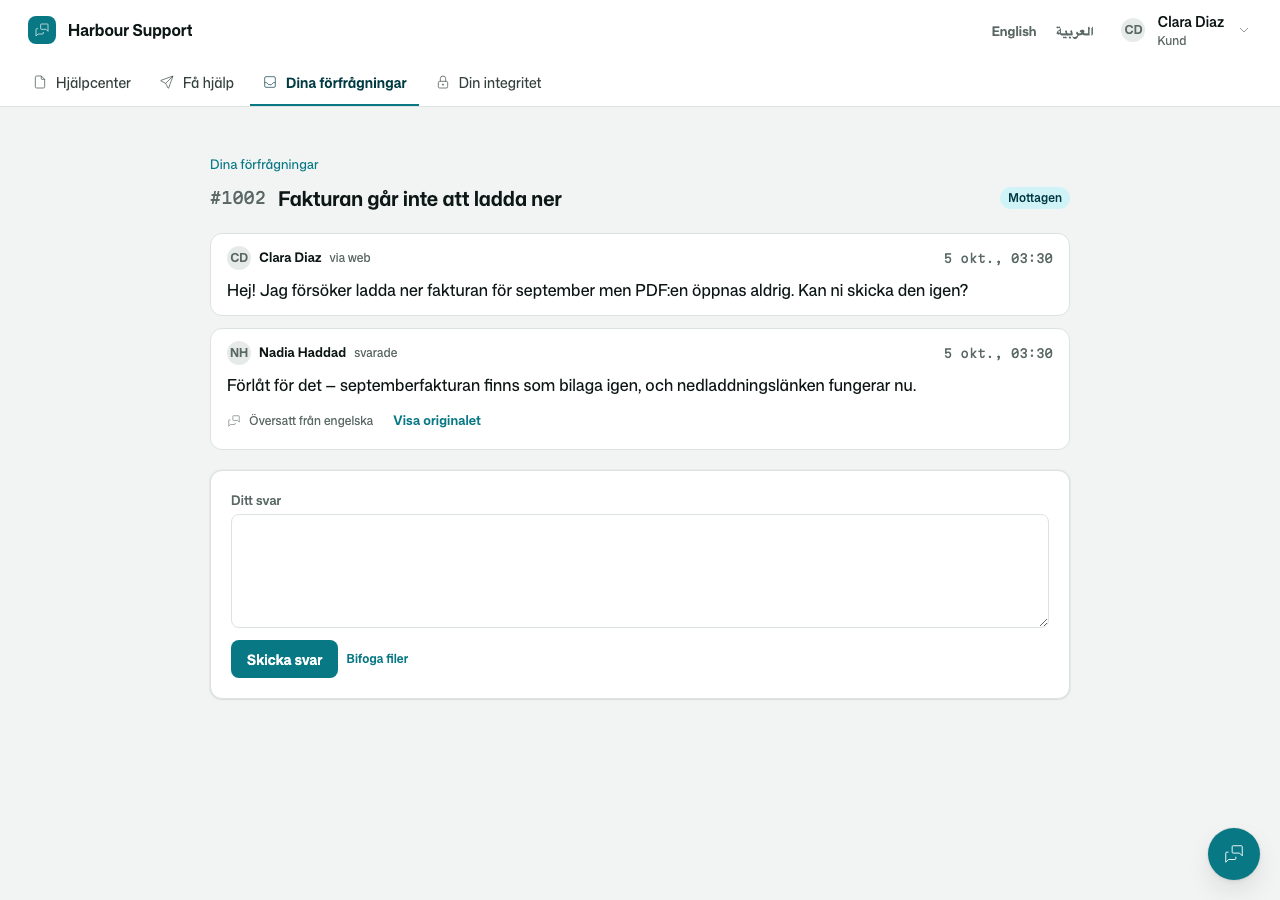
- Both texts, always. Every message keeps what was written. The team reads a copy marked "Translated from Swedish" with the original a click away; a reply says "Sent in Swedish", with exactly what the customer received a click away.
- Languages told offline first. Most messages are recognised by their script or their commonest words, with no call at all; the model is asked only when a message is too short to be sure. A typical message costs one model call.
- Your words kept. Product and brand names in the desk's glossary reach the model as terms to keep as written.
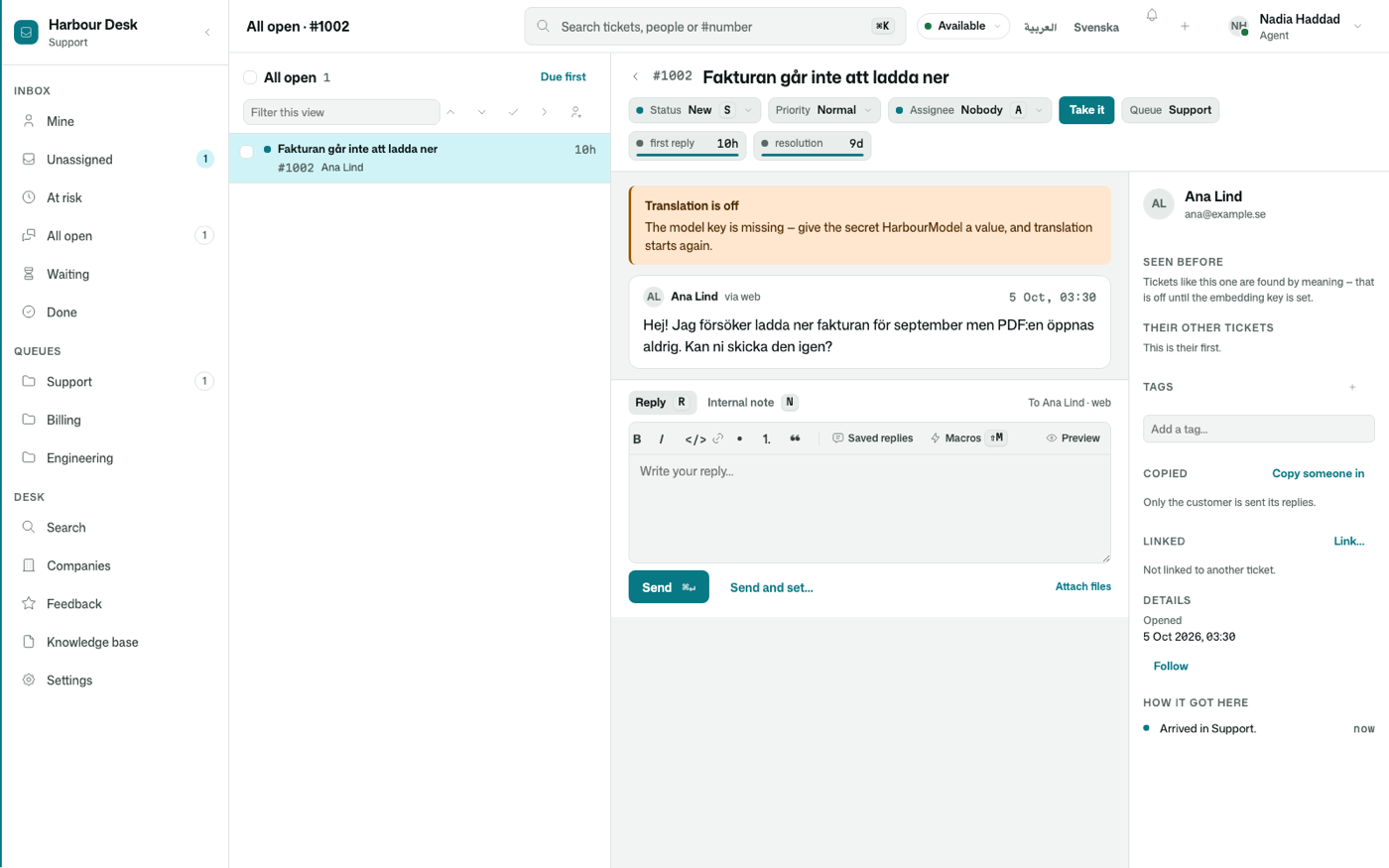
- Never in the way. A message is stored the moment it is sent and translated just after. A failing model is tried again; when it stays down, the team reads the original and is told why. With no key set, nothing is sent to a model and the desk says which secret to set.
- Card numbers never reach the model. Messages are scrubbed as they are stored and redacted again before any text is translated.
Its tests
Its tests drive a conversation end to end with the model stubbed — no test ever calls a real model — and prove the glossary reaches the prompt, an English message costs no call, a missing key says what to do, and a reply reaches the customer in their language.
Get it
Add the kit to your app’s manifest:
osy
app MyApp {
  use Osysharp.Conversations.MachineTranslation@0;
}
Then run osy lock: it downloads the release, verifies it by its content address and pins that version in osyrin.lock. osy kits Osysharp.Conversations.MachineTranslation shows what the kit is for, from inside your app.
Reference: osy docs ui-machine-translation-kit.