You are here: Agents in an Osy# app › What a person sees
Summary#
Nobody "uses the agents". People use their app, and now and then an [[agent-guide-glossary#agent|agent]] has put something in front of them, or done something they want to understand. These are the six places that happens. Every picture on this page was taken by an automated test, in a real browser, of the screen it shows.
Description#
An approval, in the inbox#
An agent that may not do something alone proposes it. The [[agent-guide-glossary#proposal|proposal]] arrives where the person already works.
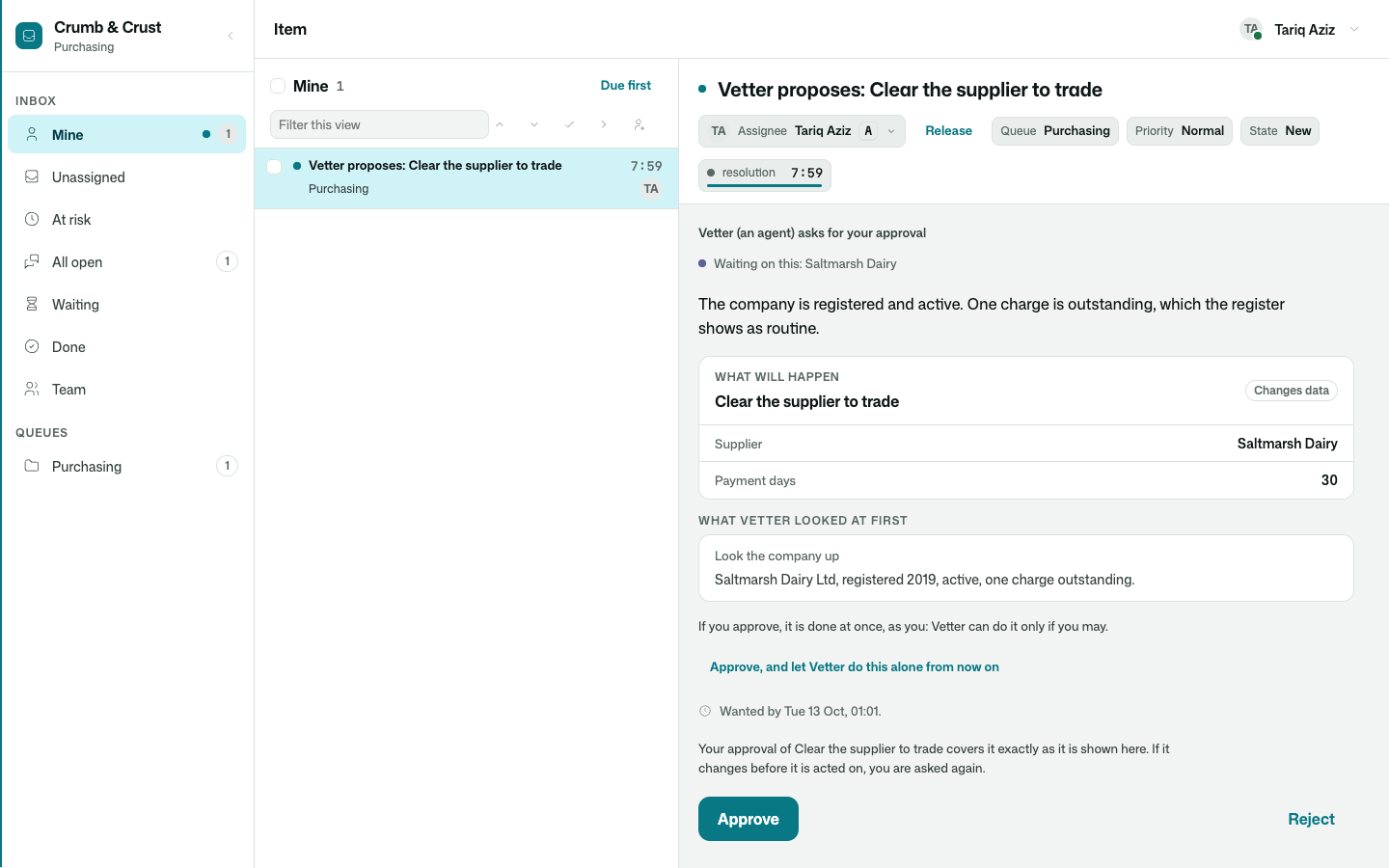
Read it from the top:
- Who asks. "Vetter (an agent) asks for your approval."
- Why. The agent's own reason, in a sentence.
- What will happen. The exact action and what it will be done to. The small label says what kind of thing it is: this one changes data.
- What it looked at first. So the person can judge whether the agent knew enough.
- How it runs. "If you approve, it is done at once, as you."
There are three answers: approve, reject with a reason, or approve and let the agent do this alone from now on. The third is offered only to somebody the app allows to say it.
One click down: [[agent-requests#sheet]].
A question#
Sometimes an agent does not need permission. It needs to know something only a person knows.
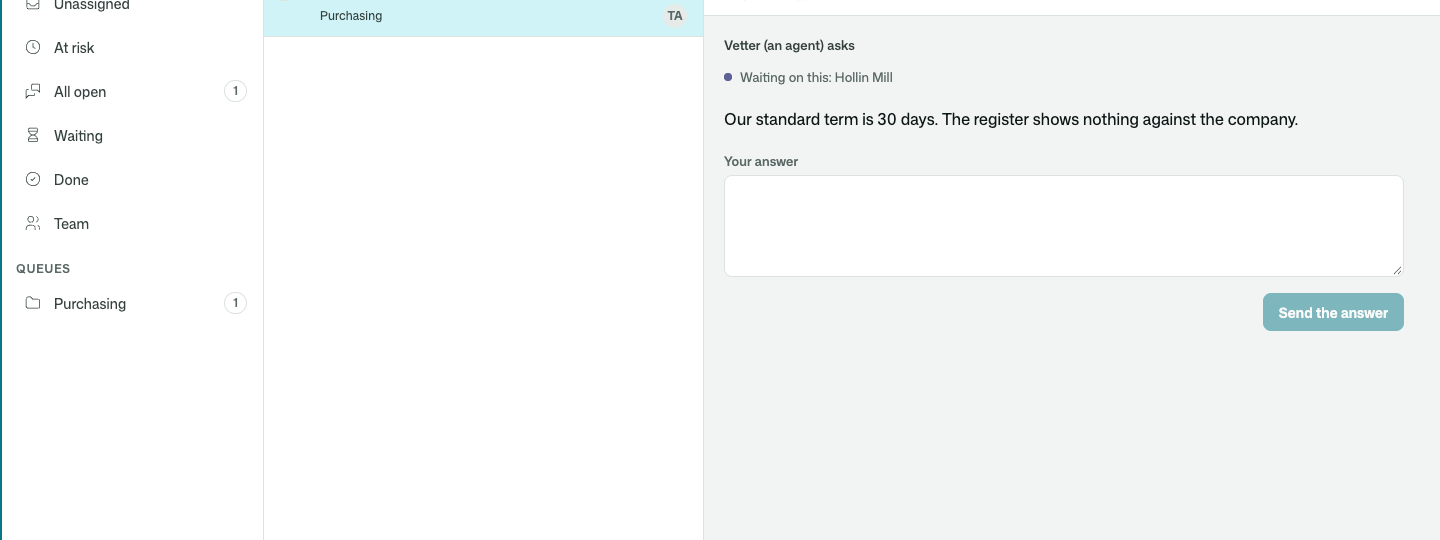
The agent's work stops there and waits, for a minute or for a week. Nothing runs meanwhile and nothing is spent. When the answer comes, the work goes on from the same point. One click down: An agent asks a person, and waits — the person rung of the ladder of help (Agents kit).
A business process, told step by step#
When agents take part in a process, each run of it has a page. It says where the run stands, draws the way it went, and tells what happened in each step, in order.
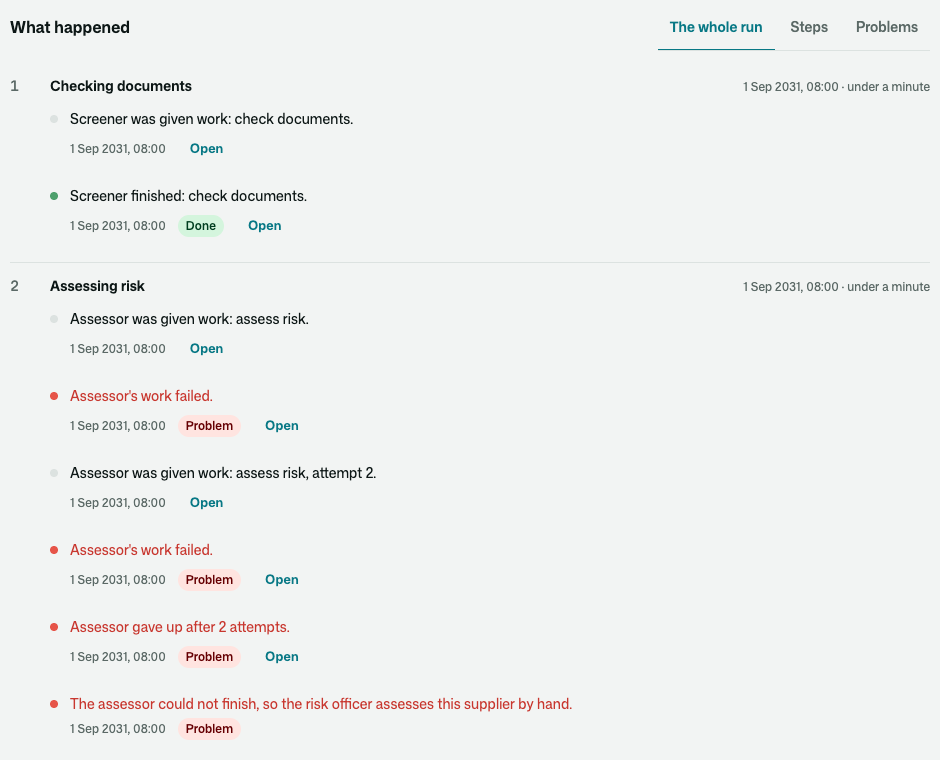
A red line is a problem. Here an agent's work failed twice, and the last line says what the process did about it: it sent the step to a person.
A reader who was not there can follow it without asking anybody. The whole of this run is a story of its own: A supplier is qualified — five days, four agents, one that failed, and a three-day wait. One click down: [[workflow-processes-kit#run]].
One piece of an agent's work, explained#
Any piece of work can be opened on one page, the [[agent-guide-glossary#inspector|inspector]]. It answers the questions a person asks afterwards.
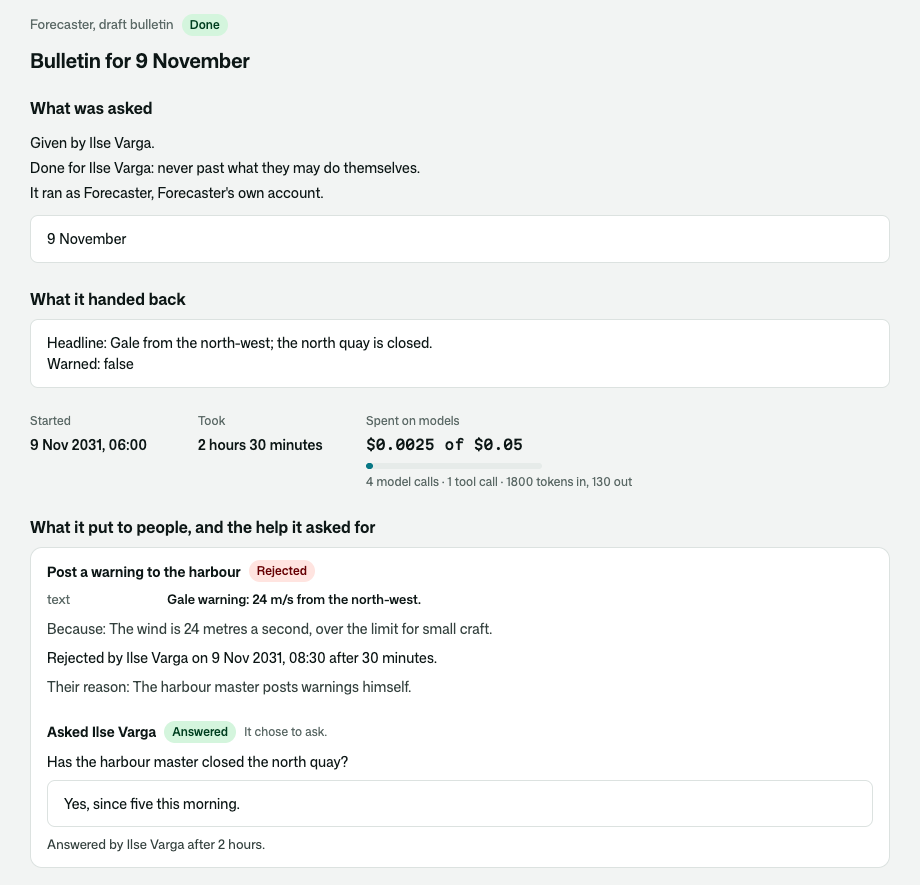
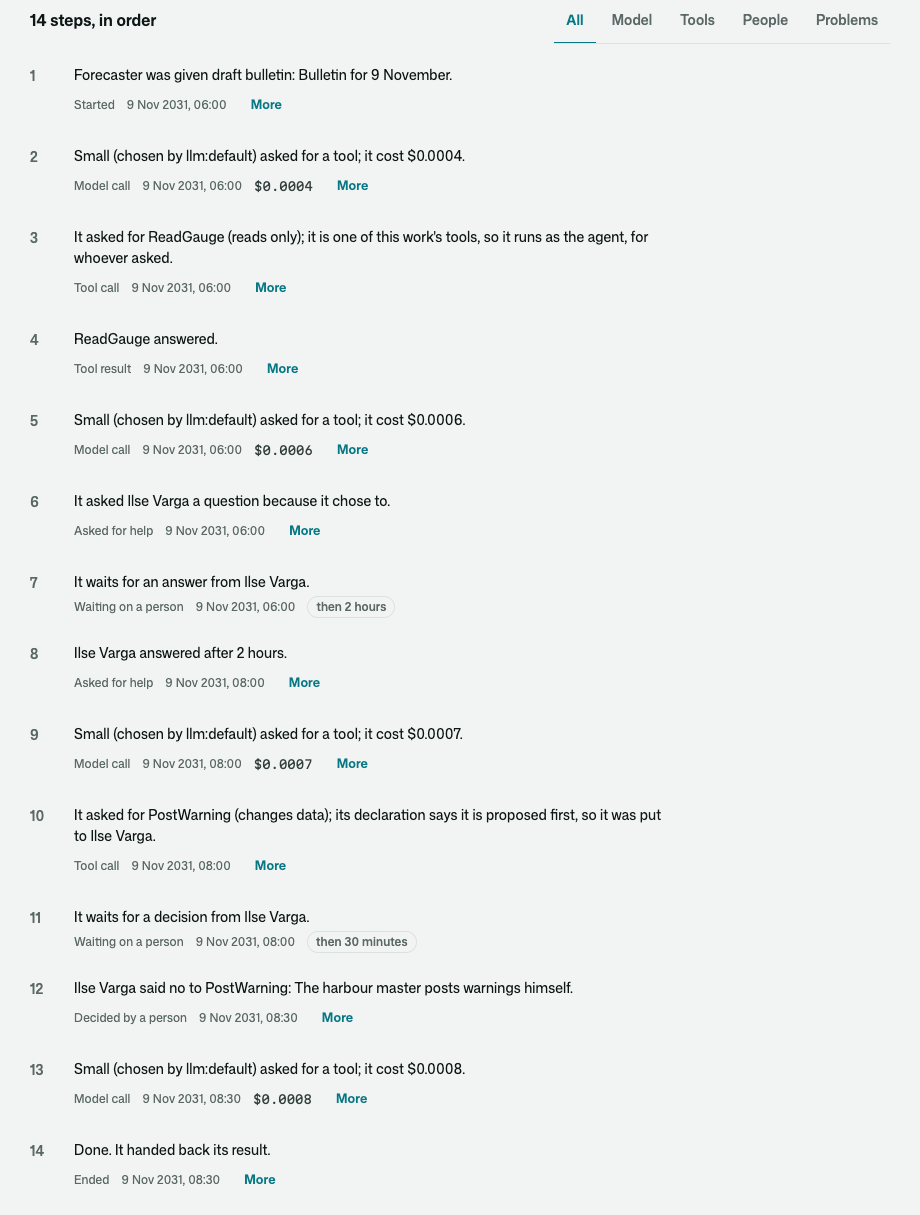
A weather station's forecaster agent drafted a bulletin. It asked the meteorologist one question, and proposed a gale warning that she rejected: "The harbour master posts warnings himself."
Further down are all its steps in order, each as a sentence, with how long each wait lasted:
And at the bottom, whether the record is still as it was written:
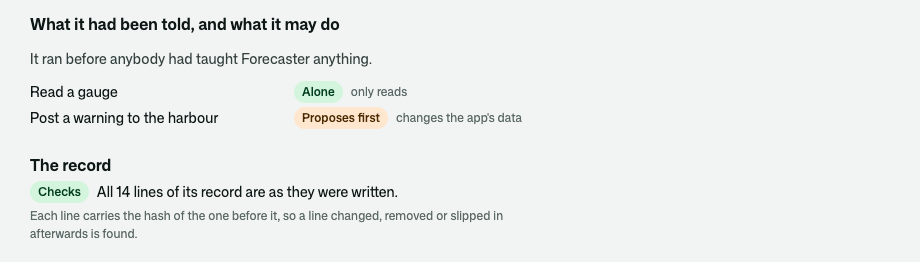
Not everybody sees all of it. The person the work was for reads everything. A supervisor reads that each step happened, and not what was said in it. Somebody with no business there is told the work is not theirs to see. One click down: [[agent-inspector#who]].
The place to correct it#
When an agent gets something wrong, the person who sees it says so, on that piece of work: what was wrong, what it should have been, and why.
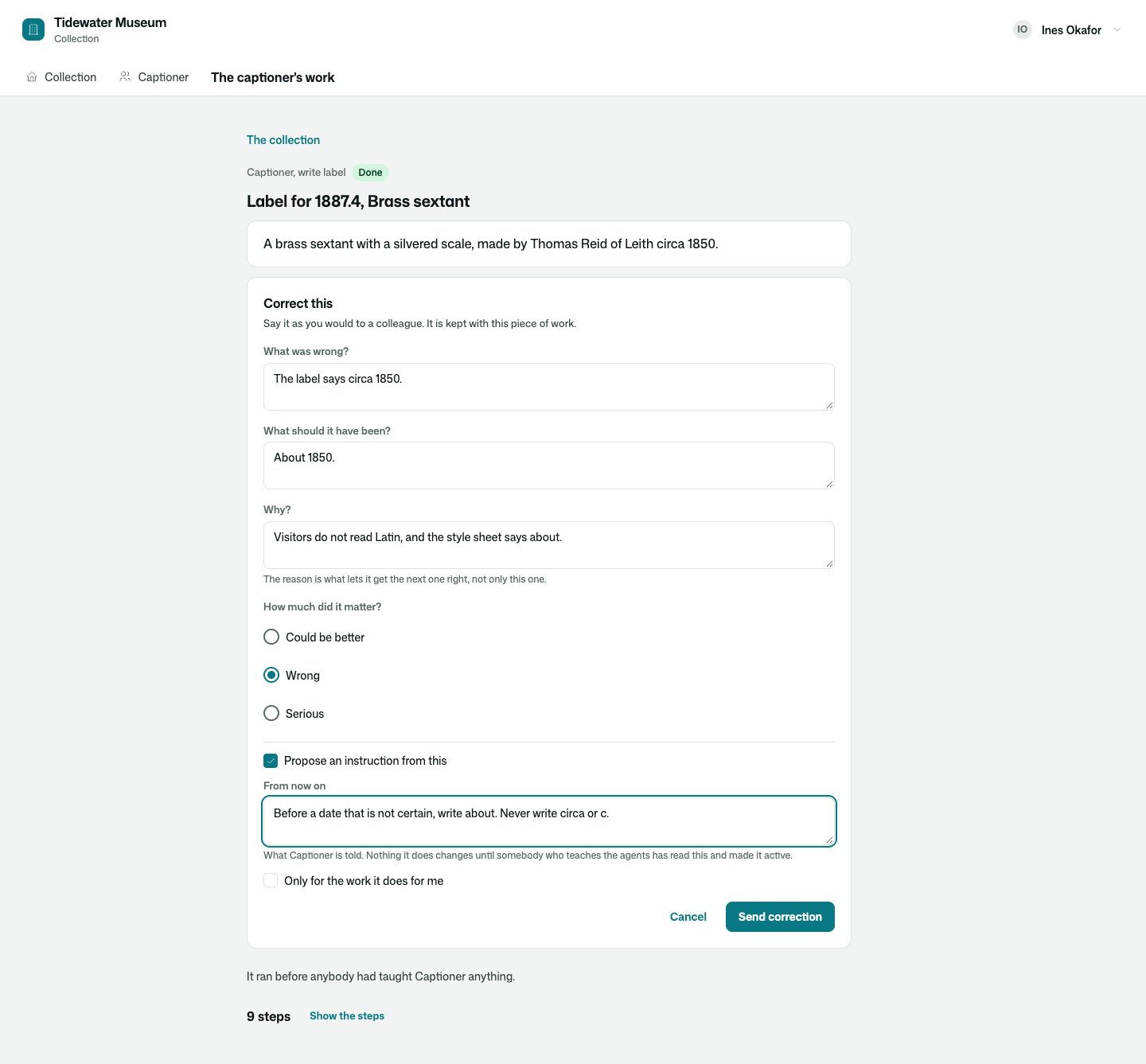
A [[agent-guide-glossary#correction|correction]] does not change what the agent does. It can be turned into an instruction, and an [[agent-guide-glossary#instruction|instruction]] reaches the agent only after somebody the app trusts with that has read it and made it active:
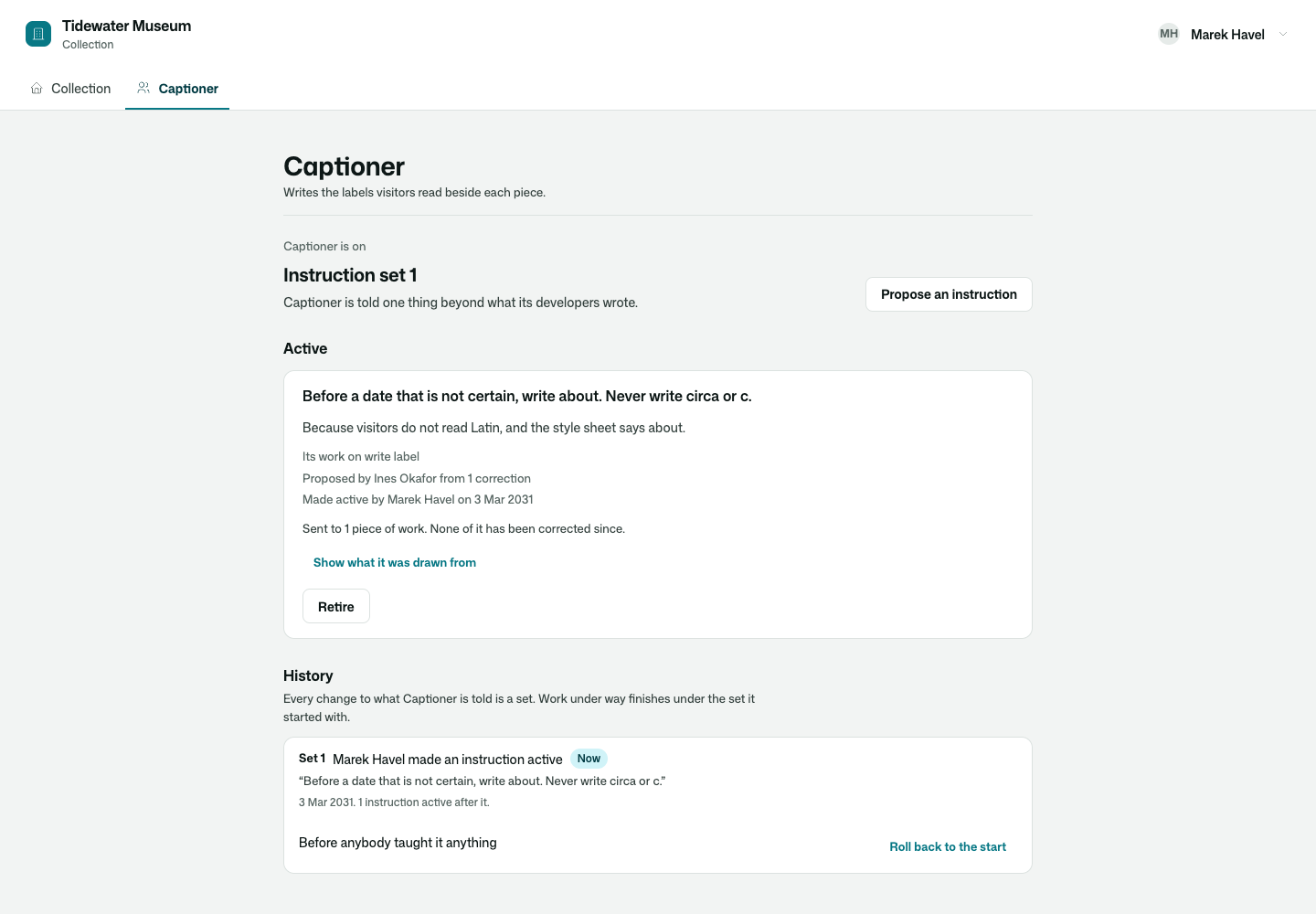
Every change is numbered, and the agent can be put back to how it was before. One click down: Correct this, and an agent's Instructions page — the screens people teach an agent on (Agents.Teaching kit).
Where a person runs the agents from#
Somebody answers for every agent. This is where they look.
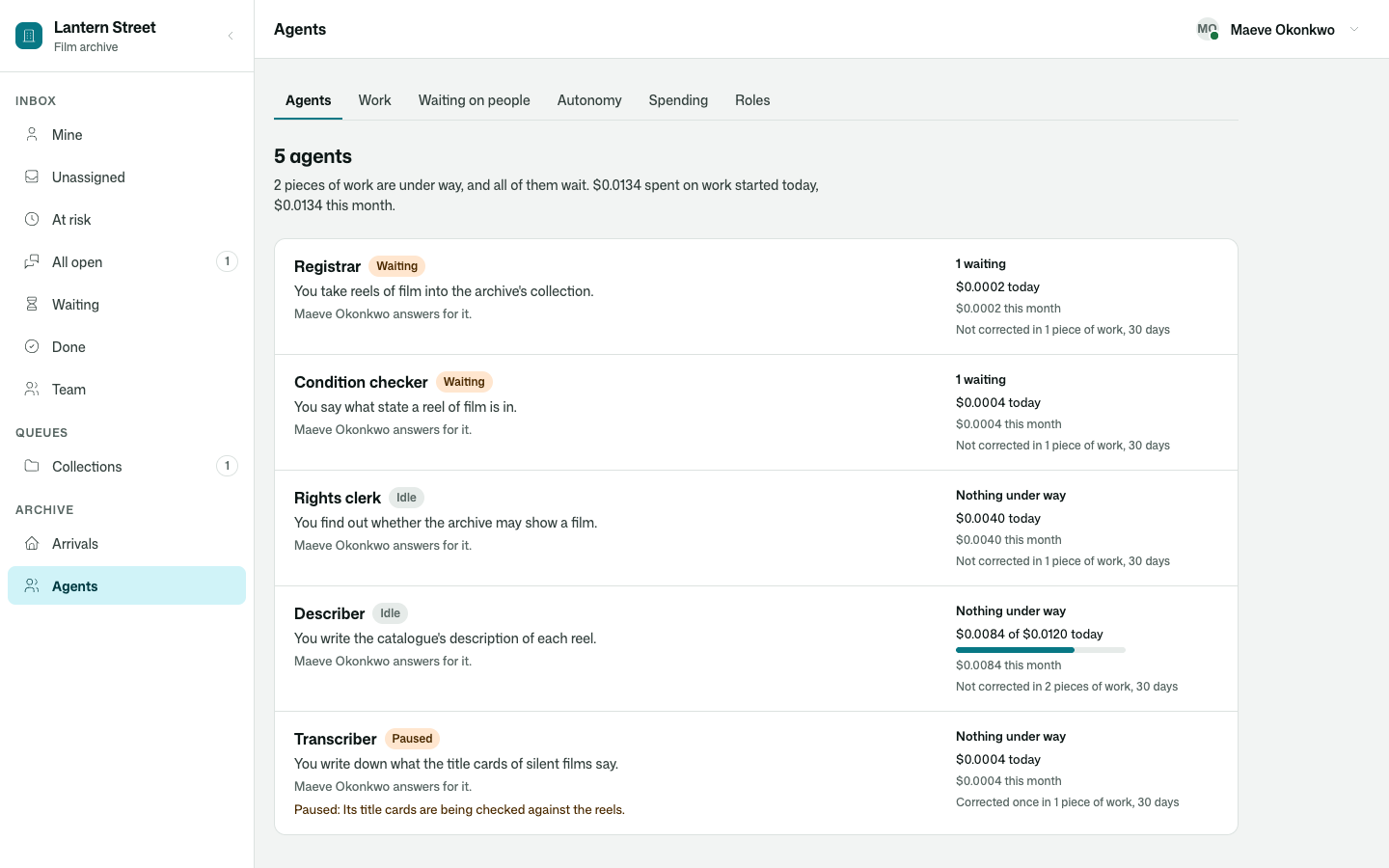
A film archive's five agents. One is paused, with the reason written beside it. One has spent most of what it may spend today.
From here a person in charge can pause an agent, call a piece of work off, try it again, or hand it to a person. There are screens for all the work, for everybody the agents are waiting on, for the standing permissions people have given, for spending, and for who may do what:
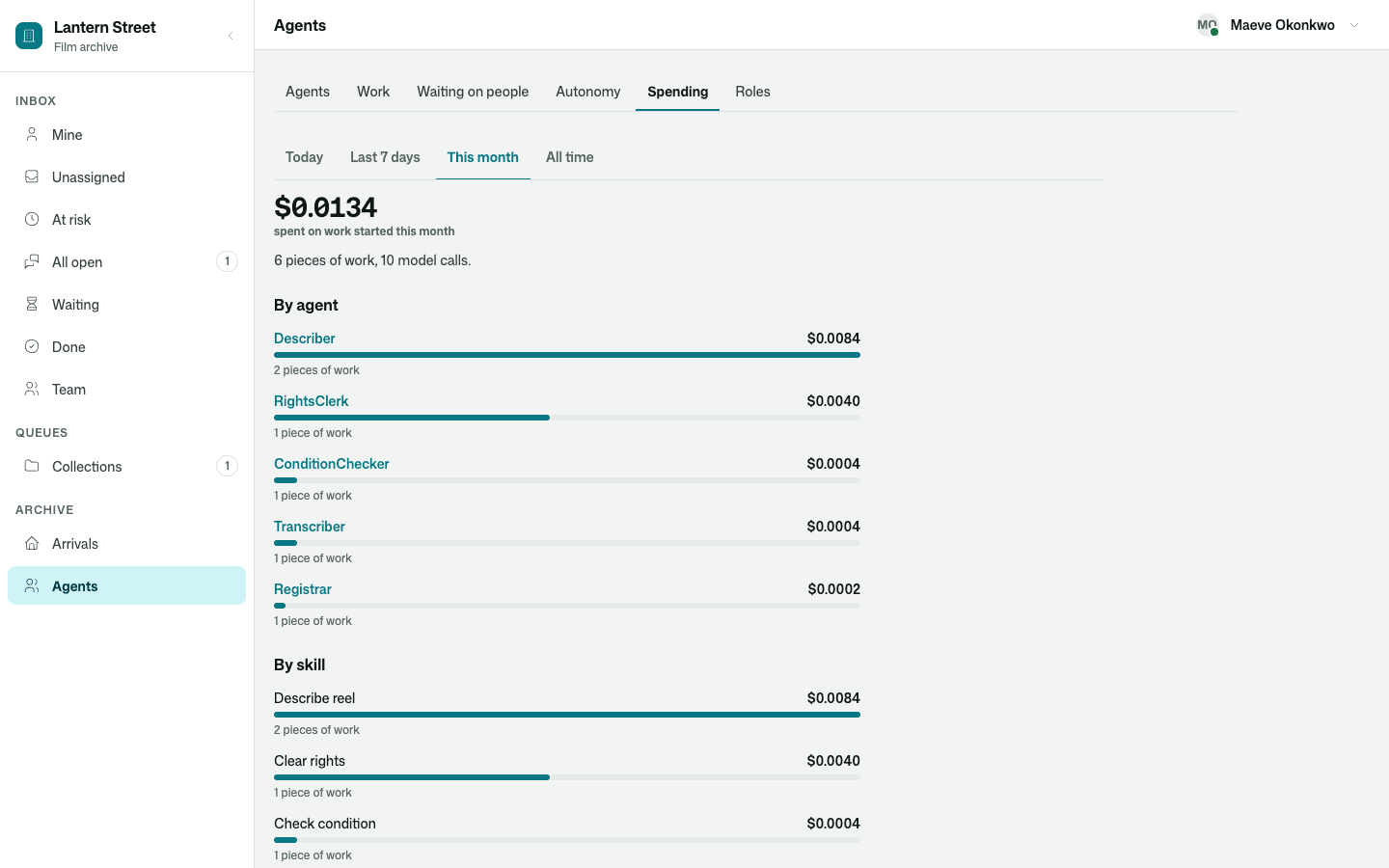
One click down: The management screens — where a person runs an app's agents (Agents.Management kit).
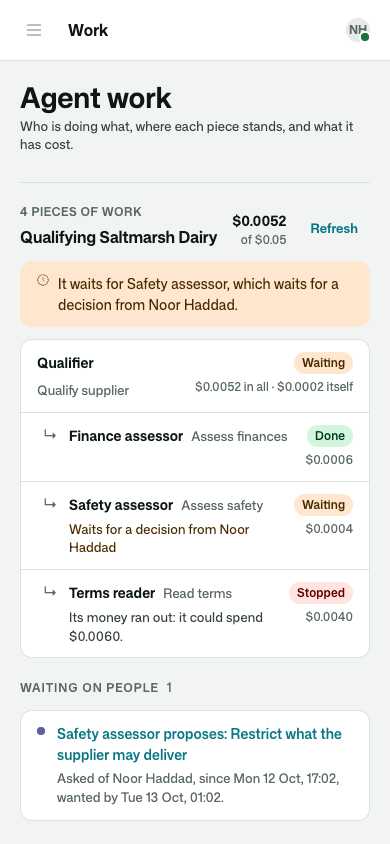
And on a phone?#
The same screens, in one column.
What to read next#
- What stays under people's control — ten promises, and where each is shown — what stays under people's control, and where each promise is shown
- A supplier is qualified — five days, four agents, one that failed, and a three-day wait — these screens in use, over five days
- What release 1 does not include — what release 1 does not include
Go deeper#
- An agent's proposals and questions in a person's inbox, and an inbox item in an agent's hands (Agents.HumanRequests kit) — proposals and questions in the inbox
- The inspector — one piece of an agent's work, readable by a person who was not there (Agents.Inspector kit) — the inspector
- Correct this, and an agent's Instructions page — the screens people teach an agent on (Agents.Teaching kit) — "Correct this" and the Instructions page
- The management screens — where a person runs an app's agents (Agents.Management kit) — the management screens
- Processes — every run of a business process, listed and read from start to now (Processes kit) — the page of a process run