The user manager: who is in the app, what each of them may do, and who changed that — when, and why.
- A people list — search by name or address; each person's roles (by the names the app gives them), whether two-step sign-in is on, whether their address is proven, when they last signed in; deactivated people kept and marked.
- A person in full — their app roles and the roles they hold in organisations, where else they are signed in right now, and the history of every change to their access (and the invitation they joined by).
- Changes, each one a record first: grant and revoke the app's roles · deactivate and reactivate · reset a lost second factor · sign out everywhere · add to and remove from an organisation, and grant roles within one.
Use it
osy
// app.osy
use Osysharp.Identity@0;
use Osysharp.Accounts@1;
use Osysharp.Organizations@0;
use Osysharp.Invitations@0;
use Osysharp.People@0;
osy
using Osysharp.Identity;
using Osysharp.People;

[Role] enum AppRole { Authenticator, Agent, Lead, Admin, Integration }
policy IsAdmin => RoleGrant.Any(g => g.Member == user && g.Role == AppRole.Admin);

policy ManagesPeople => IsAdmin;            // who changes people's access
policy MayInvite => IsAdmin;                // Osysharp.Invitations
policy ManagesOrganizations => IsAdmin;     // Osysharp.Organizations

// The roles a manager may hand out, by the names people read. A role not listed is never offered — `Integration` here.
app.Roles = new RolesSetup { Offered = [
  new RoleChoice { Role = AppRole.Agent, Label = "Agent", Description = "Works tickets." },
  new RoleChoice { Role = AppRole.Lead, Label = "Lead", Description = "Watches the queues." },
  new RoleChoice { Role = AppRole.Admin, Label = "Admin", Description = "Runs the desk." },
] };

// The role the app must never be left without an active holder of.
app.People = new PeopleSetup { KeepOneOf = AppRole.Admin };

// The user manager READS who holds which role — every change goes through it, so grant nothing more here.
partial entity RoleGrant { security { allow read when ManagesPeople; } }
Then put PeopleManager() on a page only managers reach (it is a [Composable]; it brings the invite form and the waiting invitations with it).
From code: GrantRole(p, AppRole.Lead, "covering December"), RevokeRole, Deactivate(p, "left"), Reactivate, ResetSecondFactor(p, "lost phone — confirmed by a call"), SignOutEverywhere(p), AddToOrganization(org, p), GrantInOrganization(org, p, AppRole.Lead); reads PeopleList(search), PersonDetailOf(id), AccessTrail().
API keys
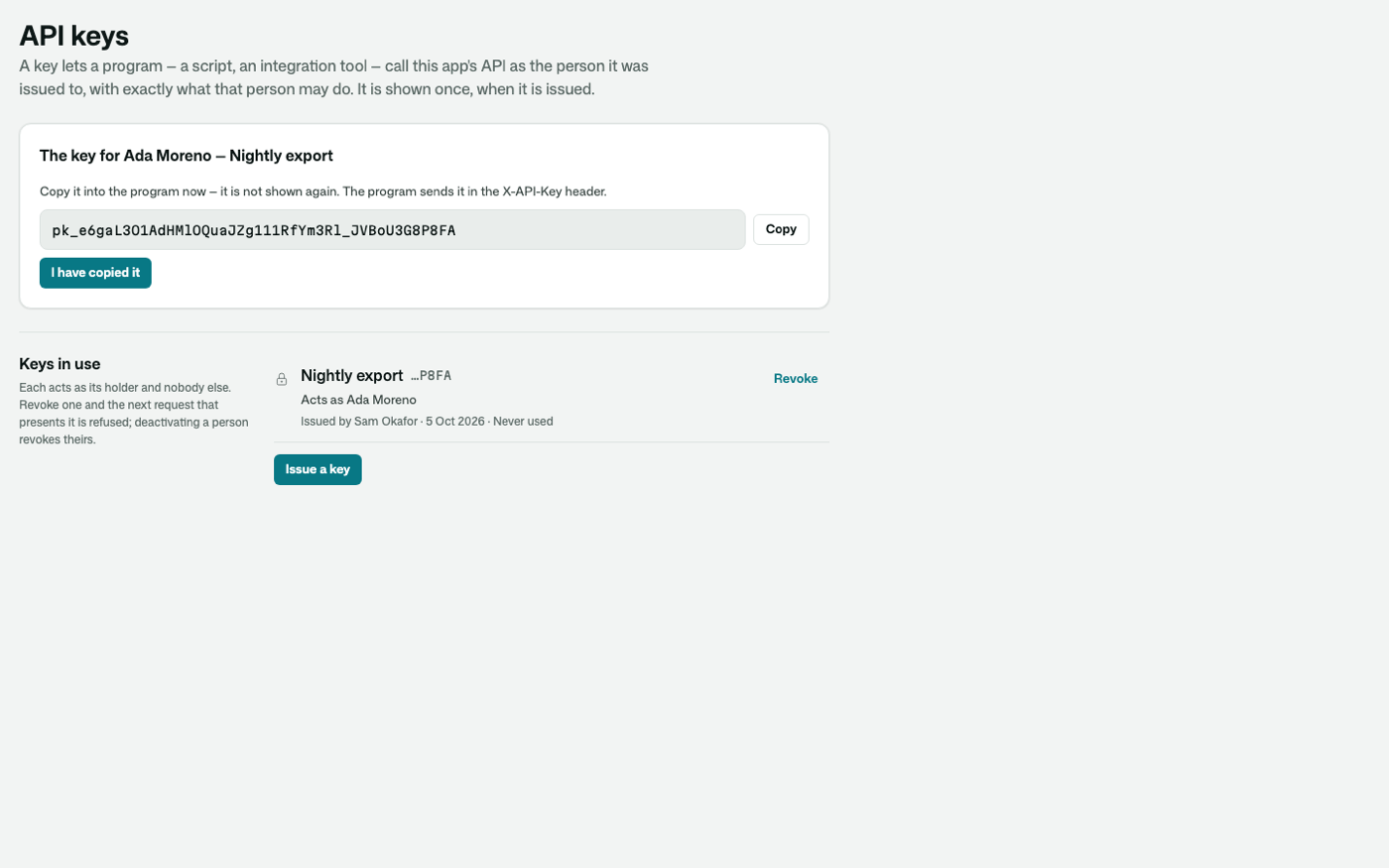
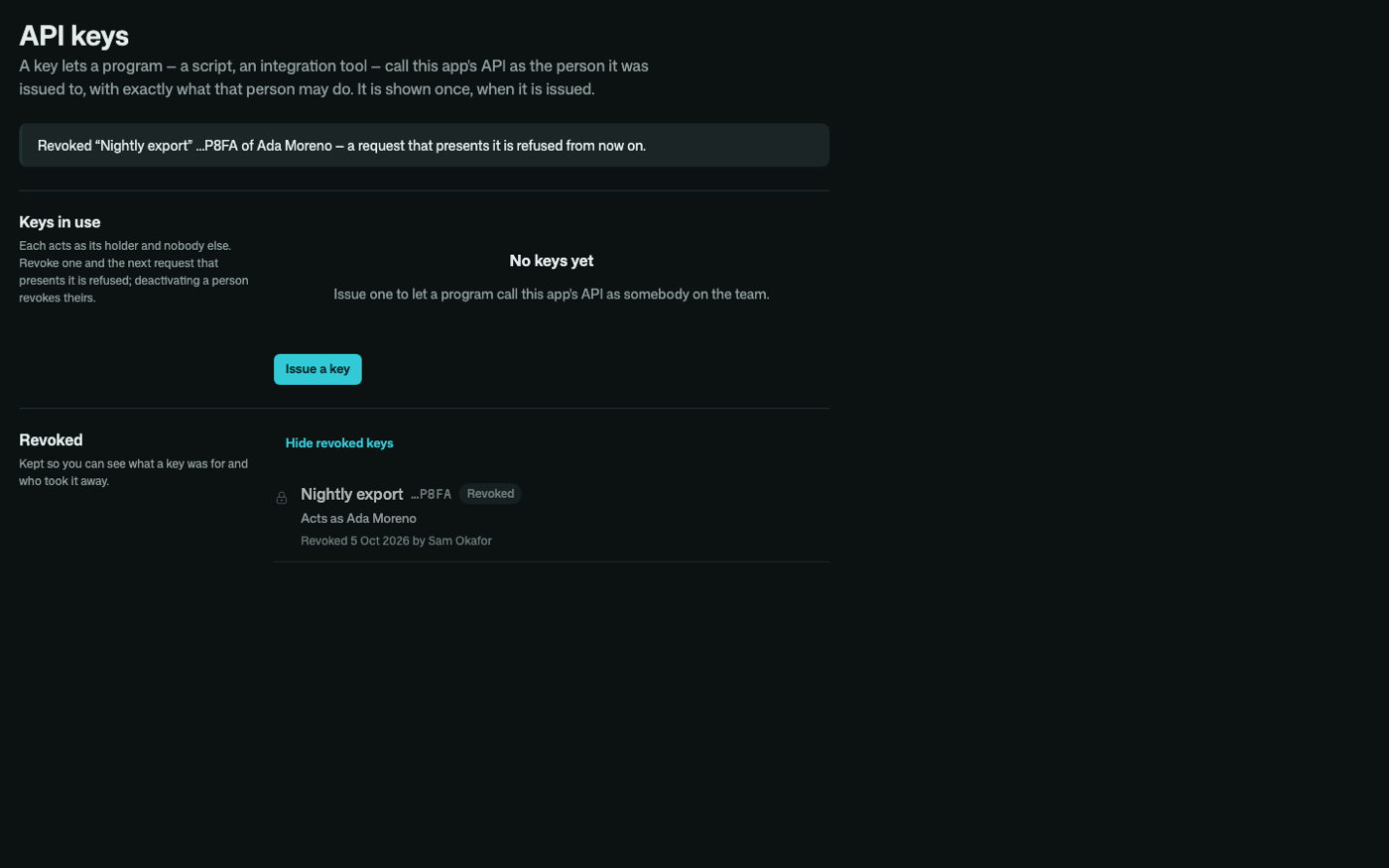
A people manager issues a teammate an API key on /settings/api-keys (or ApiKeyManager() on a page of your own), so that a program can call the app's REST API as that teammate, with exactly what they may do. The key is shown once, with a copy button, and only its hash is kept on the person's account (two at a time, so a key can be replaced with no gap). The list says whose each key is, what it is for, who issued it and when it was last used. Revoking one, or deactivating its holder, refuses it from the next request. Issuing and revoking are access changes like any other, on the trail with who did it and why. From code: IssueApiKey(p, "Nightly export").Key, RevokeApiKey(key).
| Shown once, after it is issued | Revoked, in the dark |
|---|---|
 |  |
Integrations
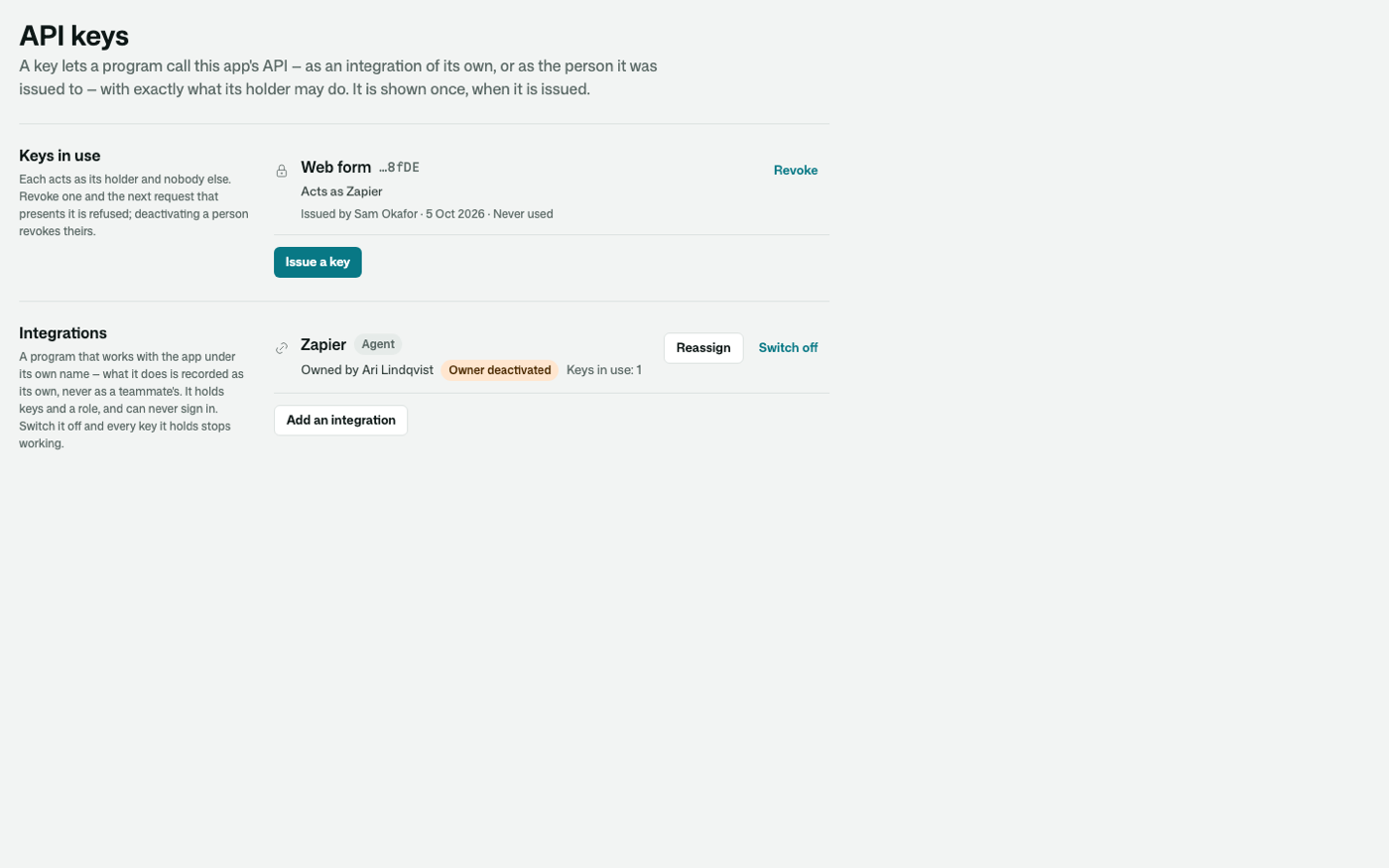
Zapier, a nightly export, a partner's system: a program that works with your app should do it under its own name, not a teammate's. An integration is an account of its own — a name, the role it acts with, the person who answers for it, and API keys — with no mailbox and no password, and no way to sign in. Everything it does through the API is recorded as its own ("Zapier added a note"), so the trail never blames a person for a program.
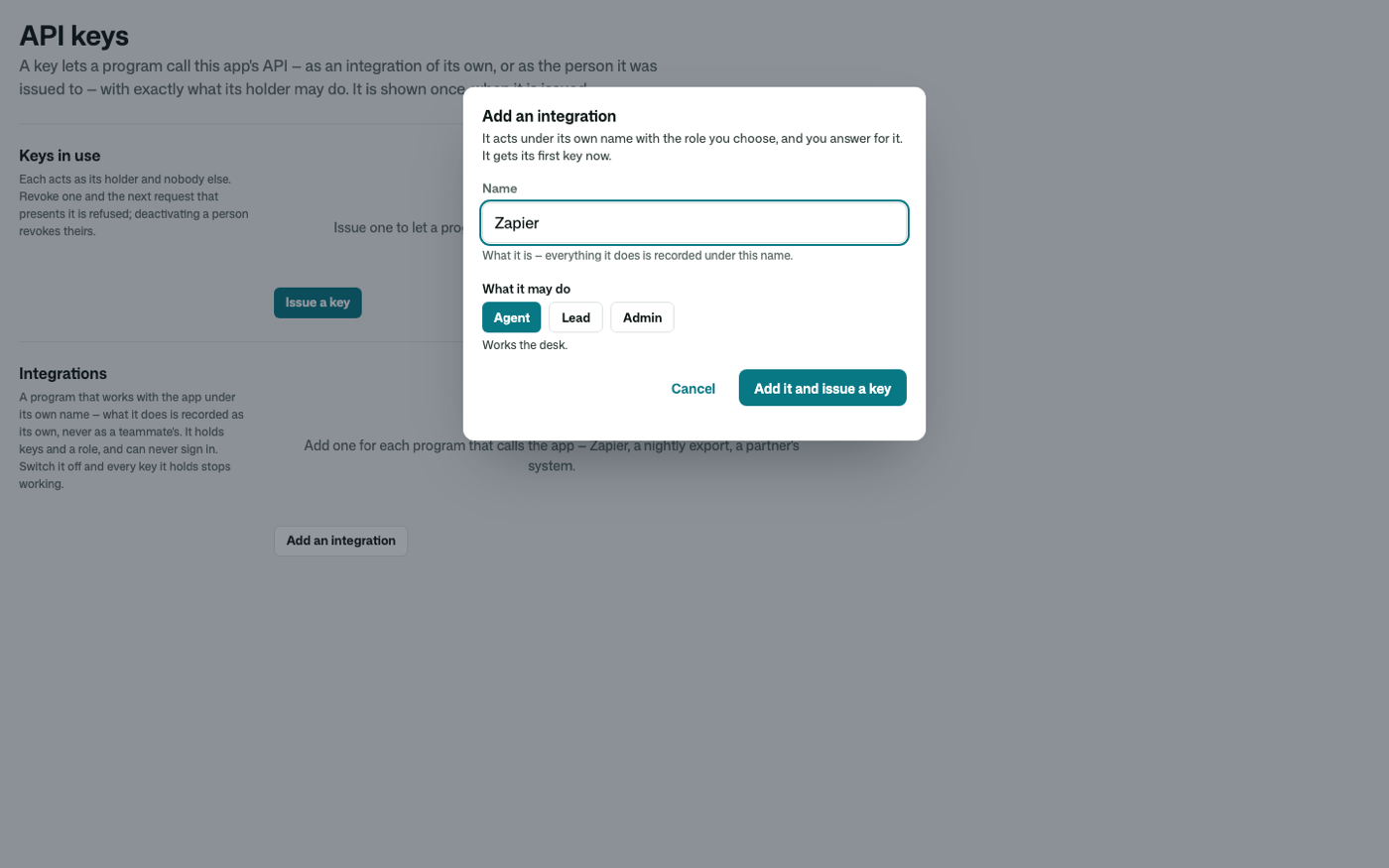
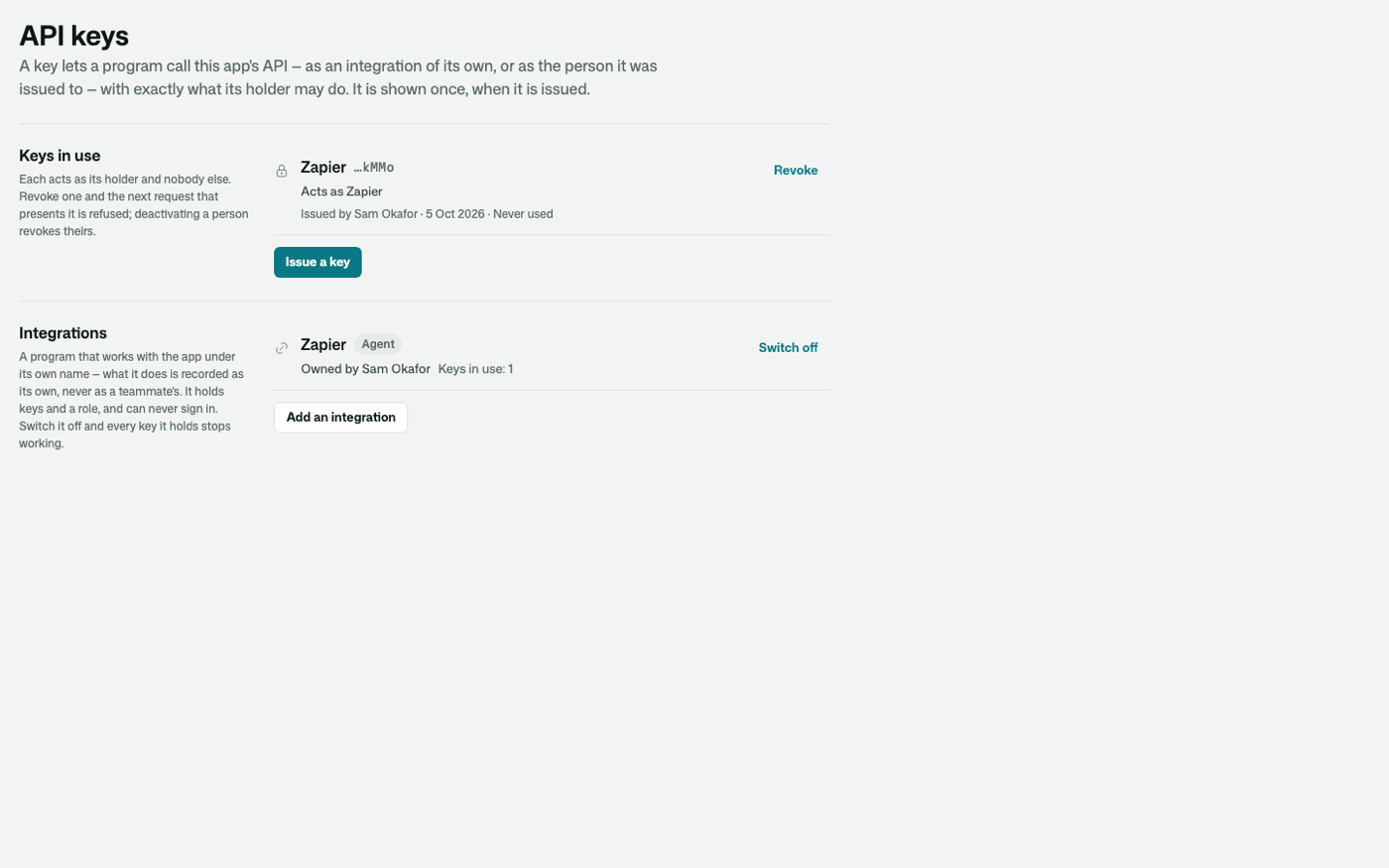
A people manager adds one on the same page — a name and what it may do — and is shown its first key once. It is listed with its role, its owner and how many keys it holds; Switch off deactivates it, and every key it holds is refused from the next request. Adding one is an access change on the trail, like any other. From code: AddIntegration("Zapier", AppRole.Agent) then IssueApiKey(zapier, "Web form").Key.
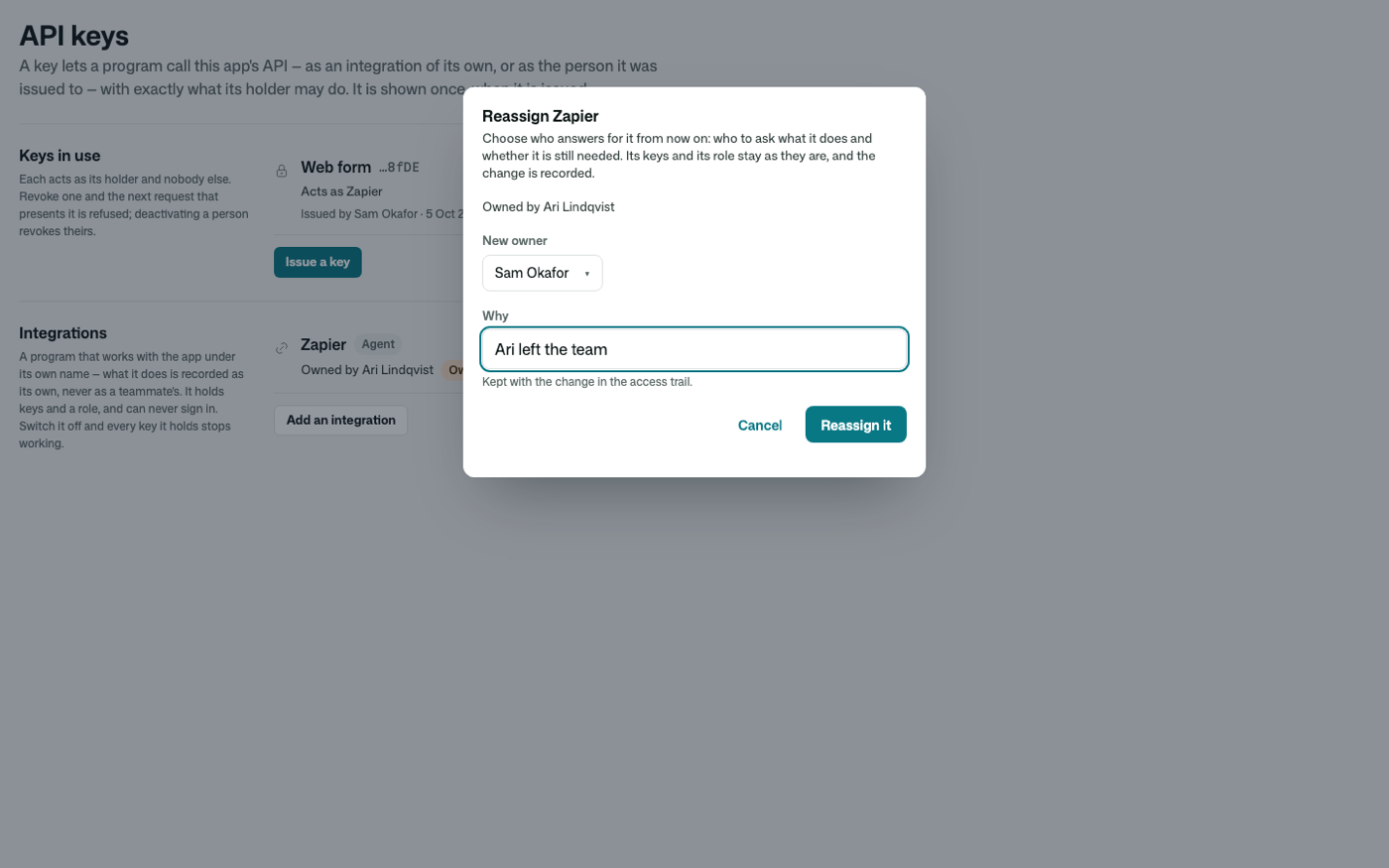
An integration outlives the person who answers for it. When they leave and their account is deactivated, the program keeps working, and its row says Owner deactivated. Reassign gives it to somebody who is here, with a reason, as an access change on the trail like any other. From code: ReassignIntegration(zapier, sam, "Ari left the team").
| Its owner has left | Given to somebody who is here |
|---|---|
 |  |
| Adding one | Listed with its role, owner and keys |
|---|---|
 |  |
Every change is a record first
A manager never writes somebody's access directly. Each change is an AccessChange — who made it, to whom, what, when and why — and its run applies it in the same commit. Only the app's people managers may make one, naming themselves; nobody edits or deletes one. So the trail of who changed whose access is not a log that might be missing a path: it is the only path.
The run checks every change before it applies it — a record made without the functions' own checks is refused, with the reason, and nothing changes:
- a role is granted only if the app offers it (
app.Roles) — neverAuthenticator, never an integration role; - a manager never deactivates themself, and the app is never left without an active holder of
KeepOneOf; - a second factor is reset only with a reason written down;
- deactivating, resetting a second factor and signing out everywhere end every session the person has, on every server, and each ended session is told an administrator changed the account's access — not that its password changed.
Resetting a second factor clears the authenticator, the recovery codes and a texted step, mails the person, and signs them out: they sign in with their password and set it up again — or, where the app requires it, the sign-in asks them to.
Get it
Add the kit to your app’s manifest:
osy
app MyApp {
  use Osysharp.People@0;
}
Then run osy lock: it downloads the release, verifies it by its content address and pins that version in osyrin.lock. osy kits Osysharp.People shows what the kit is for, from inside your app.
Reference: osy docs security-people-kit.