Use case
Your app has to hand someone a document: a receipt, an invoice, a packing slip, a certificate, a statement. This package writes one line by line: text in Helvetica and Helvetica-Bold, right-aligned columns, rules and pages. The result is a few kilobytes and opens in any PDF reader.
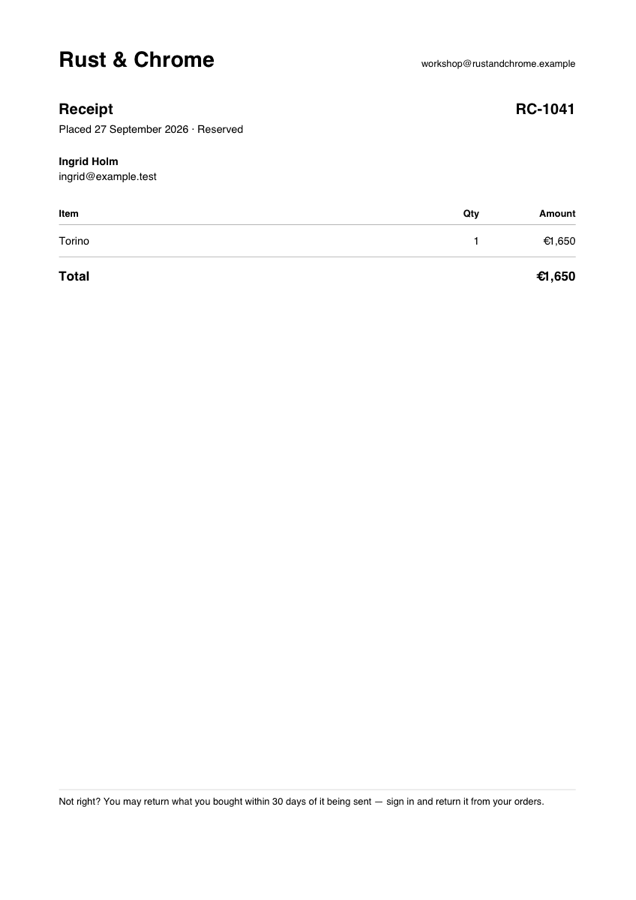
A shop's receipt, written by the Osysharp.Shop package with this kit.
Install and use
osy
app Invoicing {
  use Osysharp.PdfWriter@0;
  use Osysharp.Storage;          // only if you save the file, as below
  model "model/**/*.osy";
}
osy
using Osysharp.PdfWriter;

public string InvoicePdf(Invoice invoice) {
  var pdf = new PdfDocument { Title = $"Invoice {invoice.Number}" };
  var top = pdf.PageHeight - 60;
  pdf.Text(56, top, "Acme Ltd", 20, bold: true);
  pdf.TextRight(pdf.PageWidth - 56, top, $"Invoice {invoice.Number}", 14, bold: true);
  pdf.Line(56, top - 20, pdf.PageWidth - 56, top - 20, 0.5, 0.7);

  var y = top - 44;
  foreach (var line in invoice.Lines) {
    pdf.Text(56, y, line.Description);
    pdf.TextRight(pdf.PageWidth - 56, y, $"€{line.Amount:0.00}");
    y = y - 18;
    if (y < 60) { pdf.NewPage(); y = pdf.PageHeight - 60; }
  }

  var path = $"invoices/{invoice.Id}.pdf";
  File.WriteAllBytes(path, pdf.ToBytes());
  return File.SignedUrl(path);   // a private file, handed over as a link that expires
}
Positions are in points (1/72 inch), measured from the bottom-left corner, which is how PDF counts them. So a page is written top-down by subtracting from PageHeight.
What it ships
| member | what it does |
|---|---|
PageWidth, PageHeight | A4 by default; set both before the first page for US Letter (612 × 792) |
Title | the title a reader shows in its window |
Text(x, y, text, size, bold) | text with its left end at x and its baseline at y |
TextRight(x, y, text, size, bold) | text with its RIGHT end at x, for a column of amounts |
Line(x1, y1, x2, y2, width, shade) | a rule; shade runs from 0 (black) to 1 (white) |
Width(text, size, bold) | how wide a piece of text is, from Helvetica's own character widths |
Wrap(text, width, size, bold) | a paragraph broken into lines that fit width |
NewPage() | starts the next page; the first Text or Line starts page one for you |
ToBytes() | the finished file |
No font is embedded, and none needs to be. Helvetica is one of the fourteen faces every PDF reader carries. The price is the character set, WinAnsi. It covers every Western European language (å ä ö é ü ß ø …), the euro sign and typographic dashes and quotes. A character outside it is written as ? rather than silently dropped.
Build your own on top
Tables, headers and footers, a letterhead: write them as functions of your own over PdfDocument. A Letterhead(pdf, company) that draws your logo line and address block is five calls. If you need something the class cannot do, such as images or another font, fork the repository. The whole writer is one file of ordinary Osy# over strings, so the PDF objects it writes are all there to read and extend.
Source and tests
model/PdfDocument.osy, with no C# anywhere. tests/ is the producer's own project: tests that parse the file they write back (page count, the text, the euro sign's WinAnsi byte, right alignment). It does not ship with the package.
Get it
Add the kit to your app’s manifest:
osy
app MyApp {
  use Osysharp.PdfWriter@0;
}
Then run osy lock: it downloads the release, verifies it by its content address and pins that version in osyrin.lock. osy kits Osysharp.PdfWriter shows what the kit is for, from inside your app.
Its tests are its specification, and they come with its source. In a copy of github.com/osysharp/pdfwriter, osy kits Osysharp.PdfWriter lists the test app and every test, and cd tests && osy test runs them.