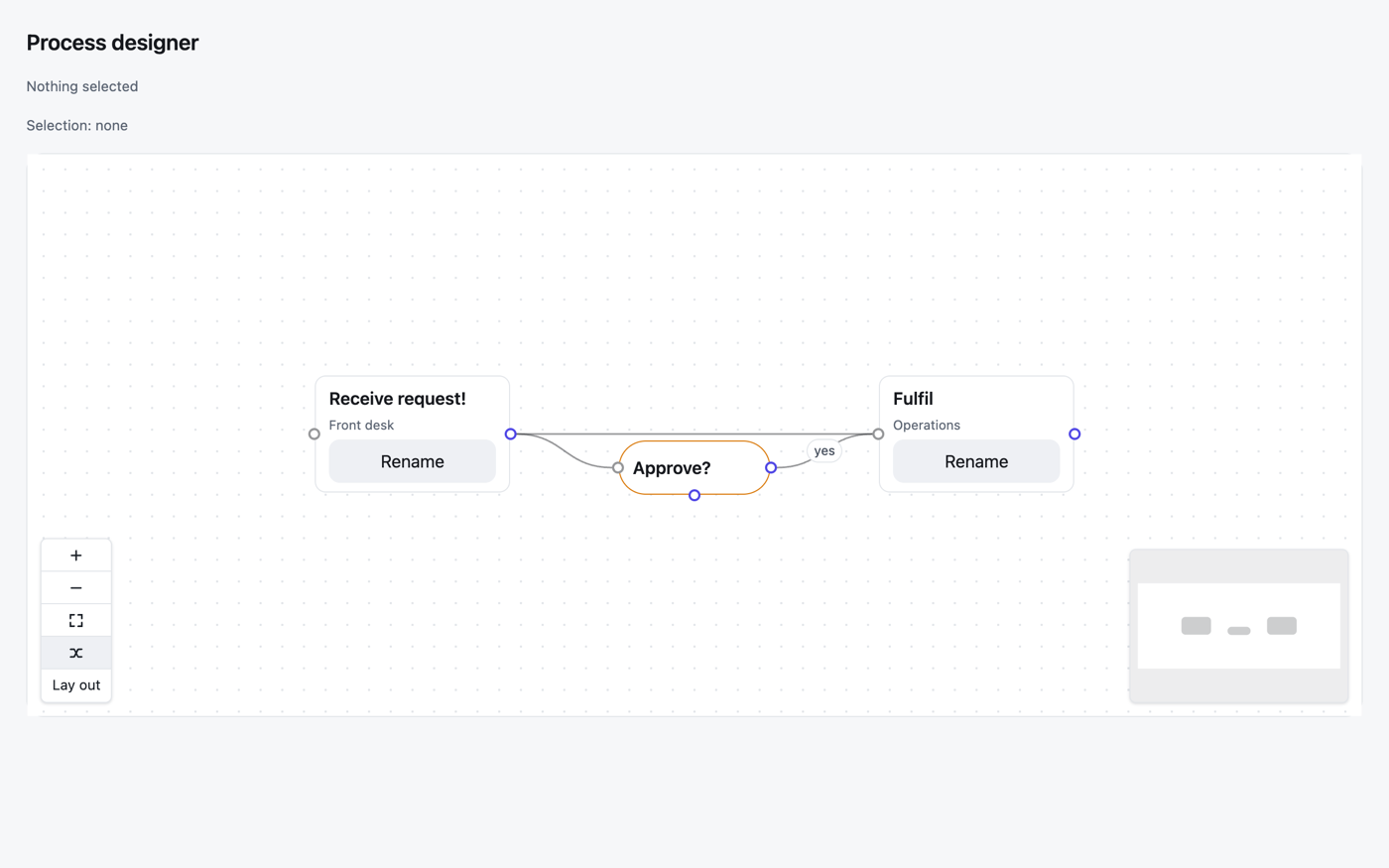
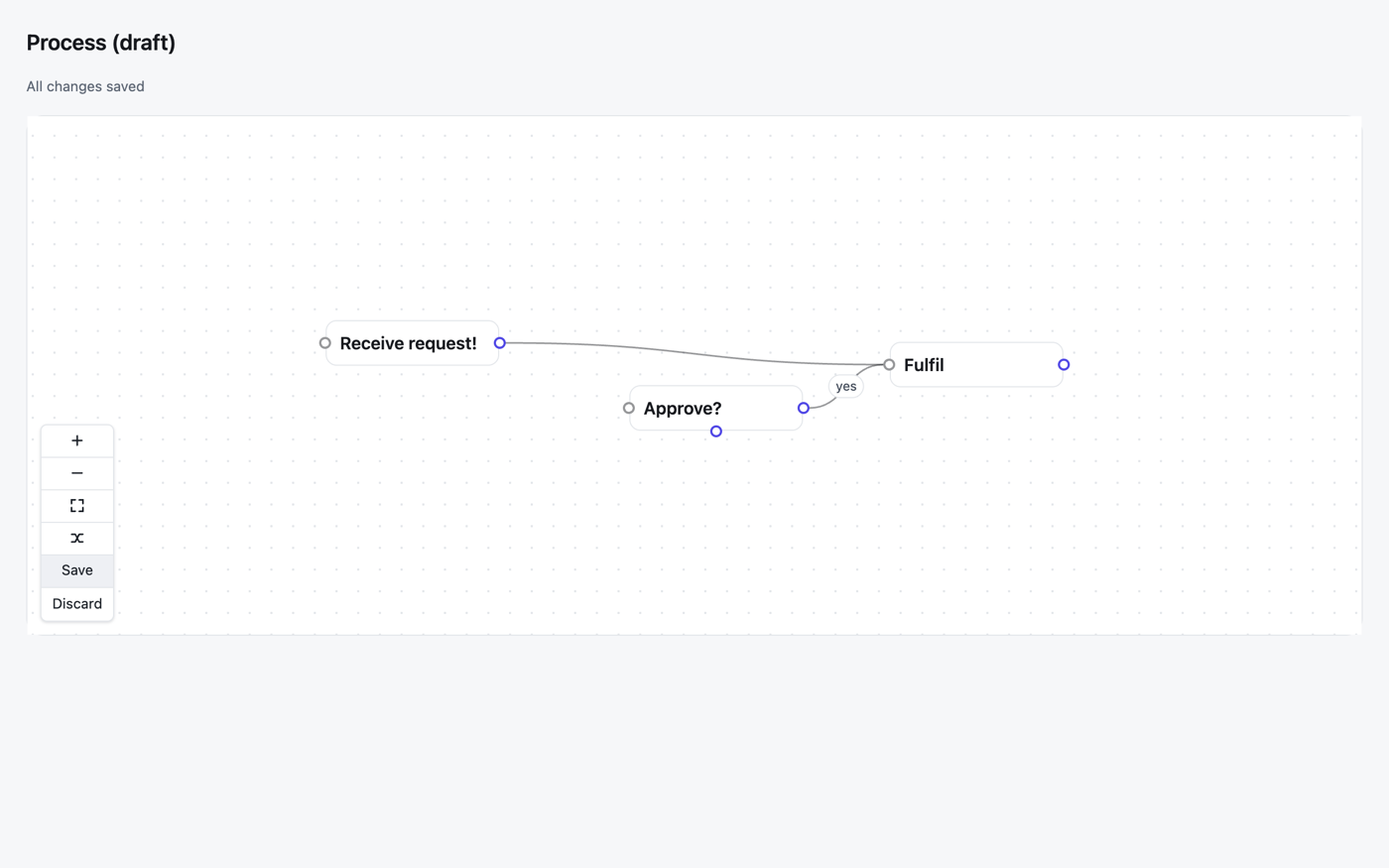
Boxes joined by arrows that people can move, connect, select and lay out — by mouse and by keyboard — where every node is drawn by a template you write in Osy#, and every node and edge is one of your app's own rows. The drawing and dragging are React Flow's framework-free core (@xyflow/system, MIT); there is no React in it.
Use case
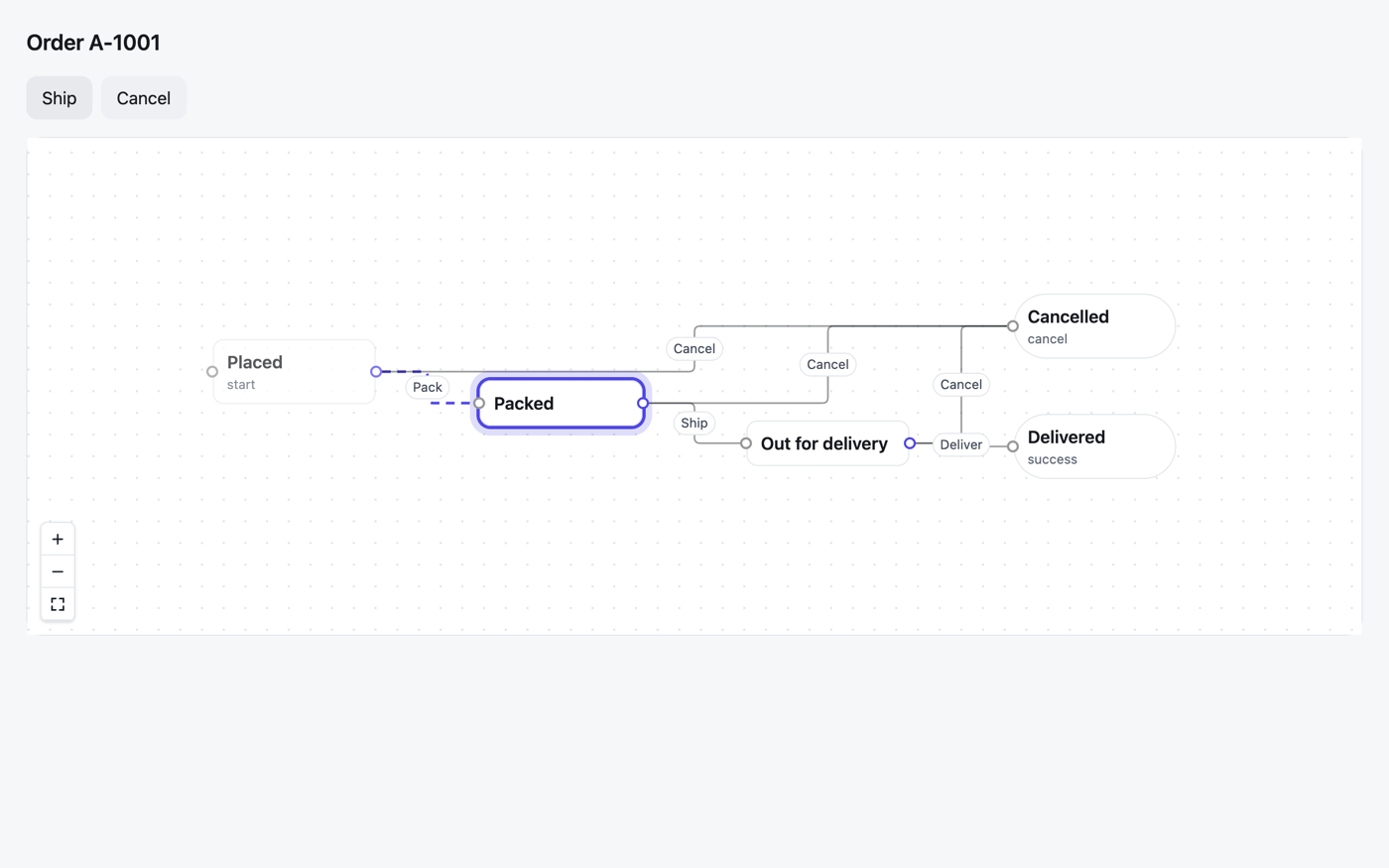
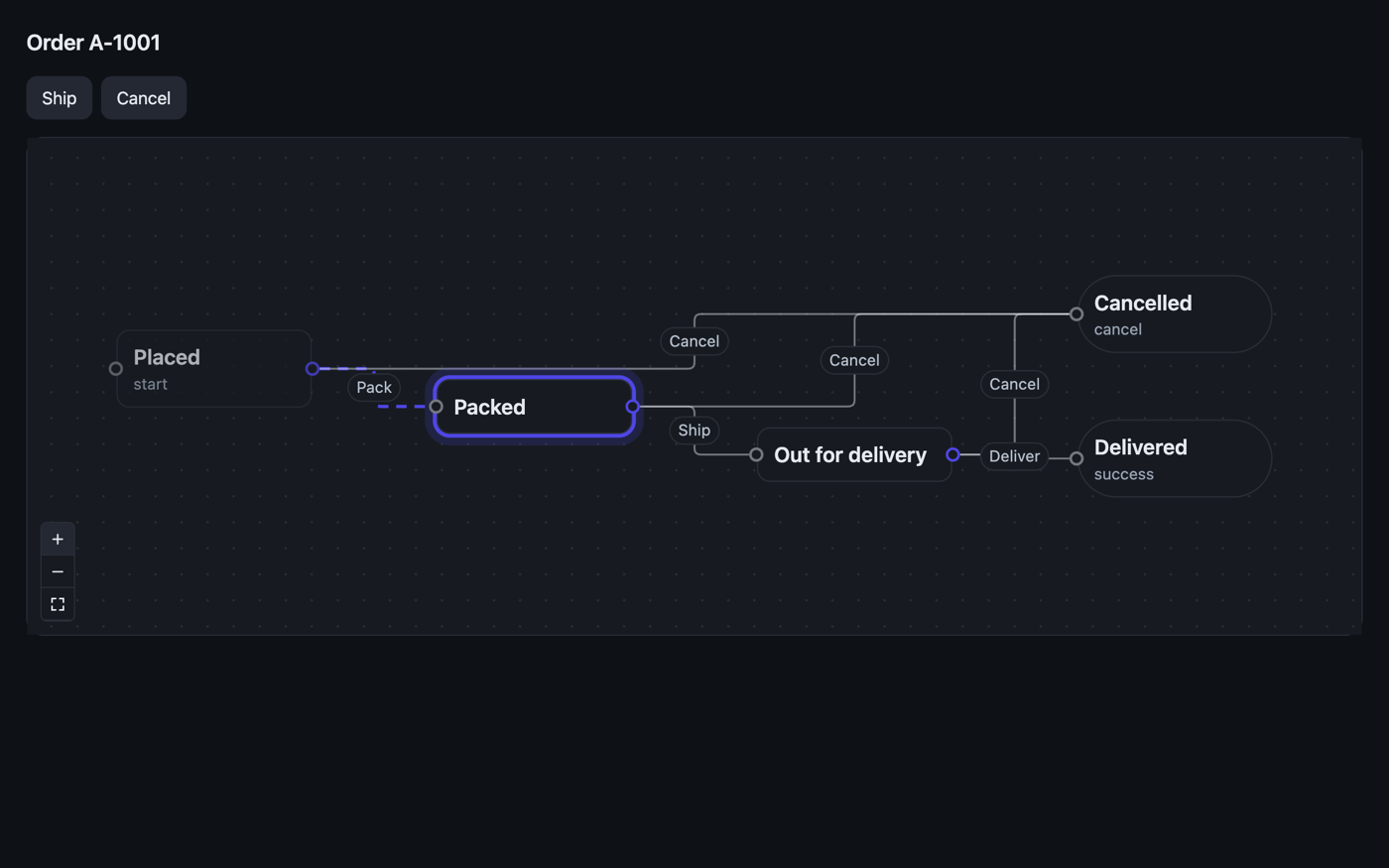
Anything that is a process or a structure: the stages of a guided process a support desk edits, an approval chain, the steps of an automation rule, hiring stages, an org chart — and a live picture of any workflow, with a run's current state highlighted and its path drawn, moving as the run moves.
Because nodes and edges are rows, a move or a new connection is an ordinary edit your action writes through the unit of work — committed, discarded, secured and synced like any other. Because a node is your own template, it can hold anything a page can: a field, a badge, a button.
Install
osy
// app.osy
app Designer {
  use Osysharp.Ui;
  use Osysharp.Flow@0;
  model "model/**/*.osy";
}
console
osy lock # resolves the package and pins its content address in osyrin.lock
Using it
osy
using Osysharp.Flow;

FlowCanvas(
  nodes: steps, edges: links,
  nodeTypes: [ new FlowNodeType { Name = "Task", Ports = [
    new FlowPort { Id = "in", Kind = "target", Side = "left" },
    new FlowPort { Id = "out", Kind = "source", Side = "right" } ] } ],
  labelField: "Title",          // what a screen reader calls each node
  snap: 20, minimap: true,
  nodeMoved: Move, connected: Link, edgeRemoved: Unlink, nodeRemoved: Remove,
  selectionChanged: Selected
) {
  slot Task { s => Text(s.Title); }
}
- Moves and connections are events carrying your rows. A drop raises
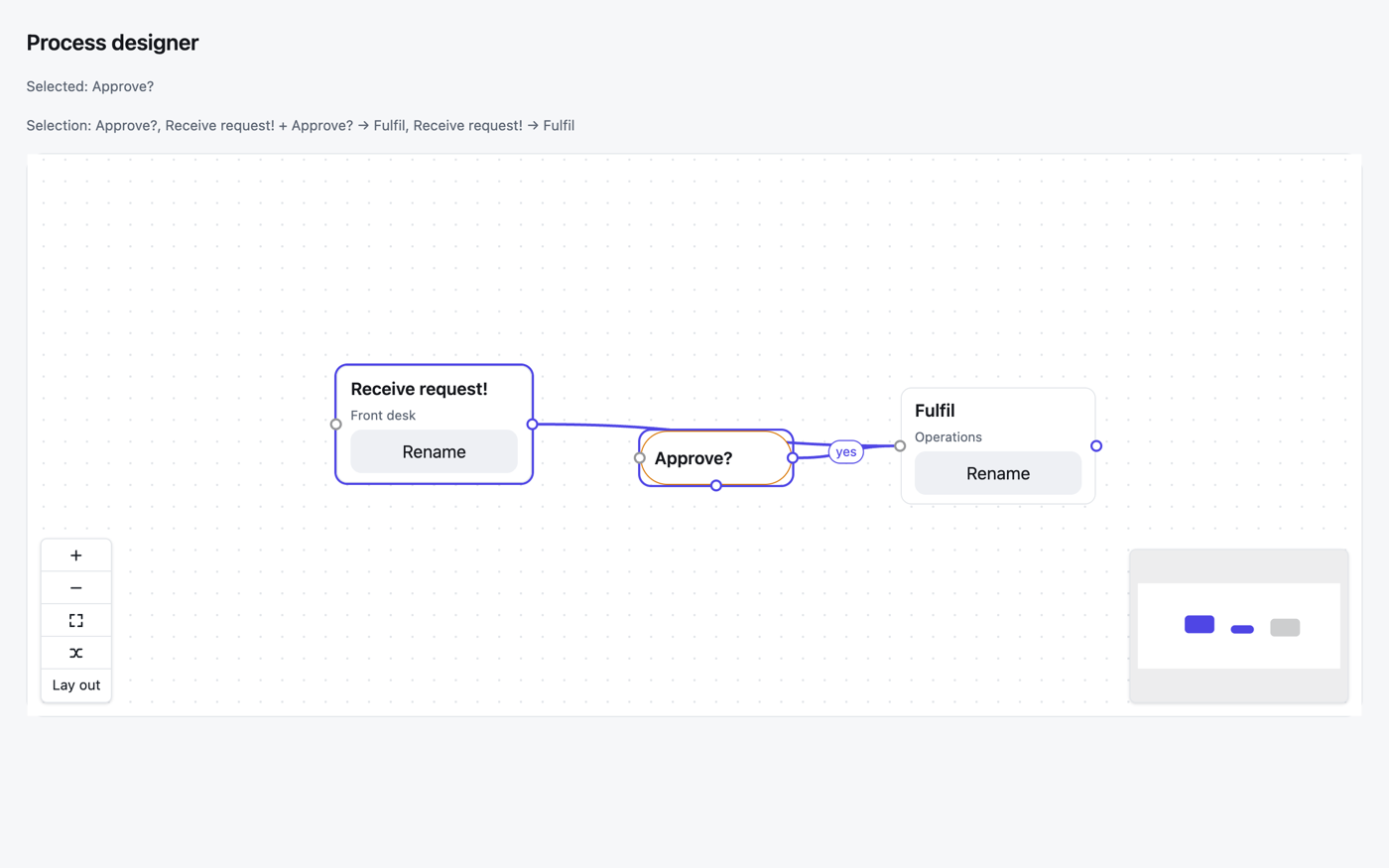
nodeMoved(row, x, y)once; drawing an edge raisesconnected(from, to, fromPort, toPort)and you create the edge row. - Select many: Shift/Ctrl/Cmd-click, Shift + drag a box, Ctrl/Cmd + A, Space from the keyboard. Drag, arrows and Delete act on the whole selection;
selectionChanged(TNode[], TEdge[])hands you the rows. - Lay it out: the Tidy button, Shift + L, or the
Layoutcommand;autoLayout: initialplaces a graph nobody has placed yet,alwayslays out a picture every time. The engine (dagre, MIT) is a separate chunk, downloaded only the first time a canvas lays itself out. - Undo is the unit of work: write without committing, and
UnitOfWork.Discard()returns every moved, linked and unlinked row — the canvas draws the rows, so it shows what they are. - A workflow's picture:
nodes: MyFlow.Graph.States, edges: MyFlow.Graph.Transitions,highlighted: [row.Status.ToString()],visited:fromMyFlow.For(row).TimeInStates. - Without a mouse: Tab between nodes; arrows move; Alt + arrows go to the nearest node; E walks a node's edges and S/T jump to an edge's ends; Enter on two ports connects them; Delete removes;
?reads the keys. Everything that happens is announced. - It fills the box you give it (
sizing fill) — give that box a height.
The full reference is osy docs ui-flow-kit; the workflow graph is osy docs workflow-graph.
Tests
tests/ is the kit's own test project: rows become nodes, the selection starts empty, a workflow's graph is complete and draws. Everything that needs a real compositor — drag, connect, pan and zoom, box select, the keyboard model, the minimap, auto-layout, motion, dark mode, the live workflow picture — is proven in a real Chromium browser against a demo app.
Source and package
- Declaration:
flow.osy(control FlowCanvas<TNode, TEdge>,FlowNodeType,FlowPort,FlowTool) - Shim:
flow.ts→flow.js(osy control build), stylesheetflow.css - Chunks:
xyflow-system.js(XY —@xyflow/system0.0.83 + d3) anddagre-layout.js(Layout —@dagrejs/dagre3.1.1), built bynpm run chunks; both pinned exactly - Licences:
LICENSE(the kit is MIT; the bundled MIT/ISC/BSD-3 texts are reproduced there) - Package:
Osysharp.Flow0.x (preview)
Get it
Add the kit to your app’s manifest:
osy
app MyApp {
  use Osysharp.Flow@0;
}
Then run osy lock: it downloads the release, verifies it by its content address and pins that version in osyrin.lock. osy kits Osysharp.Flow shows what the kit is for, from inside your app.
Reference: osy docs ui-flow-kit.