Ask the person a piece of work was for how it went. One question, good or bad, with room for a comment. They answer from the mail with one click and no account, or signed in on the work's own page. Each person has one answer per piece of work, held by the database, and can change their mind for a while after. Your team reads how it is going week by week, with what people wrote.
Use case. A cycle workshop finishes a repair. The customer who booked online sees "How did we do?" on their repair's page; the one who rang the shop gets it by mail. A bad answer lands on the repair's record and tells the mechanic. The same kit asks a shop's customer about their delivery, or a support desk's customer about a solved request: it never knows what the work was.
osy
use Osysharp.Feedback@0;

policy ReadsFeedback => IsMechanic;        // who reads answers and results
policy ManagesFeedback => IsOwner;         // who decides whether and when to ask

[On] void RepairAnswered(FeedbackAnswered e) {      // after the commit, as the app
  if (e.Ask.About is Repair r) { … }
}
app.Feedback = new FeedbackSetup { AppName = "Spoke & Chain" };

[Route("/repairs/{id}")] [Opens(Repair)] component RepairPage(Guid id) { … }   // where the team opens it

// when the work is done — about the repair itself, any record the app keeps
AskForFeedback(repair, "Your city bike, full service", person: repair.Customer, address: repair.Email);

FeedbackPrompt(repair.Id);     // on the repair's page, for its signed-in customer
FeedbackResults();             // on a page of your own, for the team
What it does
| One click is an answer | the mail carries Good and Bad as links; following one records it and opens a page that thanks them and takes a comment |
| No account needed | the mail's link answers that one question and reads nothing else in the app; signed in, the question is on the work's own page |
| One answer per person and piece of work | asking twice never makes a second question; answering again changes the answer, until its window closes |
| Only its person answers | the account it was asked of, or whoever holds its link. Answers are applied after the commit and checked again, then the kit raises FeedbackAnswered, which your [On] handler hears — and which says itself in a bell or on a timeline ("Kim Lund said it did not go well.") |
| Five states, all designed | open, answered (with a comment box and "change to bad"), settled, closed, and no longer asked when the work is opened again |
| Your own mail can carry it | a mail you send anyway ("your repair is ready") puts the question in with TakeFeedbackMail and FeedbackMailQuestion |
| Settings staff own | whether to ask, how long after the work, how long the question stays open, how long an answer can change, how long answers are kept |
| Results | asked, answered, the share that said good, good and bad week by week, and the latest comments, each only for whoever may read the work — the work's own security, read as the reader — linked to where it opens |
| Personal data | the address and what people wrote are classified; with Osysharp.Privacy, Osysharp.Privacy.Feedback counts, copies, restricts and erases a person's answers |
One question, good or bad, by design. A 0–10 score or a survey of several questions is a different question.
Screens
| The question on the work's page | 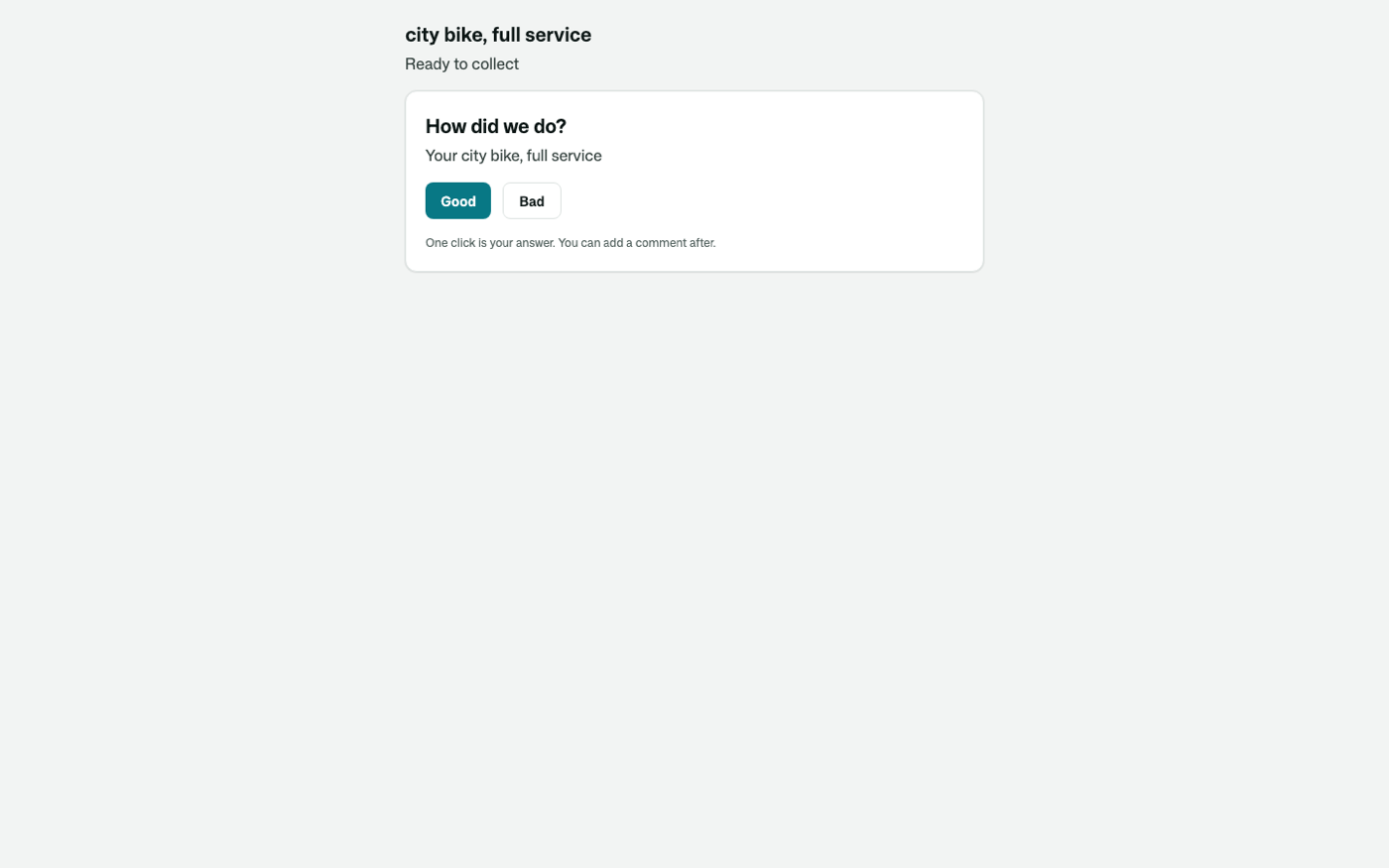 |
| Answered from the mail, on a phone | 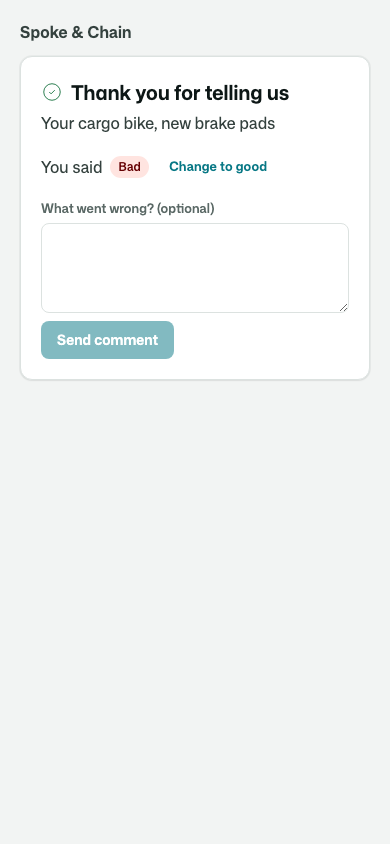 |
| How it is going | 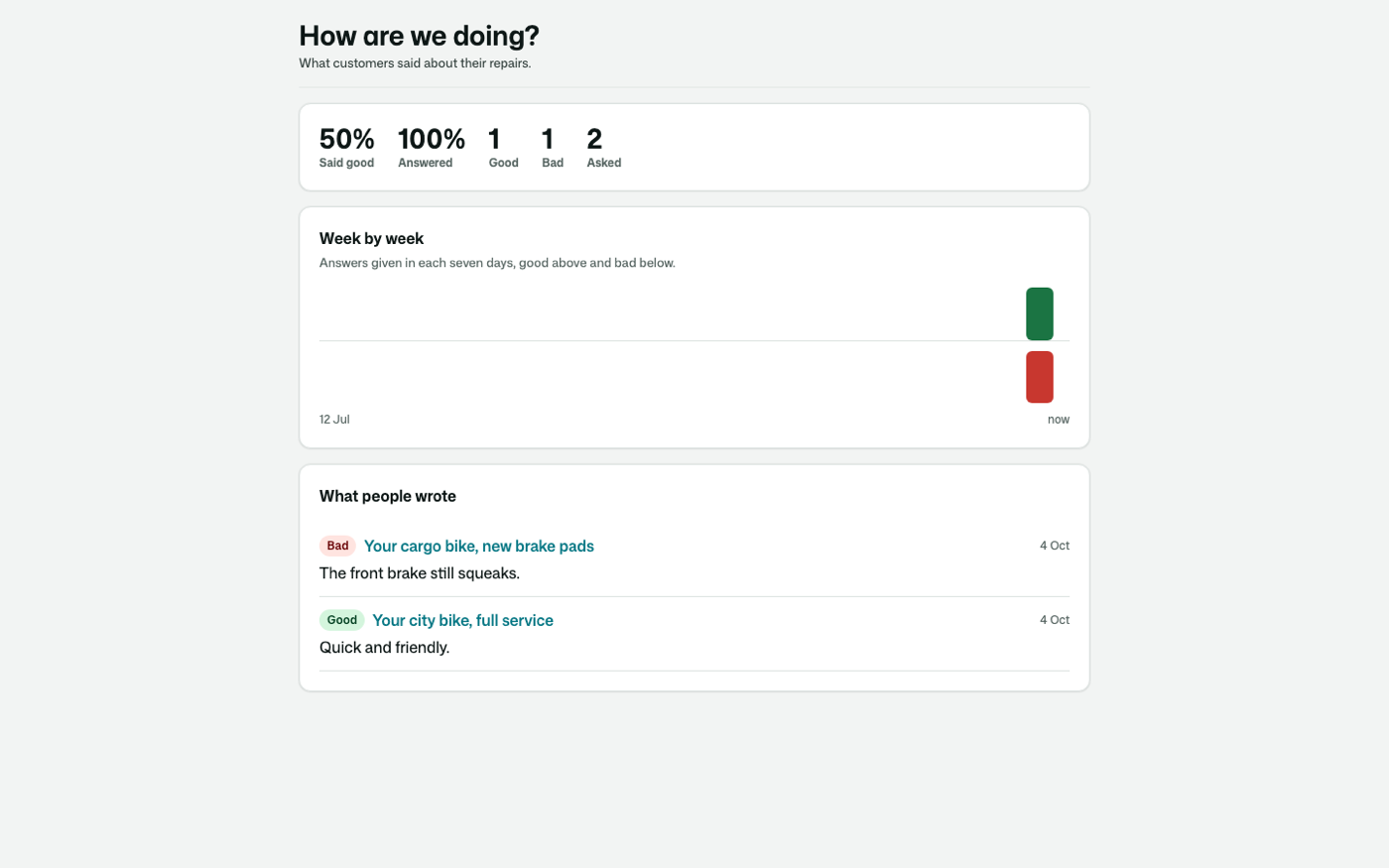 |
| When and whether to ask | 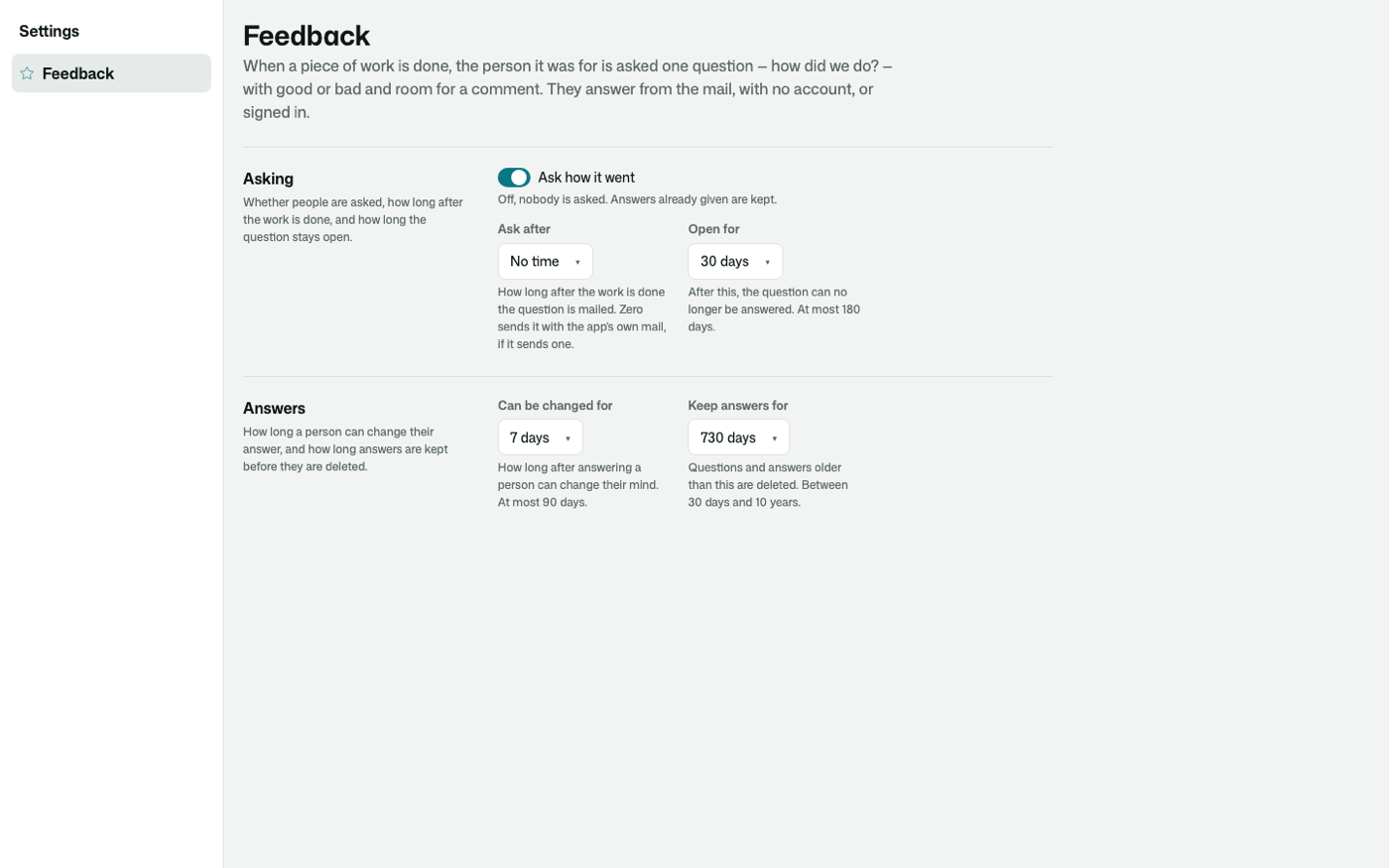 |
Its tests
Every behaviour above is proven against a small workshop app, its screens photographed with osy test --pixels.
Get it
Add the kit to your app’s manifest:
osy
app MyApp {
  use Osysharp.Feedback@0;
}
Then run osy lock: it downloads the release, verifies it by its content address and pins that version in osyrin.lock. osy kits Osysharp.Feedback shows what the kit is for, from inside your app.
Reference: osy docs ui-feedback-kit.