Templates · Helpdesk
Harbour: a helpdesk your team can live in.
Mail, text and chat in one thread per customer. Queues, service levels and account teams. A live desk worked from the keyboard, a portal for your customers — built from kits, and yours to change from the first line.

What it does
Built for a team that answers all day.
- A live desk, worked from the keyboard
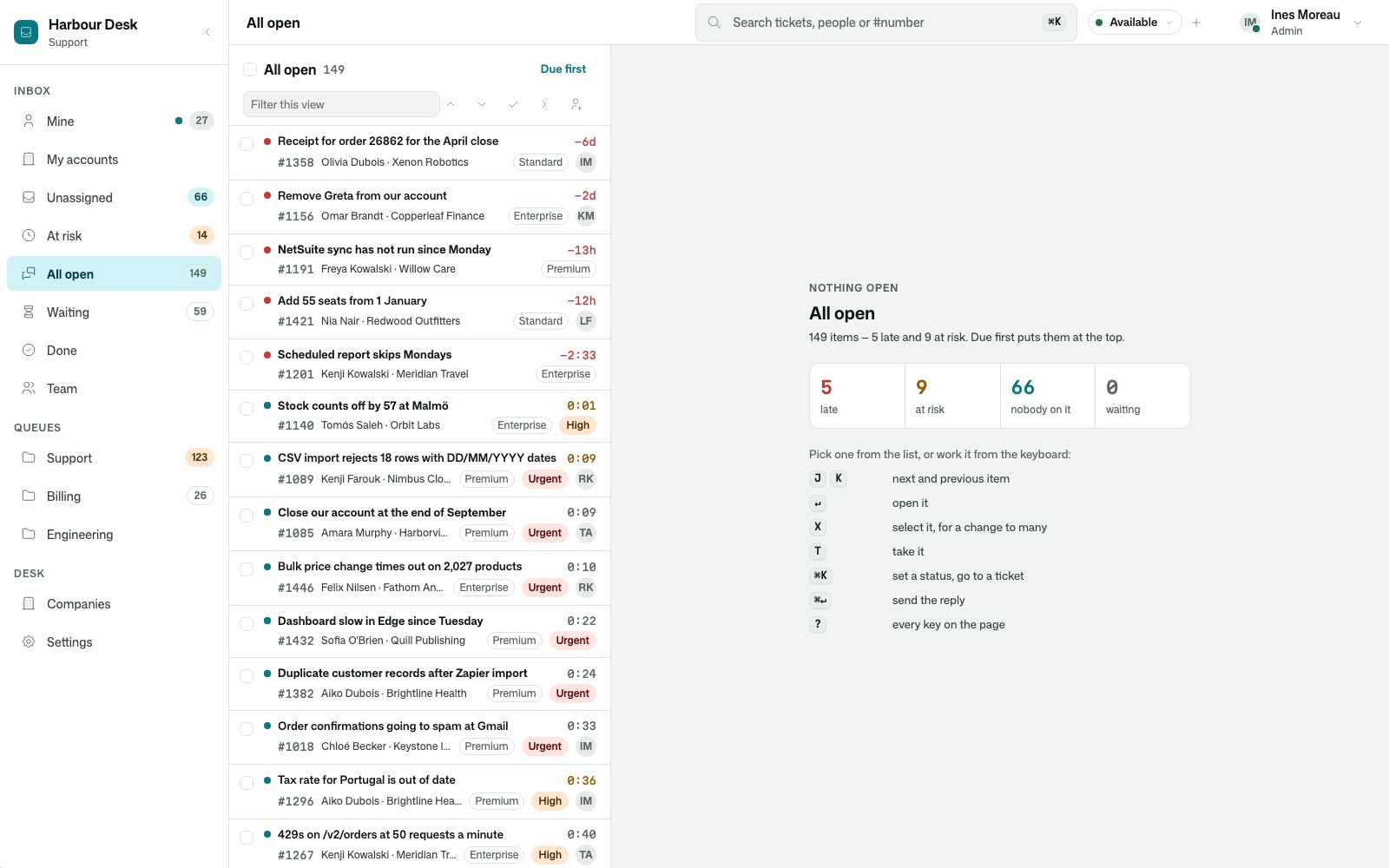
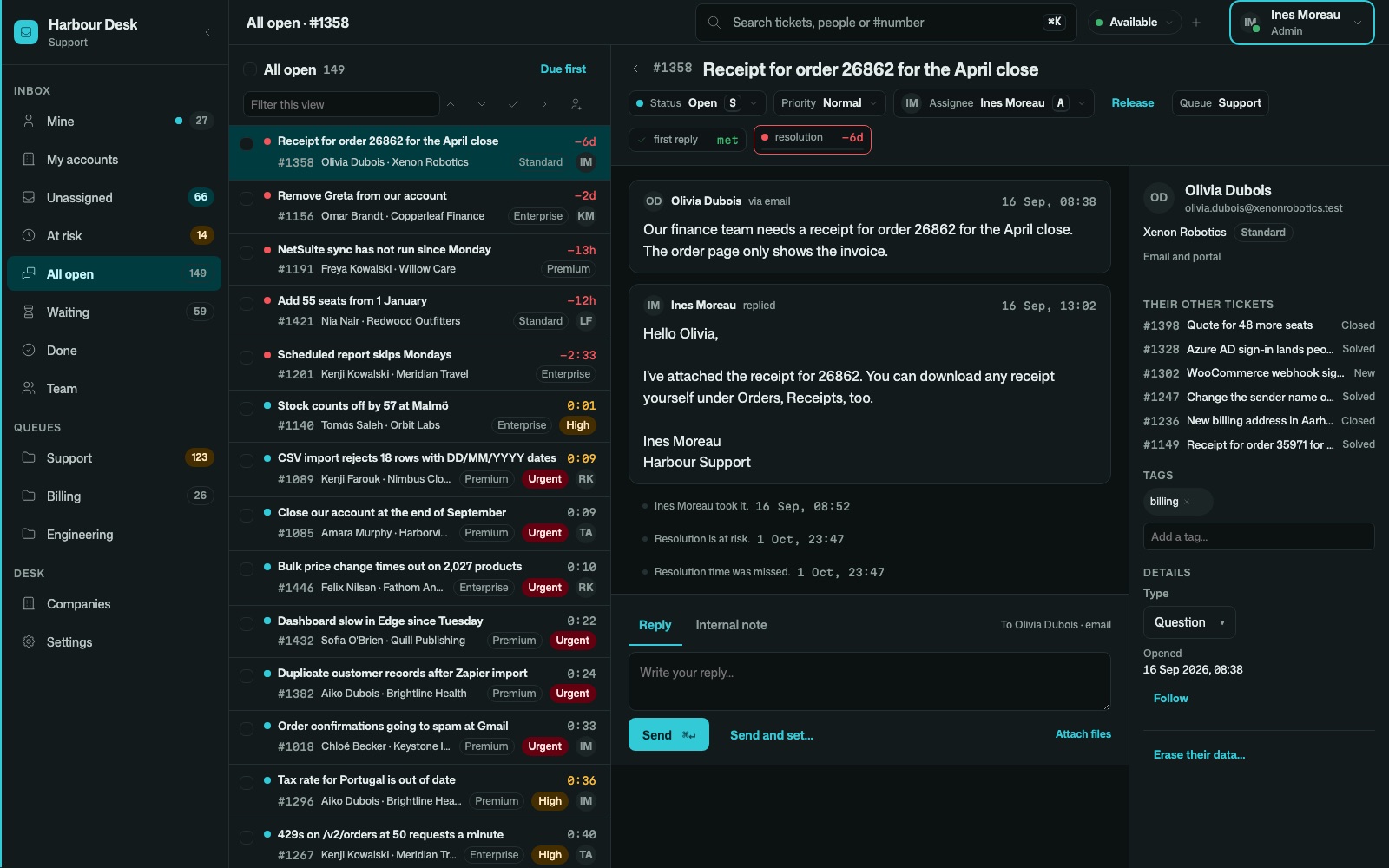
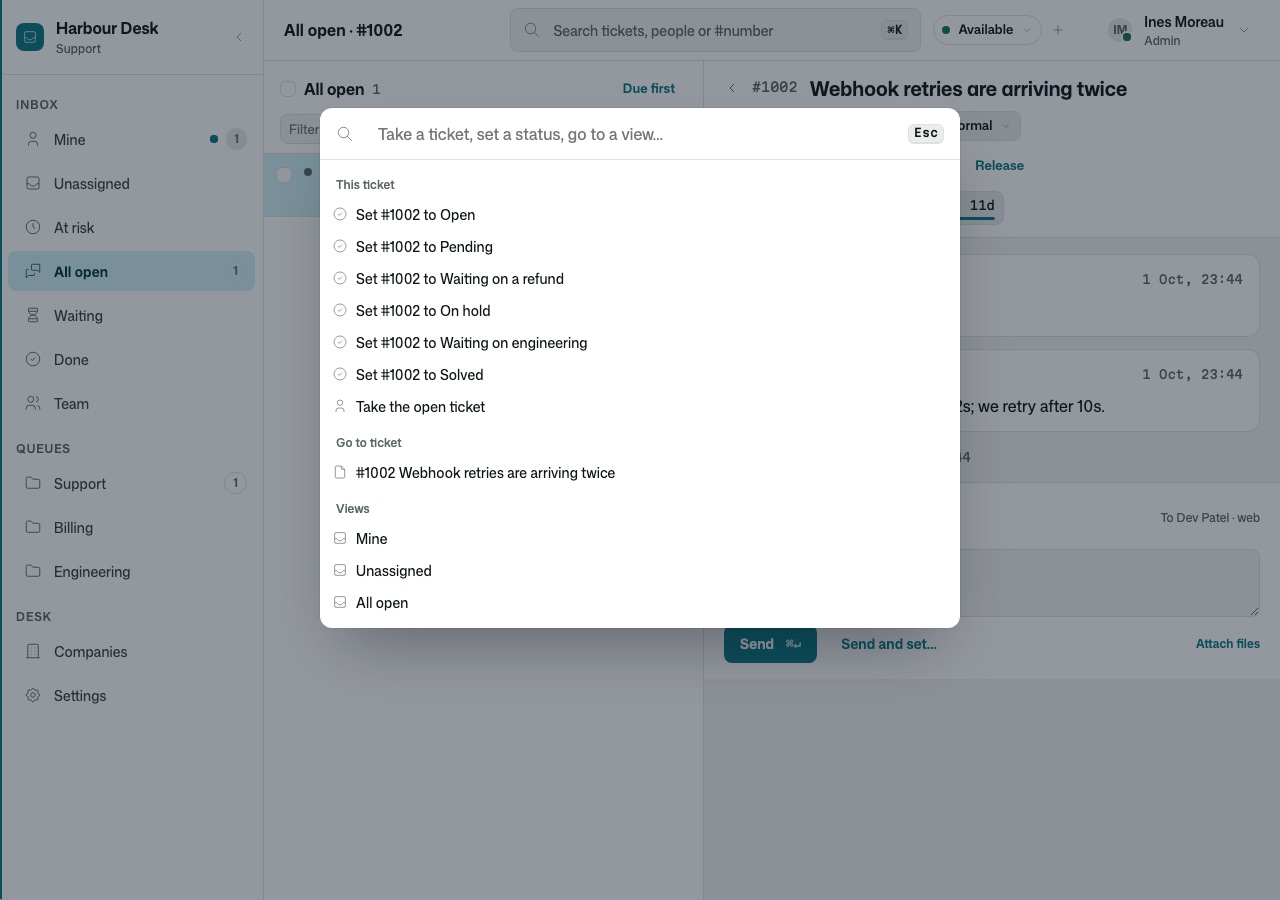
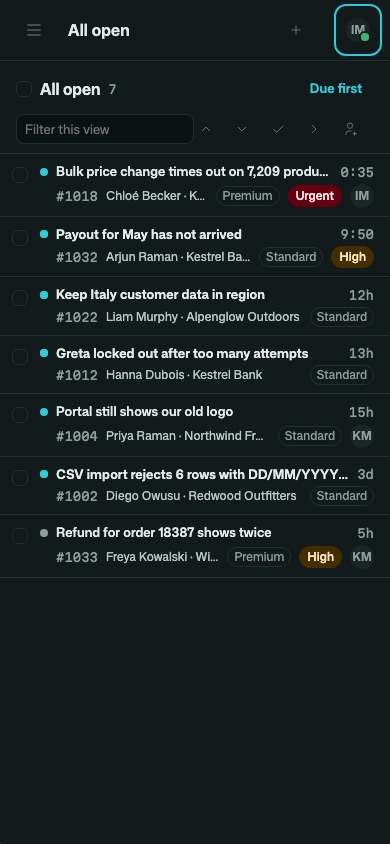
- Views count as work moves. J and K walk the list, Enter opens, ⌘K assigns or sets a status, and several tickets stay open as tabs, each keeping its half-written reply. A dense list stays fast at hundreds of open tickets. The desk
- Queues, assignment and service levels
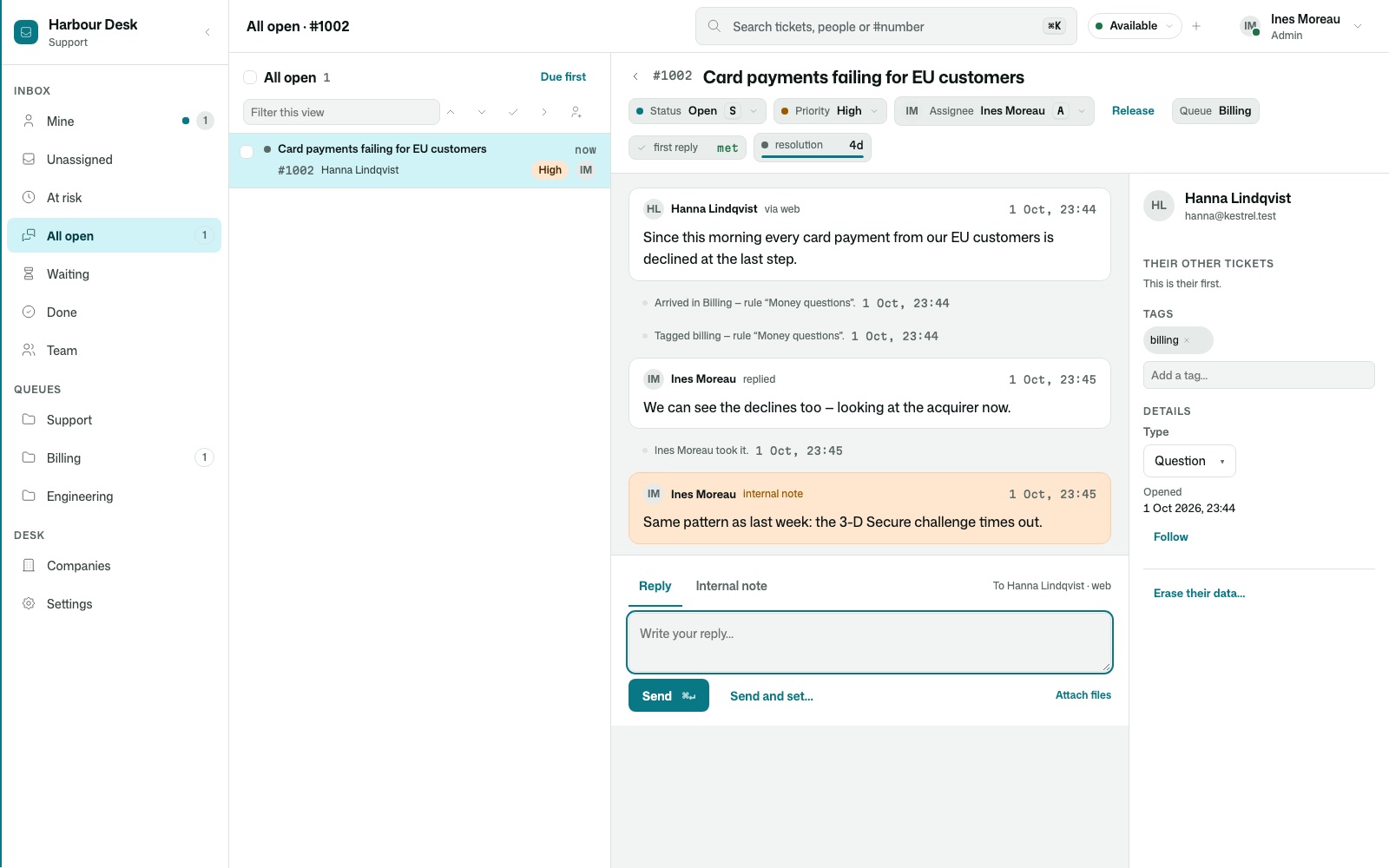
- Routing rules, round robin and least-loaded assignment within each person’s capacity, skills and languages. First reply, next reply and resolution promises in your business hours, paused while you wait on the customer, escalated before they break. Service levels
- Account teams and cover
- A company’s tickets go to its owner first, then the backup, the pod and the queue — on time. Going away hands your work to cover, and follow-the-sun passes an unanswered ticket on when a holder’s day ends. Accounts and cover
- Mail, text and chat, threaded
- Mail to your support address becomes a ticket; replies thread in the customer’s own mail program. Texts and live chat land on the same timeline, and a chat left unread continues by mail. Connect Gmail, Microsoft 365 or an IMAP mailbox. Channels
- Attachments where the message is
- Screenshots shown in place, source files previewed with their lines coloured, every file checked from its bytes. A file on an internal note stays with the team. Files
- Who else is here
- The ticket shows colleagues viewing or replying, live. If someone answers while you write, your reply stops and names them, so the customer gets one answer, not two. Working together
- Erasure that keeps what must be kept
- A request to erase someone is planned per category: erased now, kept restricted for a stated legal reason until a date, or held. Erasure reaches their messages, their mail and the files marked as being about them, the history keeps its shape, and the person is told what was kept and why. Privacy How privacy is declared
- In the customer’s language
- Customers write in their own language and read your replies in it, marked as translated; the original is kept beside an English copy, on your own model account. Language
What’s inside
Everything a support team reaches for in a week.
- 144 features
- 17 areas
- 22 kits
- 1,110 tests
The desk · tickets · composer · mail, text and chat · files · queues and assignment · service levels · accounts and cover · working together · customers and the portal · language · knowledge base and help centre · automations and API · reports · AI drafts · team and sign-in · privacy
The Switchboard look
Calm at a glance, light or dark.
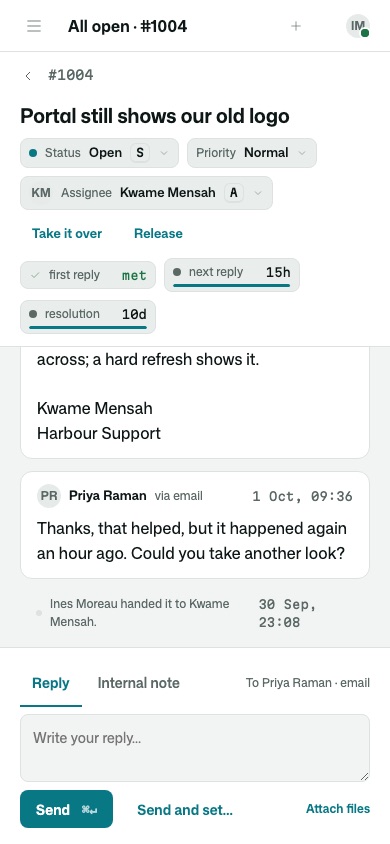
Colour has one job per hue. A lit dot means a customer is waiting on you, amber means a promise is running short, red means one was missed — everything else is ink. Times and ticket numbers are set in a monospace so a column of clocks reads like one. On a phone, the list and the ticket are a screen each.
Your customers’ side
A help page, a portal, and rules for where it lands.
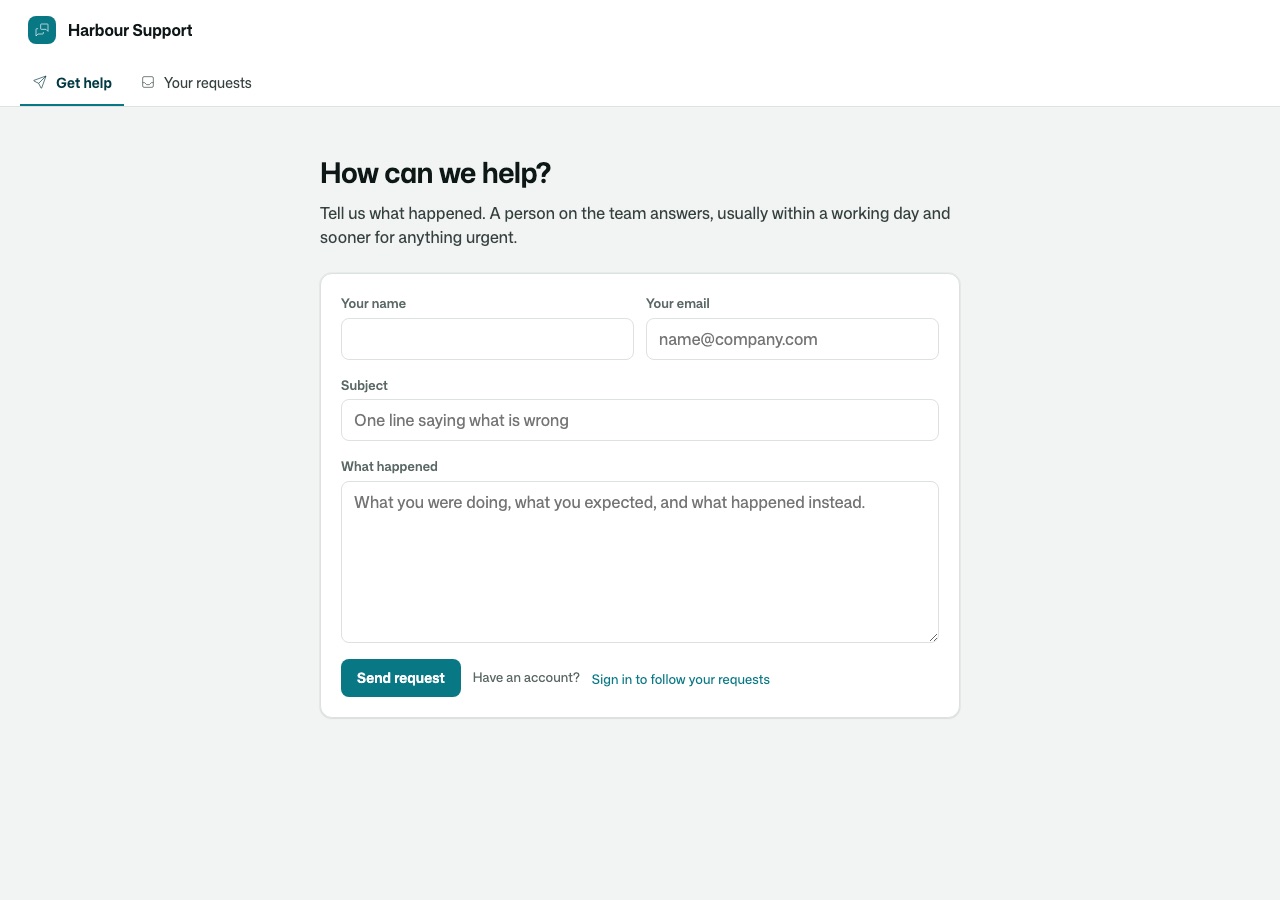
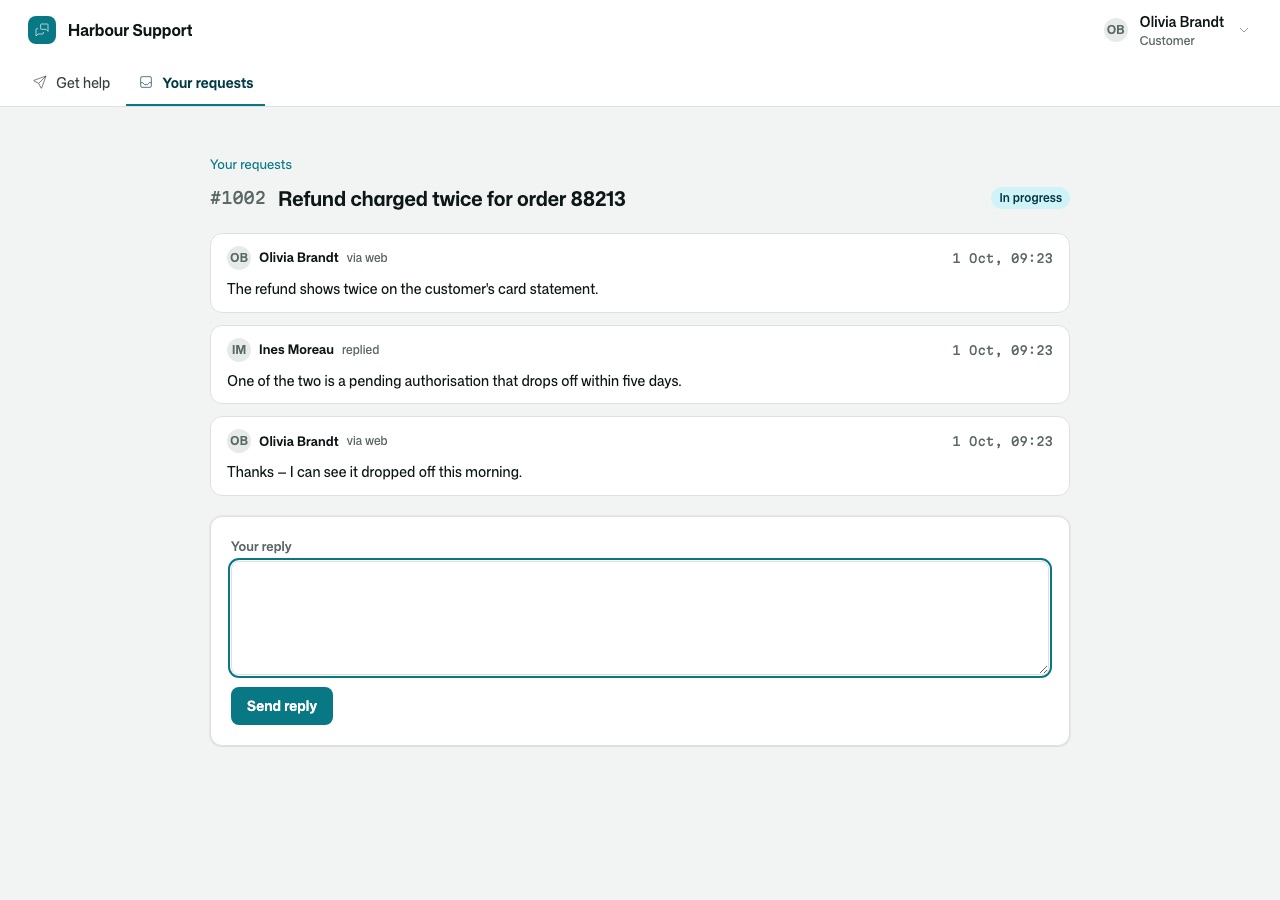
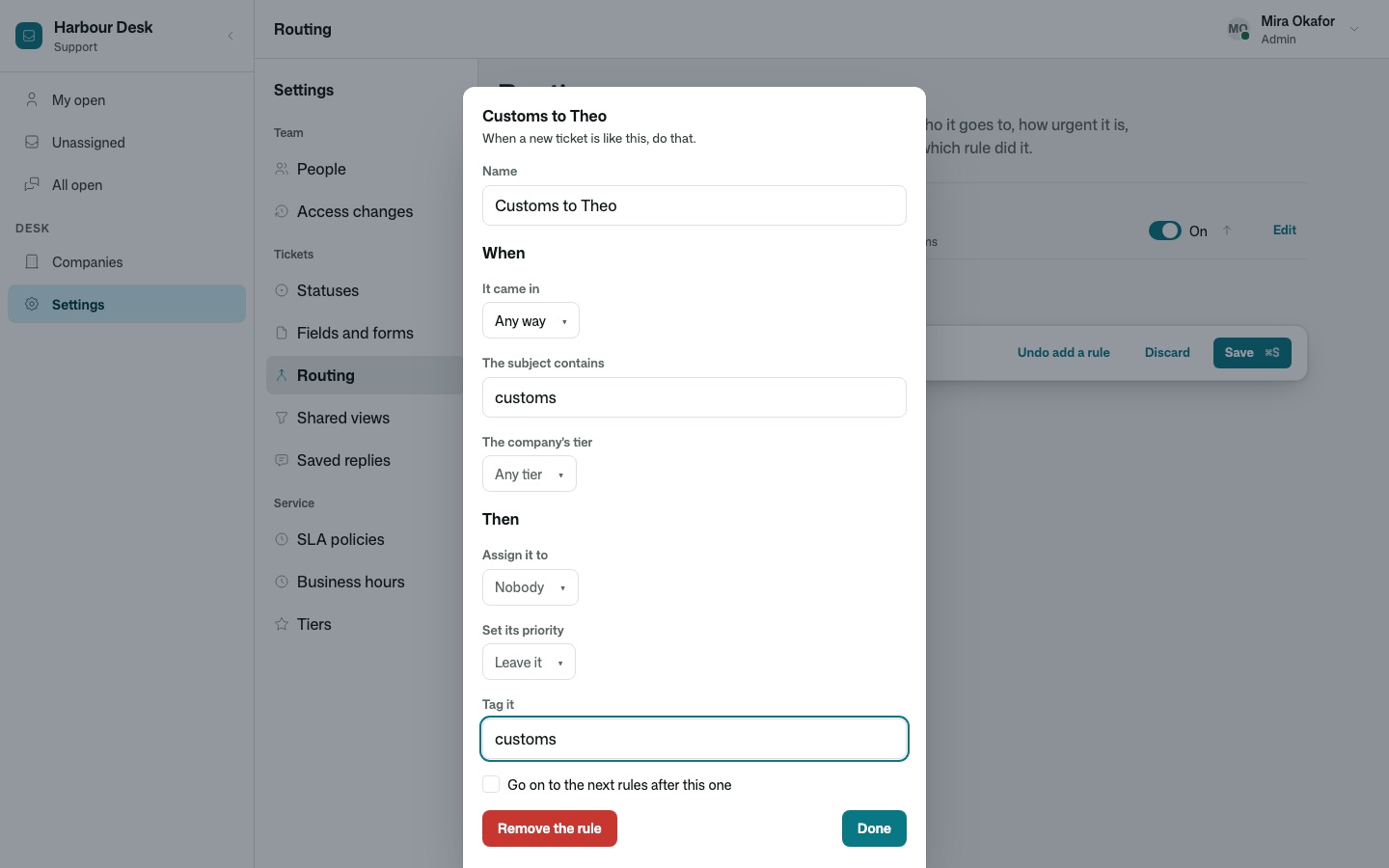
Visitors send a request without an account. Customers sign in to follow and answer theirs, and see their company’s when it shares them. Routing rules decide who gets it and how urgent it is — and say which rule did it.
How it is built
A thin helpdesk on finished kits.
- Most of it is kits
- The ticket, its statuses and its pages are Harbour’s own. The one timeline per customer is Conversations; queues and promises are Inbox; who else is here is Collaboration; sign-in, invitations, the people page and companies are Accounts, Invitations, People and Organizations; erasure is Privacy. Each is a kit any application inherits.
- The same kits run other work
- Inbox holds any kind of work item, not only tickets. The same queues, promises and cover can run an approvals desk or a hiring pipeline.
- The look is yours, in full
- Pages, theme and words are ordinary source in your project. Change a colour token and every screen follows, in light and dark.
- The data is yours
- Tickets, conversations, files and customers are rows in your application’s own database. AI and translation run on your own model account.
- Security is declared once
- Who may read a note, work a queue or erase a customer is written on the data itself, and every page, function and export follows it. A customer sees their side of the thread and none of the team’s.
- Extend it, or take it over
- Add fields, statuses, views and rules as data. When your desk needs to work differently at its core, copy a kit’s source into your project — it is ordinary code, and it compiles exactly as before.